Need help?
Do you have a question about the GNB SCR100-06-260S1Z and is the answer not in the manual?
General warranty conditions for GNB electric vehicle battery chargers.
Specifies the warranty is extended only to the original user.
Details the warranty duration for the charger and its components.
Outlines GNB's liability and available remedies for defects.
States that continued use of a defective charger voids warranties.
Warranty exclusion for equipment repaired or modified by unauthorized parties.
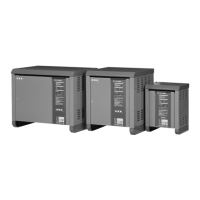
Procedures for safely stacking chargers on top of each other.
Guidelines for proper AC fuse installation and rating selection.
Steps for reconfiguring the charger for different input voltages.
Instructions for connecting the charger's AC input power.
Importance and method of grounding the charger chassis for safety.
Explanation of error codes and status indicators displayed by the charger.
Description of the optional JIC switch assembly for operator protection.
Details on the optional battery watering control and end-of-charge relay.
Information on the optional remote stop and equalize functionality.
Overview of the charger's operational stages, indicators, and controls.
 General
| Brand | GNB |
|---|---|
| Model | SCR100-06-260S1Z |
| Category | Battery Charger |
| Language | English |

 To Next Page