17
HOW TO US
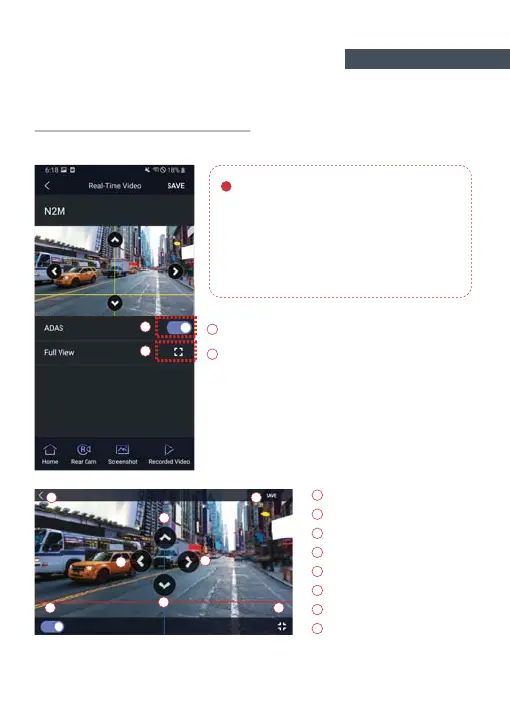
ADAS Lane correction -Android
To improve the ADAS recognition rate,
it is recommended to adjust the
dash camera position by matching the end
of the vehicle bonnet line on condition that
"the lane correction button" is turned on in
the real time screen.
Up direction
Left direction
Right direction
Downward direction
Exit backward
Save
Guideline view on / off
Guideline view on / off
Screen zoom out
Full screen view (landscape)
FUNCTION 02



 To Next Page