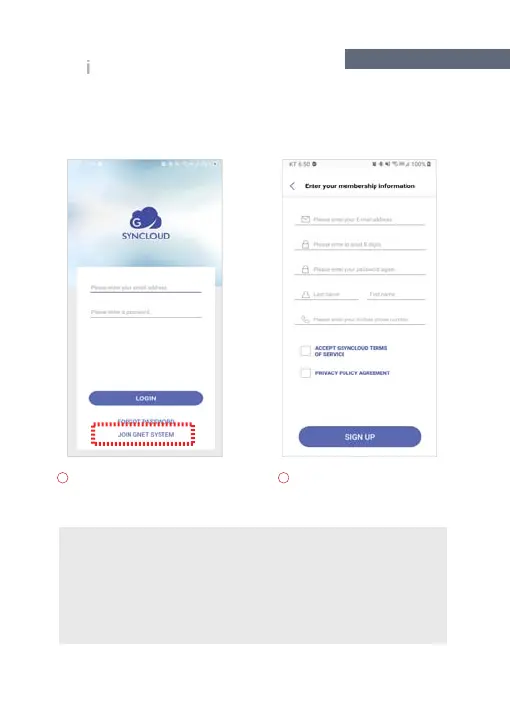
If you do not have an ID, please
click the Register button, and
then please register.
Enter your information on the
registration screen to login
G-SYNCLOUD.
G-SYNCLOUD 03
35
OW TO USE G-SYNCLOU
APP_
OS
Enter your E-MAIL address, password, last name, first name, phone number
and check “ACCEPT GSYNCLOUD TERMS OF SERVICE” (required), and check
“PRIVACY POLICY AGREEMENT(required), and click "SIGN UP" icon.
And then, You will see a message stating "You have successfully registered"



 To Next Page