G-SYNCLOUD 03
47
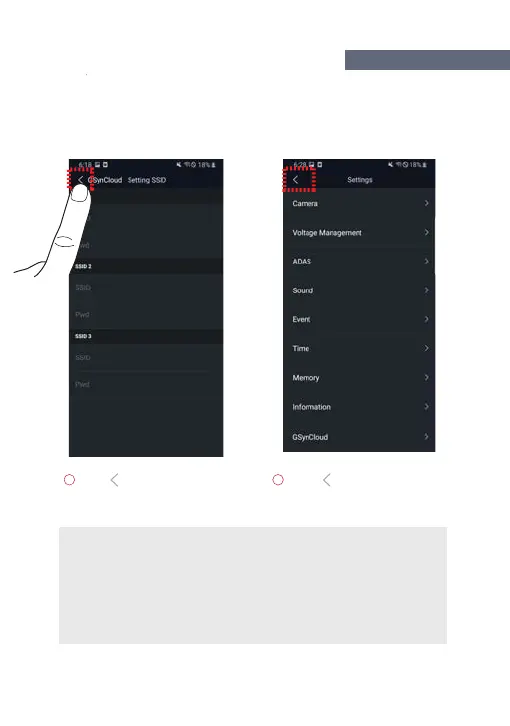
Click (Back arrow) on the
top left of SSID setting
screen to exit the screen.
Click (Back arrow) on the top
left of the setting screen to exit
the screen.
If you use an iOS smart phone(ex.: apple iPhone),
the above text does not appear and the dashcam is automatically rebooted.
If you use an Android smart phone(ex.: Samsung GALAXY),
the word “Do you want to save? YES / NO ” does appear on the smartphone,
and then, you need to click "YES".
HOW TO USE G-SYNCLOU
ndroi



 To Next Page