NO TE:
TheClock must be set to the
correct date and time before
this feature wilt work.
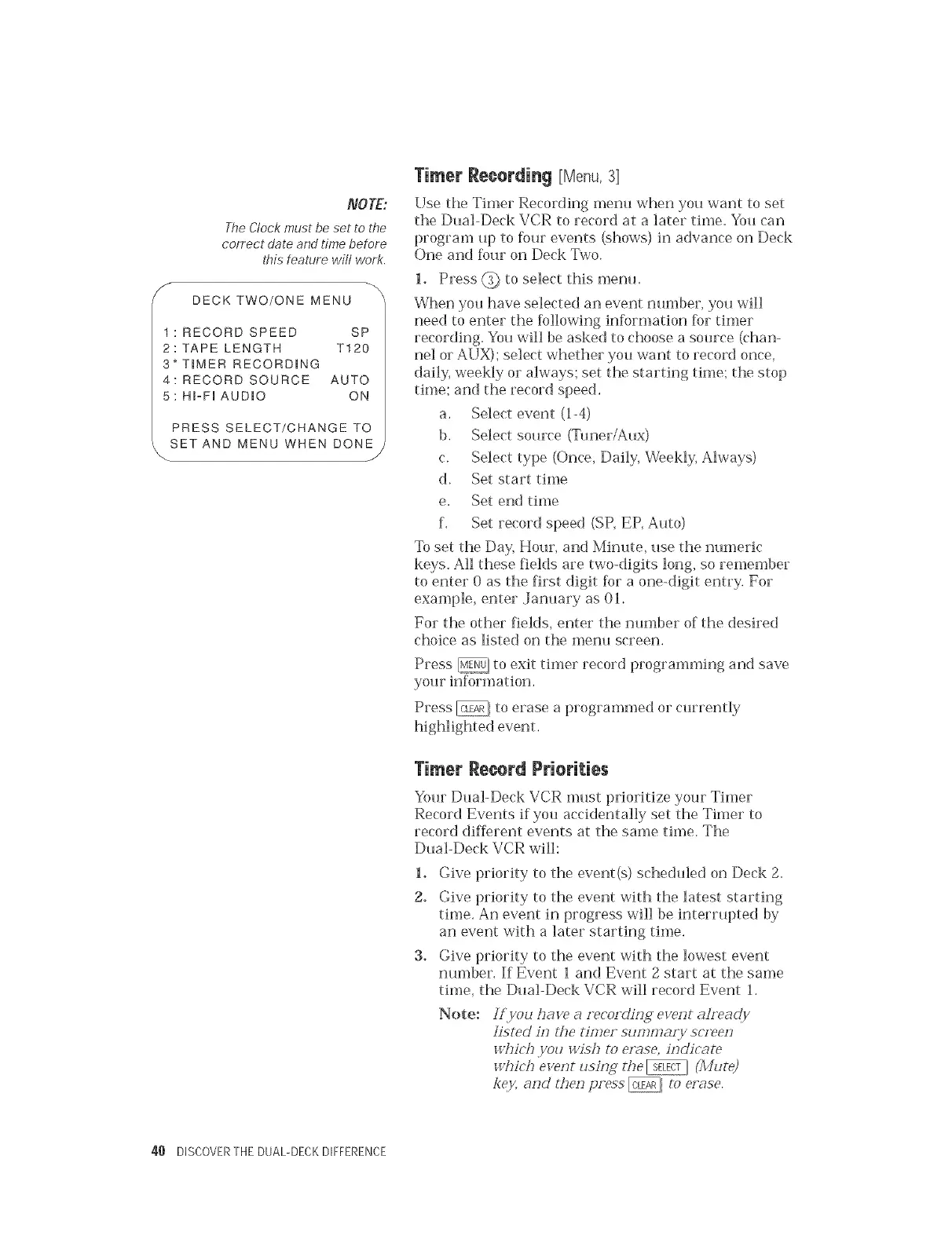
Y DECK TWO/ONE MENU
1 : RECORD SPEED SP
2: TAPE LENGTH T120
3" TIMER RECORDING
4: RECORD SOURCE AUTO
5: HFFI AUDIO ON
PRESS SELECT/CHANGE TO
SET AND MENU WHEN DONE
J
Timer Recording [Menu,3[
Use the Timer Recording menu when you want to set
the Dual-Deck VCR to record at a later time. You can
program up to four events (shows) in advance on Deck
One and four on Deck Two.
1. Press @ to select this metal
When you have selected an event nmnber, you will
need to enter the following information for timer
recording. You will be asked to choose a source (chan-
nel or AUX); select whether you want to record once,
daily, weekly or always; set the starting time; the stop
time; and the record speed.
a. Select event (14)
b. Select source (Tuner/Aux)
c. Select type (Once, Daily, Weekly, Always)
d. Set start time
e, Set end time
f. Set record speed (SP, EP, Auto)
To set the Day, Hour, and Minute, use the numeric
keys. All these fields are two-digits long, so remember
to enter 0 as the first digit for a one-digit entry. For
example, enter ,January as 01.
For the other fields, enter the number of the desired
choice as listed on the n_enu screen.
Press _{ to exit tinmr record programming and save
your information.
Press @ to erase a programmed or currently
Timer Record Priorities
Your Dual-Deck VCR must prioritize your Timer
Record Events if you accidentally set the Timer to
record different events at the same time. The
Dual-Deck VCR will:
1. Give priority to the event(s) scheduled on Deck 2.
2. Give priority to the event with the latest starting
time. An event in progress will be interrupted by
an event with a later starting time.
3. Give priority to the event with the lowest event
number. If Event i and Event 2 start at the same
time, the Dual-Deck VCR will record Event 1.
Note:
!?iyou ha:<e a recor&izJg event aheady
]istdd izl the timer sun?maly srv'eezl
whir'lJ you _v_:shm e,'_se, izJdicom
which e>ent usiHg fi_e _ (Mute)
key, and then press @ to erase.
40 DISCOVERTHE DUAL-DECKDIFFERENCE


 To Next Page
 Loading...