10
Removing and emptying
the dust canister
Ensure the stick vac is switched off
before emptying the dust canister.
As a tip, it is easier to remove
the dust canister without any
attachments on the vac.
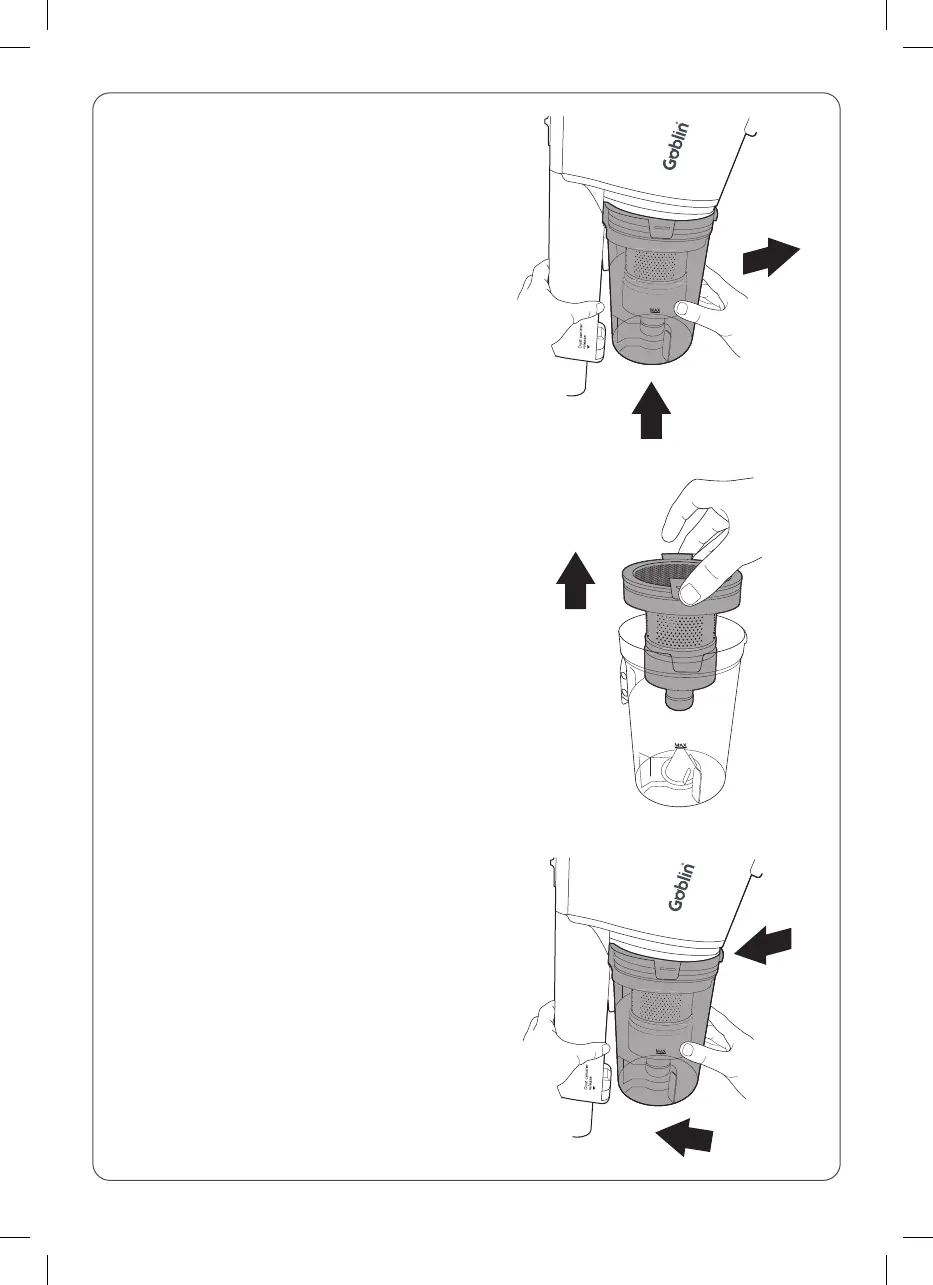
1. Press the dust canister release
button located underneath the
dust canister (1) and pull away
from the main body, keeping the
dust canister fairly upright (2).
2. Pinch either side of the filter
assembly and pull upwards away
from the dust canister. Empty the
debris from the dust canister into
a household bin.
Note: Do not allow the dust canister
to overfill. Don’t exceed the MAX
level marker. Empty regularly.
Everytime you empty the dust
canister, check the filter assembly
and tap gently over the household
bin to remove any excess dust.
3. Replace the filter assembly
into the dust canister. Hook the
channel on the top of the dust
canister with the lug on the main
body (1). Push the dust canister
back towards the main body until
you hear it click into place (2).
2
1
1
2



 To Next Page