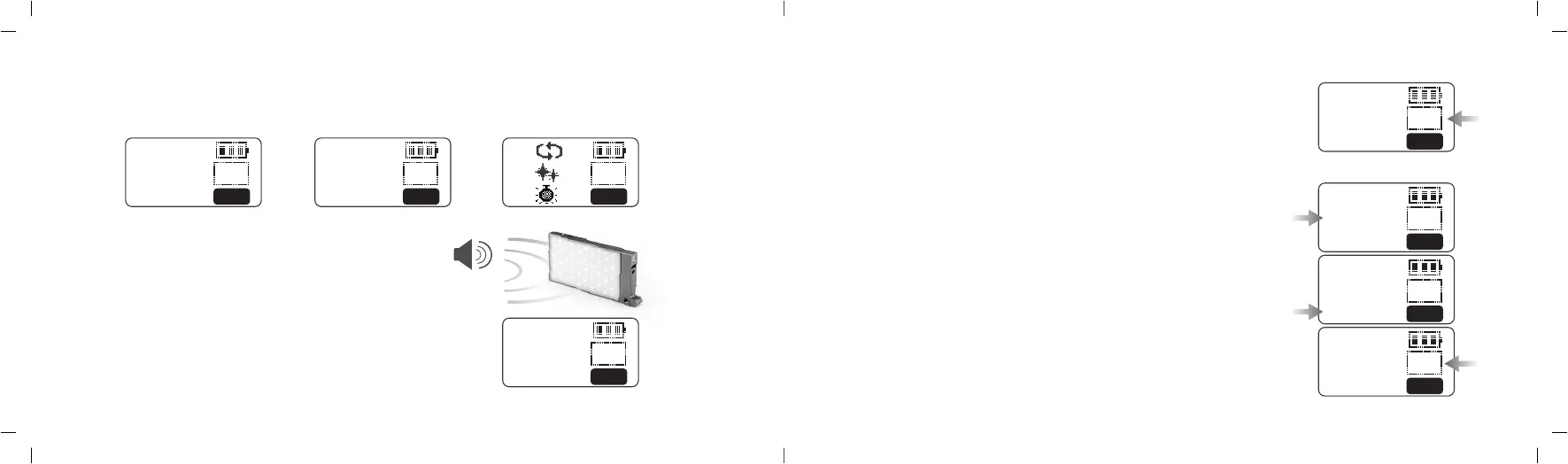
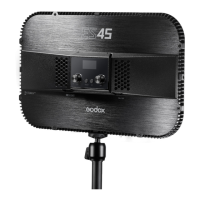
Bicolor mode
1.2 Mode Selection: Bicolor mode/Colorful mode/Situational special effects mode
Press MOD button to switch different modes: CCT displayed on the screen means bicolor mode, HIS displayed on the
screen means colorful mode and FX means situational special effects mode.
Colorful mode Special effects mode
2. Bicolor Mode
2.1 Color temperature adjustment: turn the FN multifunctional
select dial upwards or downwards to adjust the color temperature
from 2500K to 8500K.
3. Colorful Mode
3.1 Adjust hue H: press the FN multifunction select dial and H is selected. Turn the
FN multifunctional select dial upwards or downwards to adjust the hue from 0 to 360°.
3.2 Adjust saturation S: press the FN multifunction select dial and S is selected.
Turn the FN multifunctional select dial upwards or downwards to adjust the
saturation from 0 to 100.
3.3 Adjust light brightness: turn the light brightness select dial to adjust the
brightness from 0-100%.
2.2 Light brightness adjustment: turn the light brightness select dial from
0 to 100%.
1.3 MIC: when using music mode, please place the MIC hole closely to
the music source area and adjust the distance between light and
audiosource according to the effects.
2:
>1: I
I
100
FX
3: I
S:99
>H:354 100
HSI
>2500K 100
CCT
>8500K 100
CCT
>8500K 0
CCT
S:99
>H:360 100
HSI
>S:100
H:354 100
HSI
S:99
>H:354 100
HSI
- 27 - - 28 -



 To Next Page