2.1 Rotate and loosen the knob at the
bottom of the ring light controller.
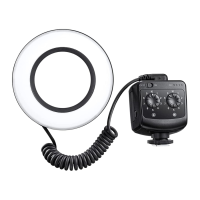
2.2 Slide the ring light controller base mount
and insert it into the hot shoe socket of the
camera.
2.3 Tighten the knob at the bottom of the
controller until it is completely fixed.
Note: If you remove the LED light controller,
first loosen the knob and then slide it out
of the camera hot shoe.
3.1 This product is equipped with 8 different
types of adapter rings, which can fully match
the camera diameter of: 49mm, 52mm,
55mm, 58mm, 62mm, 67 mm, 72mm and
77mm.
3.2 Choose the corresponding adapter ring
and install it on the camera lens, and then
buckle the ring LED head on the adapter ring.
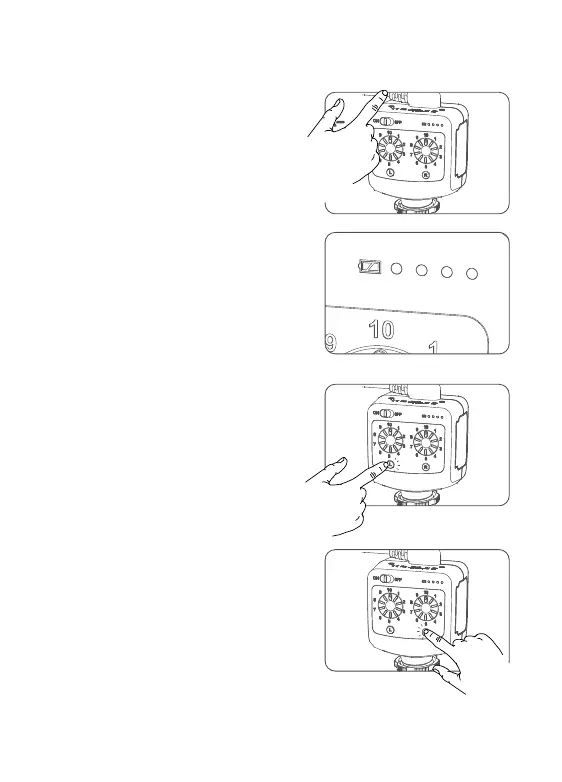
1. Turn on
Slide the power switch to "ON" and the LED
light will light up.
Use LED lights
How to install the LED light controller on the camera
How to install the ring LED head on the camera
2. Controller power indicator
display
The green light indicates the remaining power,
the four green lights indicate the remaining
100% power, the three green lights indicate
the remaining 75% power, the two bright
green lights indicate the remaining 50%
power, and the one green light indicates the
remaining 25% power.
Low battery reminder: When the first
indicator on the left flashes (on for one second
and off for one second), it indicates that the
battery is low. Please replace the battery in
time.
3 . L left half ON/OFF
L left half light button lights up green,
indicating that the L left half light is turned on;
short press can turn off the L left half light,
short press again to restore the previous
brightness value.
4. R right half ON/OFF
The R right half light button lights up green,
indicating that the R right half light is on;
short press can turn off the R right half light,
and short press again to restore the previous
brightness value.
- 13 - - 14 -
Note: The above power display is based on the
testing data of Godox. Different brands of batteries
will cause the battery indicator display to be different.


 To Next Page