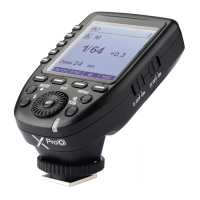
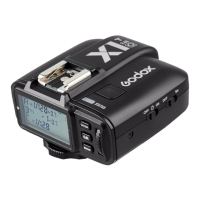
Note: Please obtain the latest electronic instruction manual on our official website for there may be upgraded
firmware.
The transmitter screen will turn black if abnormalities occur in upgrading. The solution is to re-plug the USB
cable, press and hold the test button and the select dial at the same time, then release the test button only, until
"Upgrading" appears on the interface, then the device can be upgraded successfully through USB cable.
This flash trigger supports firmware upgrade through the USB-C port. Update information will
be released on our official website.
As the firmware upgrade needs the support of Godox G3 V1.1 software, please download and
install the "Godox G3 V1.1 firmware upgrade software" before upgrading. Then, choose the
related firmware file.
Upgrading instruction: In power-on status, connect X3 O to the computer through USB-C
cable, and click "Firmware Upgrade" to enter upgradation after it shows on the screen. In
power-off status, press and hold the adjust dial and connect X3 O to the computer through
USB-C cable to enter the firmware upgrade.
1. Unable to trigger flash or camera shutter. Make sure power switch is turned on. Check if the
flash trigger and the receiver are set to the same channel, if the hot shoe mount or connection
cable is well connected, or if the flash triggers are set to the correct mode.
2. Camera shoots but does not focus. Check if the focus mode of the camera or lens is set to
MF. If so, set it to AF.
3. Signal disturbance or shooting interference. Change a different channel on the device.
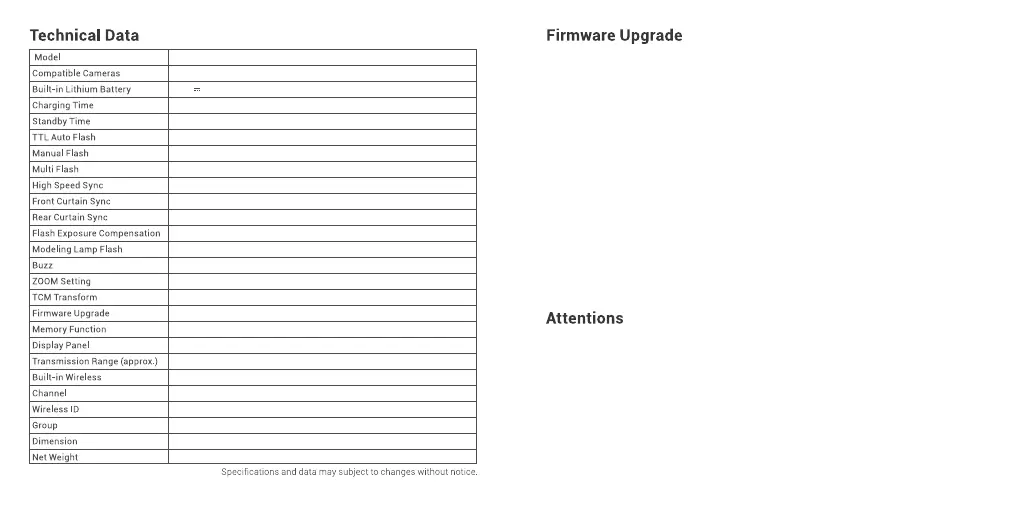
X3 O
Olympus/Panasonic cameras(TTL auto flash)
3.7V 850mAh
≈2h
≈7 days
√
√
√
√
√
√
±3EV(exposure value), adjustable in 1/3 EV increment
Control the modeling lamp by flash trigger
Control the buzz by flash trigger
AUTO/Focus length 24-200mm
Transform the TTL shooting value into the output value in the M mode
Upgrade through the USB-C port
Settings will be stored 2 seconds after last operation and recover after a restart
Touch screen with adjustable brightness
0-10 0m
2.4GHz
32
OFF/01-99
A-F,0-9
1.61〞×1.85〞×1.5 4〞
≈48g
61 62


 To Next Page
 Loading...