Digital Video Recorder: User Manual
7
2. Open-package check and cable connections
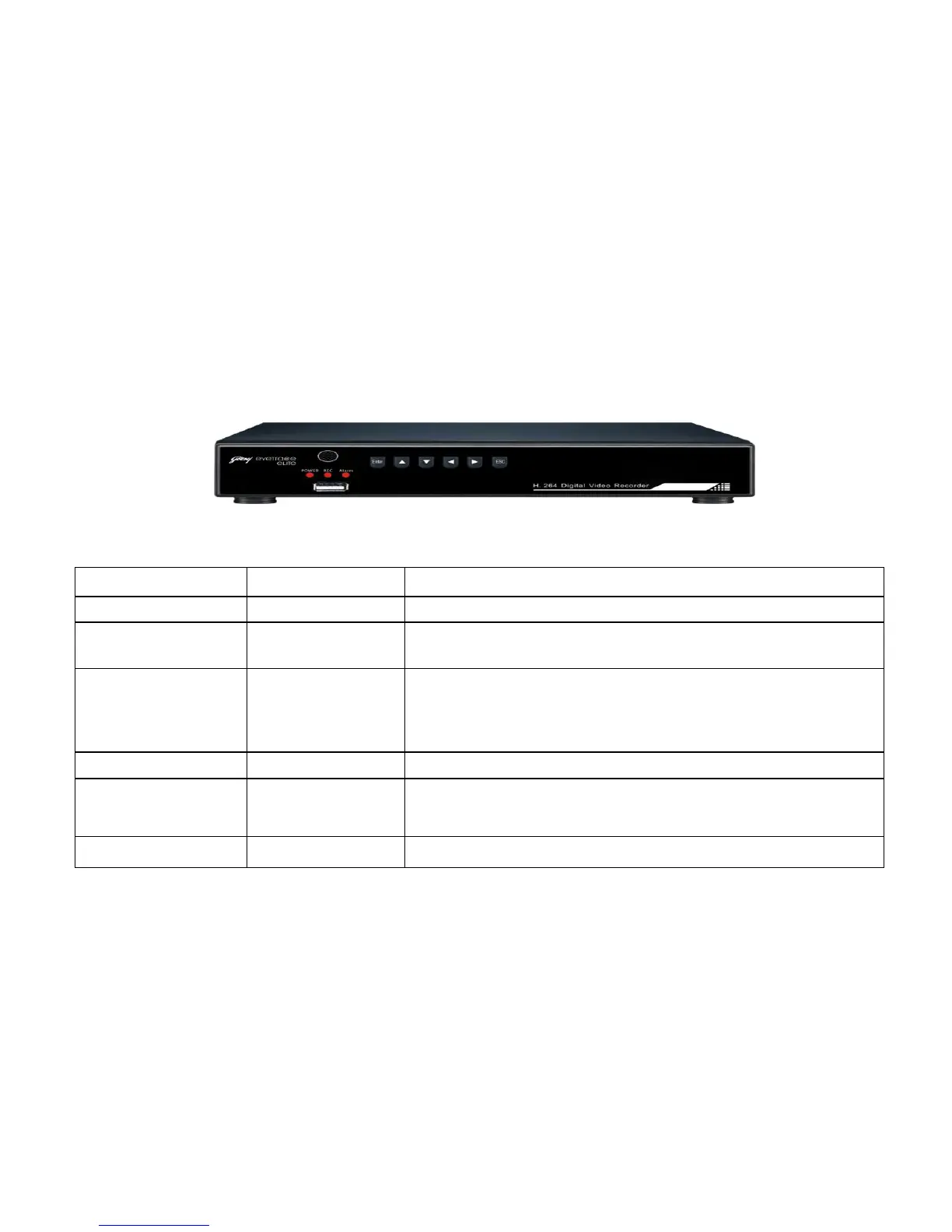
2.1 Description of front panel:
Press this key to pop up the main menu.
To show the working status of the DVR. "REC” is recording indicator; "POWER” is
power indicator; 'ALARM' is alarm indicator.
Direction/split/
confirm Keys
In menu mode, select the listed options upward/ downward/ leftward/rightward; In
PTZ, control the dome to upward/downward/ rotate/leftward/rightward. Enter key
confirms the selection and operation. In live mode, upward and downward is for split-
key, nine-split key and sixteen-split key. In playback mode, leftward and rightward is
used for rewind and forward.
Press it to exit from the inferior menu and return to the superior menu.
Connected to disk and used for system software upgrade or video file backup. Insert the
disk after turning off the DVR. Better not connect the mouse here, or it would be
abnormal.
Receive signal from remote control.


 To Next Page