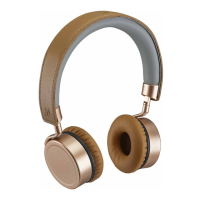
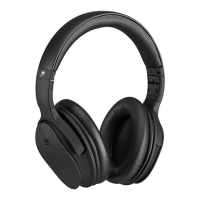
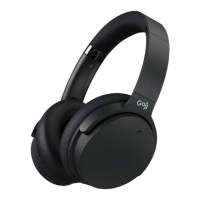
The Goji Over-ear Lites Wireless Headphones (model GLITVBT18) are designed for wireless audio playback and hands-free calling, offering a convenient and portable listening experience. These headphones can also be used with a wired connection via an audio cable.
Function Description:
The primary function of these headphones is to provide wireless audio streaming via Bluetooth 4.0. They support A2DP, AVRCP, HFP, and HSP Bluetooth profiles, ensuring compatibility with a wide range of devices for music playback, volume control, and call management. The headphones feature integrated controls for adjusting volume, skipping tracks, and handling phone calls. A built-in microphone allows for hands-free communication. For situations where wireless connectivity is not desired or available, the headphones can be connected to an audio source using the included 3.5mm audio cable.
Important Technical Specifications:
- Model: GLITVBT18
- Sensitivity: 95±3 dB
- Impedance: 32 Ω
- Rated Input: DC 5V 0.5 A
- Frequency Response: 20 Hz – 20 kHz
- Frequency Band(s): 2400 – 2482 MHz
- Max. Radio Frequency Power Transmitted: 7 dBm
- Bluetooth Interface: Bluetooth 4.0
- Bluetooth Profiles: A2DP, AVRCP, HFP, HSP
- Operating Distance: <10 m (open space)
- Battery Type: Polymer Lithium ion, 300 mAh
- Battery Life: Up to 9 hours
- Charging Time: 2.5 hours
- Net Weight: 183.6 g
Usage Features:
Wireless Operation (Bluetooth):
- Switching On/Off: To switch on, move the ON/OFF switch to the ON position, then press and hold the / button until the status indicator lights up. To switch off, press and hold the / button until the status indicator lights up for a few seconds.
- Automatic Reconnection: If the headphones have been previously paired with a Bluetooth device, they will automatically attempt to connect to the last paired device when both are in pairing mode.
- Bluetooth Pairing:
- Ensure the headphones are switched off.
- Switch the ON/OFF switch to the ON position.
- Press and hold the button for 5 seconds to enter Bluetooth pair mode. The red and blue indicators will flash rapidly and alternately.
- Activate the Bluetooth feature on your device and search for "GLITVBT18".
- If prompted, enter the passcode "0000". Some devices may require confirmation of the headset connection after pairing.
- A blue indicator will blink, and the earphones will beep upon successful pairing.
- Note: If no Bluetooth device is paired within 15 minutes, the headphones will automatically switch off.
- Call Functions:
- Answer/End a call: Press the / button once.
- Reject a call: Hold the / button for 2 seconds, then release.
- Redial last call: Press the / button twice.
- Playback Functions:
- Play/Pause track: Press the / button once.
- Increase volume: Press the +/ button repeatedly as desired.
- Decrease volume: Press the -/ button repeatedly as desired.
- Skip to next track: Press the +/ button.
- Go to previous track: Press the -/ button.
- Note: Call and playback functions may not be compatible with all smartphone brands. Refer to your smartphone's user manual for details.
Wired Operation (Audio Cable):
- Connecting the Audio Cable: Connect the 3.5mm audio cable to the AUX IN socket on the headphones and to your music player or mobile phone.
- Important: The headphones must be turned off before connecting the 3.5mm audio cable. When using the audio cable, the Bluetooth feature and microphone function will be disabled.
- Multifunction Button (on audio cable):
- Answer/End a call: Press the multifunction button once.
- Reject a call: Hold the multifunction button for 2 seconds, then release.
- Play/Pause track: Press the multifunction button once.
- Skip to next track: Press the multifunction button twice.
- Note: These functions may not be compatible with all smartphone brands.
Charging the Battery:
- Connect the USB charging cable to the headphones' charger connector.
- Connect the other end of the USB charging cable to a powered USB device.
- Battery Indicator Status:
- Low battery: Status indicator flashes red slowly.
- Charging: Battery indicator lights up red.
- Fully charged: Battery indicator light extinguishes.
- It is recommended to fully charge the unit before first use.
Maintenance Features:
General Care and Safety:
- Damage Inspection: Always inspect the unit for damage after unpacking. Do not operate if damaged or not working normally; consult your dealer.
- Temperature: Avoid extreme temperatures (hot or cold). Keep away from heat sources like radiators, gas/electric fires, and direct sunlight.
- Naked Flames: Never place candles or naked flames on or near the unit.
- Interference: Do not place the unit near appliances that may cause electromagnetic interference, as this can affect performance and cause distorted sound.
- Earphone Usage:
- Avoid listening to loud sounds for prolonged periods to prevent permanent hearing damage.
- Before putting on earphones, turn the volume down, then slowly increase to a comfortable listening level.
Troubleshooting (Hints and Tips):
If the product is not working:
- Recharge the product.
- Ensure the product is switched on.
- Ensure your Bluetooth-enabled device's wireless function is active.
- Ensure there are no other wireless devices in discovery mode.
- Move the product closer to the device.
- Pair the product and the device again.
Disposal:
- Product Disposal: Do not dispose of the product with household waste. Hand it over to a designated collection point for recycling waste electrical and electronic equipment to conserve natural resources and protect human health and the environment.
- Battery Disposal: The batteries contain chemicals. Dispose of used batteries according to local laws and regulations. Do not dispose of batteries with normal household waste.
Product Overview Components:
- Headphone:
- Status indicator
- +/ button (Increase volume, Go to next track)
- / button (Call function, Bluetooth pairing, Audio playback)
- -/ button (Decrease volume, Go to previous track)
- AUX IN socket
- Microphone
- ON/OFF Switch
- Charger connector
- Battery indicator
- Audio Cable: Features a multifunction button and microphone.
The Goji Over-ear Lites Wireless Headphones offer a versatile and user-friendly audio solution, combining wireless convenience with the option for a wired connection, all while emphasizing user safety and responsible disposal.

 Need help?
 General

 To Next Page