EasyManua.ls Logo

GOK SmartBox 1 - User Manual

GOK SmartBox 1
12 pages
Print Icon
To Next Page IconTo Next Page
Loading...

Article No. 28 100-
Version 12.2007
Page 1 of 12
SmartBox 1 / SmartBox 2 / SmartBox 3
Electronic Content Indicator - Optionally with additional functions
CONTENT Page:
GENERAL 1
DESIGN 1
OPERATING MEDIA 1
IDENTIFICATION 2
INSTALLATION 2
START-UP 5
EXAMPLES FOR PROGRAMMING 6
OPERATION 10
PERFORMANCE CHECK 10
MAINTENANCE 10
REPAIR 10
ADDITIONAL TECHNICAL DATA 11
LIST OF ACCESSORIES 11
GENERAL
The electronic tank management system SmartBox 1, SmartBox 2 and SmartBox 3 can be used
for monitoring of the liquids contained in unpressurized liquids tanks.
In addition to the registration of tank content, other functions can be implemented by system
enhancements, e.g. temperature measurement, data telecommunication, or connection to master
control systems of the building.
The SmartBox 2 has additional relay control functions, e.g. for activating external alarm devices,
solenoid valves, or the dry-run protection function of pumps.
The SmartBox 3 has relay control functions and an audible alarm for minimum level Indication.
When the acoustic alarm sounds, it can be switched off by pressing the ‘Quit’ key.
Thanks to its modular design, the system can be equipped with additional modules, e.g. with an
analog interface or a GSM module for telecommunication.
The indicated measurements are not gaged for invoicing.
The measuring probe is not a safety device, not even in connection with an electronic indicator.
Accordingly, it will not replace a limit monitoring indicator at the tank.
To operate the device as intended and to observe the warranty conditions, it is imperative that
you adhere to this Installation and Operating Manual and hand it over to the user.
DESIGN
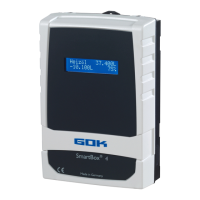
The SmartBox 1 has an 8-digit LCD display and a measuring input for connecting the probe. The
SmartBox 2 has additionally 2 programmable relays with make and break switching output. The
SmartBox 3 has a programmable relay with make and break switching output and an acoustic
alarm for minimum level Indication. As a standard, the measuring probe can be installed with tank
connecting thread G1, G1½ or G2.
OPERATING MEDIA
Fuel oil EL acc. to DIN 51603-1
petroleum
fire point > 55°C
Diesel fuel DK
acc. to DIN EN 590
alcohol
fire point > 55°C
FAME (Biodiesel)
acc. to DIN EN 14214
glycerin
Hydraulic oil glycol
Motor oil brake fluid
Vegetable oil water
Urea solution
e.g. AdBlue acc. to
DIN 70700
Otto fuel
with fire point < 55°C
only with SmartBox
in EX version

Other manuals for GOK SmartBox 1

Questions and Answers

  • B
    Brandon LynchSep 10, 2025
    What to do if GOK Measuring Instruments show Error E3?
    • A
      alyssa89Sep 10, 2025
      If you are getting Error E3 on your GOK Measuring Instruments, the measured value is too great for zero point calibration. Make sure the probe is not immersed during calibration.
  • K
    Kyle HudsonAug 22, 2025
    Why does my GOK Measuring Instruments show Error E9?
    • S
      Scott MitchellAug 22, 2025
      If your GOK Measuring Instruments display 'Error E9', it means the probe current is 0 mA, indicating no signal current. This can happen if the probe cable is poled wrongly or interrupted. Check the cable extension and reconnect if necessary.
  • E
    eric80Aug 25, 2025
    What does Error E6 mean on GOK Measuring Instruments?
    • B
      Bruce ComptonAug 25, 2025
      If your GOK Measuring Instruments display 'Error E6', it means that the current measured value is too low as a reference point. Ensure the probe is submerged. Also, the set height (menu step 10) might be too high, causing the measured value to be too low. Check menu item '9. Offset probe'. If the problem continues, it could be a probe fault.
  • H
    Heidi RichardsAug 26, 2025
    How to fix Error E10 on GOK Measuring Instruments?
    • T
      Tina JacksonAug 27, 2025
      If your GOK Measuring Instruments show 'Error E10', it indicates a calibration error. To resolve this, disconnect the display device from the power supply, wait 5 seconds, and then reconnect it. If the error persists, it may indicate a probe fault.
  • D
    David McleanAug 27, 2025
    What causes Error E5 on GOK Measuring Instruments?
    • S
      Sharon MartinAug 27, 2025
      If your GOK Measuring Instruments display 'Error E5', it means the set height is more than the height of the tank. This is due to an incorrect entry in menu step 10.
  • C
    Connie DrakeAug 29, 2025
    What to do if GOK SmartBox 1 Measuring Instruments show Error E4?
    • K
      Keith MedinaAug 29, 2025
      If your GOK Measuring Instruments display 'Error E4', it means the measured value is not plausible. You should check menu item “9.Offset probe”.
  • S
    Stephen JacksonSep 18, 2025
    What to do if GOK Measuring Instruments displays Error E3?
    • A
      Amber GoodSep 18, 2025
      Error E3 indicates that the measured value is too great for zero point calibration. Ensure the probe is not immersed during zero point calibration.
  • L
    Linda KimSep 12, 2025
    What to do if GOK Measuring Instruments shows Error E5?
    • S
      Sharon JonesSep 12, 2025
      Error E5 indicates that the set height exceeds the tank's actual height. This is due to an incorrect entry in menu step 10. Please verify and correct the height setting in the menu.
  • A
    Anna CamposSep 8, 2025
    What to do if GOK Measuring Instruments show Error E6?
    • R
      Robert WebbSep 8, 2025
      If your GOK Measuring Instruments display Error E6, it means the current measured value is too low to be used as a reference point. Ensure the probe is submerged and that the set height isn't too high, which could cause a low measured value. Also, check menu item "9. Offset probe". If the issue persists, it may indicate a probe fault.
  • T
    Taylor FlynnSep 5, 2025
    What does Error E11 mean on GOK Measuring Instruments?
    • L
      Lisa FordSep 5, 2025
      If your GOK Measuring Instruments display 'Error E11', it means that the liquid level in the tank is actually too low for an exact measurement. You can still press [Enter] to confirm and continue.

GOK SmartBox 1 Specifications

General IconGeneral
BrandGOK
ModelSmartBox 1
CategoryMeasuring Instruments
LanguageEnglish

Related product manuals