Need help?
Do you have a question about the Goldair ecopanel GEPH215 and is the answer not in the manual?
Essential safety guidelines for using the appliance, covering clearances, environment, and user restrictions.
Instructions for selecting a safe location and ensuring proper clearance around the heater.
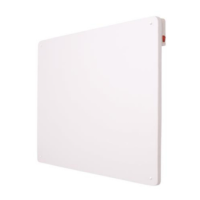
Correct positioning of the heater on the wall and step-by-step instructions for drilling and mounting.
Crucial safety warnings regarding covering the heater, unattended use, and placement.
How to set and adjust the desired room temperature for optimal heating.
Detailed instructions for using the auto-on and auto-off timer features.
Step-by-step guide to finding, downloading, and installing the dedicated Goldair Heater mobile application.
Guide to registering a new user account within the Goldair Heater mobile app.
Entering verification codes and setting a secure password to finalize app registration.
Instructions on pressing the heater's SET button to make its WiFi indicator flash for pairing.
Overview of controlling the heater's functions remotely using the mobile application.
Adjusting the desired room temperature via the Goldair mobile application.
Instructions on how to reset the heater and all connected devices to factory defaults.
 General
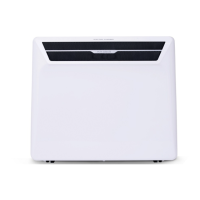
| Type | Panel Heater |
|---|---|
| Model | GEPH215 |
| Category | Heater |
| Brand | Goldair |
| Power Output | 2150W |
| Heating Power | 2150W |
| Heat Settings | 2 |
| Thermostat | Yes |
| Overheat Protection | Yes |
| Tip-Over Protection | No |
| Color | White |
| Product Type | Panel Heater |
| Dimensions (H x W x D) | 600 x 450 x 25 mm |
| Material | Metal |
| Mounting | Wall mountable |
| Features | Energy Efficient |


 To Next Page