EasyManua.ls Logo

Goldair Platinum GPPH220 - User Manual

Goldair Platinum GPPH220
20 pages
Print Icon
To Next Page IconTo Next Page
Loading...

Other manuals for Goldair Platinum GPPH220

Question and Answer IconNeed help?

Do you have a question about the Goldair Platinum GPPH220 and is the answer not in the manual?

Summary

General Care and Safety Guide

Important Safety Warnings

Highlights critical safety instructions and warnings for appliance use.

General Precautions and Restrictions

Details essential precautions for safe operation and placement.

Continued Precautions and Handling

Provides further guidance on safe handling, cord management, and operational restrictions.

Cleaning and Maintenance Advice

Instructions for cleaning the heater safely and effectively.

Components

Product Components Overview

Identifies and labels the main parts of the panel heater.

Assembly and Installation

Free Standing Setup

Instructions for setting up the heater in a free-standing configuration.

Wall Mounted Installation

Guidance on how to safely mount the heater on a wall.

Operating your Appliance

Control Panel Overview

Identifies the buttons and display on the appliance's control panel.

Basic Operation and Settings

Covers turning on/off, adjusting heat, setting temperature, timer, and child lock.

Operating Your Heater

Safety Device Description

Explains the function of the resettable thermal link for overheat protection.

Care and Cleaning Procedures

Details the steps for cleaning and maintaining the heater.

Technical Specifications

Provides key technical details of the appliance.

WiFi - Downloading and Setting up APP

Download and Install APP

Guide to downloading and installing the Goldair Heater mobile application.

Registering the APP Account

Steps for creating a new account within the mobile application.

APP Registration Verification

Process of verifying the mobile number with a code sent via text message.

Pairing APP to Heater

Heater Activation for Pairing

Steps to activate the heater and prepare it for WiFi pairing.

WiFi Pairing Process

Instructions on how to connect the mobile app to the heater via WiFi.

Confirming WiFi Light Status

Ensuring the WiFi indicator light is flashing correctly for pairing.

Connecting to WiFi Network

Steps to select and connect to the desired WiFi network.

Entering WiFi Password

Inputting the password for the selected WiFi network.

Device Connection Confirmation

Verifying successful connection and adding the heater to the app.

Operating your Heater from the APP

Renaming the Heater

How to change the default name of the heater within the app.

Device Sharing Setup

Enabling sharing of heater control with other users.

Device Sharing Cancellation

How to remove shared access for other users.

Heater Standby and Operation Modes

Understanding the visual indicators for heater standby and operation.

Temperature Setting via App

Adjusting the desired temperature using the mobile application.

Heat Settings Adjustment

Switching between high and low heat modes using the app.

Child Lock Functionality

Using the app to lock or unlock the heater's controls.

Auto Off Timer Setup

Setting a timer for the heater to automatically turn off.

Adding Additional Heaters

Initiate Adding New Heater

Starting the process to add another heater to the app.

WiFi Connection for New Heater

Selecting and connecting to the WiFi network for the additional heater.

Confirming New Heater Connection

Verifying the connection and successful addition of the new heater.

Viewing Paired Devices

Checking the list of all connected heaters in the app.

Two Year Warranty

Warranty Coverage and Exclusions

Details the terms, conditions, and limitations of the product warranty.

Warranty Claim Information

Instructions on how to make a warranty claim.

Goldair Platinum Series

Product Series Introduction

Overview of the Goldair Platinum Series and its design.

Company Commitment and History

Information about Goldair's commitment to safety and its history.

Overview

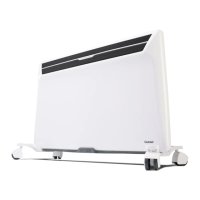
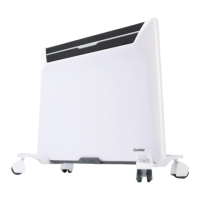
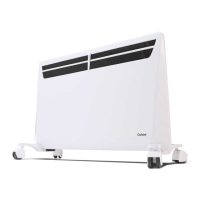
This document describes the Goldair Platinum 2000W Panel Heater, model GPPH220, a heating appliance designed for household use.

Function Description

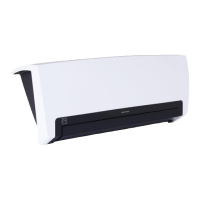
The Goldair Platinum 2000W Panel Heater is designed to provide heating for indoor spaces. It can be used as a free-standing unit or wall-mounted. A key feature of this model is its Wi-Fi connectivity, allowing users to control heating and timing functions remotely via a mobile application from their armchair.

Important Technical Specifications

  • Model No: GPPH220
  • Wattage: 2000W
  • Supply: 220-240VAC 50/60Hz
  • Wi-Fi: Supported only on 2.4GHz Wi-Fi channels. Does not operate on 3G or 4G internet connections. Requires a home Wi-Fi connection.
  • Temperature Range: Can be set from 15 – 35°C.
  • Timer Range: 0-24 hours.
  • Safety Devices: Includes a Resettable Thermal Link that automatically disconnects power if the appliance overheats and resets once cooled.

Usage Features

General Operation:

  • Plug the unit into a standard 240 volt AC electrical outlet and switch on the main power switch. The power indicator will light up.
  • Press the Power button (4) to turn the unit on. The current room temperature will be displayed.

Heat Settings:

  • Press the Heat Setting button (5) to select either low or high heat levels. The set level will be shown on the bottom of the APP and as 'Mode' on the heater display.

Temperature Setting:

  • Use the Up (2) or Down (3) buttons to increase or decrease the desired temperature. If no buttons are pressed for 3 seconds, the heater will run to the previously set temperature.
  • The temperature can be set from 15 – 35°C. If the set temperature is higher than the ambient temperature, the heater will begin to heat. If the set temperature is below ambient, the heater will be in standby mode until the ambient temperature drops below the set temperature.

Timer Function:

  • Press the Timer button (6) to set a timer for automatic shut-off. The set time is displayed.
  • Press the Timer button again to increase the timer in one-hour increments. The timer has a range of 0-24 hours. The unit will turn off once the timer countdown completes.
  • To cancel the timer, touch the timer button again and the numbers will disappear.

Child Safety Lock:

  • Press and hold the Child Lock button (8) for 3 seconds to lock the system. A padlock icon will be displayed.
  • To unlock, either turn the unit off or press and hold the Child Lock button for 3 seconds.
  • Heater settings can still be adjusted via the mobile phone app even when the child lock is active.

Turning Off:

  • Press and hold the Power button (4) to turn off the unit. The power indicator light will remain lit while the main power switch is in the On position.

Wi-Fi Enabled Controls (APP Usage):
  • Download APP: Download the "Goldair Heater" mobile APP from the APP Store or Google Play.
  • Registration: Register an account by selecting your country code, entering your cellphone number, and verifying with a text message code. Create a password.
  • Pairing: Turn on the heater's main power switch. Press the Power button (4) on the heater. The power indicator light will flash, indicating Wi-Fi pairing mode. On the phone app, tap "ADD DEVICE," confirm the Wi-Fi light is flashing, and tap "Next Step." Choose your home Wi-Fi network and enter the password. The app will connect to the heater, and a confirmation screen will appear.
  • Remote Operation: Once paired, the app interface will show the heater's status (dark red for OFF/standby, bright red for ON). Tap the ON/OFF icon to turn the heater on or off.
  • Renaming Heater: Tap the 3 dots on the top right of the control screen in the app, then "Modify Device Name" to rename the heater (e.g., "Bedroom 1," "Dining Room").
  • Device Sharing: To allow others to control the heater, open the "GOLDAIR APP," tap the 3 dots, then "Add Sharing." Enter the phone number of the person to share with. The recipient must also have the Goldair Heater APP installed. Only one user can operate the heater at a time; other devices must have the app closed for sharing to work. If another person sets up their phone without device sharing, the original phone will be disconnected.
  • Cancelling Sharing: Delete shared phone numbers from the "Add Sharing" section in the app.

Maintenance Features

  • Regular Cleaning: The heater requires regular cleaning to ensure trouble-free operation.
  • Unplug Before Cleaning: Always unplug the heater from the mains supply before cleaning.
  • Cool Down: Ensure the heater has cooled down completely before cleaning.
  • Dust Removal: The common cause of overheating is dust or fluff. Regularly unplug the appliance and vacuum clean the air vents and grills.
  • Exterior Cleaning: Use a damp cloth (not wet) to wipe the exterior of the heater to remove dust and dirt.
  • Avoid Harsh Cleaners: Never use solutions such as petrol, thinners, or polishing agents.
  • Ensure Dryness: Ensure the heater is dry before plugging it back into the mains supply.

Important Safety Guidelines

  • No Covering: Do not cover the heater. Covering it presents a fire risk and will activate the safety fuse, permanently disabling the unit.
  • Clearance: Keep textiles, curtains, or any flammable material a minimum distance of 1 metre from the air outlet. Keep all objects at least 1 metre from the front and 150mm from the sides of the appliance.
  • Placement: Do not locate the heater immediately below a socket outlet. Ensure it is on a flat, stable, heat-resistant surface. Do not use in the immediate surrounds of a bath, shower, swimming pool, or other liquids.
  • Wall Mounting Clearance: When wall-mounted, ensure at least 100mm clearance from the floor and surrounding parts, and at least 1m clearance from the top of the heater to ceilings or shelves. Do not run the power cord behind the heater.
  • No External Switching Devices: Do not supply the appliance through an external switching device (e.g., timer) or connect to a circuit that is regularly switched on and off by the utility, to avoid inadvertent resetting of the thermal cut-out.
  • Supervision: Not intended for use by persons (including children) with reduced physical, sensory, or mental capabilities unless supervised or instructed. Children should be supervised to ensure they do not play with the appliance. Do not use in small rooms occupied by persons not capable of leaving the room on their own, unless constant supervision is provided.
  • Cord Safety: If the supply cord is damaged, it must be replaced by the manufacturer, its service agent, or similarly qualified persons. Do not twist, kink, or wrap the cord around the appliance. Ensure all cord is unrolled before use. Do not place the cord under carpet or cover with rugs or furniture.
  • Unattended Use: Never leave this heater unattended when in use.
  • Power Boards/Extension Cords: It is recommended to plug the heater directly into a wall socket as power boards are not rated for high wattage appliances. A correctly specified, undamaged extension cord may be used if used safely.
  • Plug Removal: Do not remove the plug from the power socket by pulling the cord; always grip the plug. Ensure the power cord is not tight, as this can partially pull the plug from the socket, leading to overheating and fire risk.
  • No Foreign Objects: Do not insert or allow foreign objects to enter any ventilation or exhaust opening.
  • Damage: Do not use if the heater has been dropped, damaged, or shows visible signs of damage.
  • Intended Use: Intended for household use only, not commercial or industrial. Indoor use only.
  • Voltage: Use only the voltage specified on the rating label.
  • Overheating Odour: When first turned on, a slight odour or smoke may be released due to initial heating of internal elements. This is normal and should not reoccur.

Goldair Platinum GPPH220 Specifications

General IconGeneral
BrandGoldair
ModelPlatinum GPPH220
CategoryHeater
LanguageEnglish

Related product manuals