EasyManua.ls Logo

Goldair Platinum GPPH620 - User Manual

Goldair Platinum GPPH620
24 pages
Print Icon
To Next Page IconTo Next Page
Loading...
Electronic Inverter Panel Heater with WiFi
Operating Instructions
Model: GPPH610, GPPH620, GPPH630
Question and Answer IconNeed help?

Do you have a question about the Goldair Platinum GPPH620 and is the answer not in the manual?

Summary

Operating Instructions

General Care and Safety Guide

Safety Precautions and Warnings

Essential safety guidelines, cautions, and warnings for safe appliance operation and usage.

Appliance Handling and Maintenance

Proper handling, cord management, placement, and cleaning advice to ensure safe and efficient operation.

Usage Restrictions and Troubleshooting

Limitations on where to use the heater and guidance on contacting support if it malfunctions.

Heater Components Overview

Identification of Heater Parts

Visual guide and labels identifying key components of the panel heater for user reference.

Heater Assembly Instructions

Free Standing Assembly

Step-by-step guide for assembling the heater for free-standing use with castor wheels.

Heater Installation Guide

Wall Mounted Installation

Detailed instructions and clearance requirements for mounting the heater securely on a wall.

Heater Operation

Safe Operation Guidelines

Critical warnings and precautions for operating the heater safely to prevent hazards like overheating or fire.

Control Panel Overview

Explanation of the heater's control panel layout, buttons, and indicator lights for user interaction.

Operating Modes (AUTO & USER)

Detailed guide on using AUTO and USER modes, including Comfort and Economy settings for temperature control.

Special Features (Anti-frost, Timer, Child Lock)

Instructions for activating and using special features like anti-frost mode, auto off timer, and child lock.

WiFi App Setup and Pairing

Downloading and Registering the Goldair App

Steps to download, install, and register for the Goldair mobile application.

Registering by Email

Guide to registering a user account using an email address and obtaining a verification code.

Enter Verification Code and Set Password

Steps to enter the verification code received via email and set a secure password for the app.

Connecting Heater to WiFi Network

Instructions for initiating the connection between the heater and the mobile app via WiFi.

Completing WiFi Connection and Device Addition

Finalizing the WiFi connection, entering password, and confirming successful device addition to the app.

Advanced App Control

Heater Renaming and Device Sharing

How to rename the heater in the app and manage device sharing with other users.

Remote Operation and Temperature Control

Using the app for remote control, including turning the heater on/off and adjusting temperature settings.

Mode Selection and Heat Settings

Guide to selecting different modes (Comfort, Eco, Anti-frost) and heat levels via the app.

Auto Off Timer Function

How to set and cancel the auto off timer function using the mobile application.

Heater Care and Cleaning

Bio Filter Information and Cleaning

Details on bio filter types, their functions, and procedures for cleaning the heater.

Safety Devices and Specifications

Built-in Safety Devices

Explanation of the heater's protective features like tilt switch, thermal link, and thermal fuse.

Technical Specifications and Support

Key technical details, model information, and customer support contact information.

Warranty Information

Warranty Coverage and Claims

Details on warranty coverage, exclusions, proof of purchase, and how to make a claim.

Overview

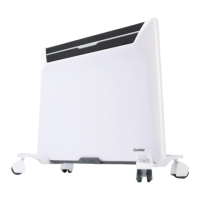
This document describes the Goldair Platinum Electronic Inverter Panel Heater with WiFi, models GPPH610, GPPH620, and GPPH630. It serves as an operating instruction manual, covering general care, safety guidelines, assembly, installation, operation, WiFi setup, and maintenance.

Function Description:

The Goldair Platinum Electronic Inverter Panel Heater is designed for household use to provide heating. It features an electronic inverter system and WiFi connectivity, allowing for remote operation via a mobile application. The heater can be used as a free-standing unit with castor wheels or wall-mounted. It incorporates various heating modes (AUTO, USER, ANTI-FROST) and settings for comfort and economy, along with a child lock and auto-off timer. The appliance also includes a bio filter system with interchangeable small filters (Activated Carbon, Catechin, Vitamin C) to deodorize air, kill germs, and potentially offer therapeutic benefits.

Important Technical Specifications:

  • Models: GPPH610, GPPH620, GPPH630
  • Supply: 220-240VAC 50Hz for all models.
  • Wattage:
    • GPPH610: 900-1000W
    • GPPH620: 1350-1500W
    • GPPH630: 1800-2000W
  • WiFi: Supports 2.4GHz WiFi channels only.
  • Temperature Settings:
    • Comfort mode: 5-35°C
    • Economy mode: 5-31°C (pre-set 4°C difference from Comfort)
    • Anti-frost mode: Pre-set at 5°C (not adjustable)
  • Heat Settings (USER mode): 5 levels (ONE to FIVE, lowest to highest).
  • Auto-Off Timer: 1 to 24 hours.
  • Safety Devices: Tilt Switch, Resettable Thermal Link, Thermal Fuse (non-resettable).

Usage Features:

  • Control Panel: Located on the top of the unit, featuring an LED display, On/Off button, Mode setting button, Up/Down buttons, Power setting button, Power indicator lights, and a WiFi button.
  • Main Power Switch: Located on the right-hand side of the appliance, below the control panel.
  • Modes of Operation:
    • AUTO Mode: Automatically adjusts heat setting to reach and maintain a set temperature. Users can set Comfort or Economy temperatures.
    • USER Mode: Allows manual selection of 5 heat levels. Users can also set Comfort or Economy temperatures.
    • ANTI-FROST Mode: Activates when the temperature drops below 5°C (if the heater is turned on).
  • Temperature Setting: Adjustable using Up/Down buttons. The heater will turn off when the room reaches the set temperature and turn on again when it drops below.
  • Auto Off Timer: Can be set from 1 to 24 hours to automatically turn off the heater.
  • Child Lock: Activated by pressing Up and Down buttons together for 3 seconds. Deactivated by pressing them again for 3 seconds. The APP can adjust settings without unlocking.
  • WiFi Connectivity:
    • APP Download: Goldair mobile APP available on APP Store and Google Play.
    • Registration: Requires email registration and password creation (6-20 characters, mix of letters and numbers).
    • Pairing: Press the WiFi button on the heater for 5 seconds until the indicator light flashes, then confirm on the APP.
    • Remote Operation: Control power, mode, temperature, heat settings, child lock, and timer from the APP.
    • Device Renaming: Heaters can be renamed in the APP (e.g., "Bedroom 1").
    • Device Sharing: Allows multiple users to control the heater via the APP, but only one user can operate at a time.
    • LED Display Icon: Toggles the LED display on the heater on/off via the APP.
  • Installation:
    • Free Standing: Attach castor wheel brackets and castor wheels using provided '1 way screws'. Wall bracket should be removed if used as free-standing.
    • Wall Mounted: Requires mounting on heat-resistant walls. Maintain minimum clearances: 150mm from floor and sides, 300mm from ceilings, shelves, and soft furnishings. Do not mount directly below or in front of a socket outlet.

Maintenance Features:

  • Regular Cleaning: Unplug the heater and allow it to cool completely before cleaning.
  • Dust and Fluff Removal: Vacuum clean air vents and grills regularly to prevent overheating.
  • Exterior Cleaning: Wipe with a damp (not wet) cloth rinsed in hot soapy water. Avoid abrasive cleaning products, petrol, thinners, or polishing agents. Ensure the heater is dry before plugging back in.
  • Bio Filter System: Includes a large filter and three small interchangeable filters (Activated Carbon, Catechin, Vitamin C). Up to two small filters can be used at a time.
  • No User Serviceable Parts: Do not attempt to dismantle the heater. For service or repair, contact an authorized electrical service technician.

Safety Guidelines:

  • Do not cover the appliance to avoid fire risk and permanent disabling of the unit.
  • Maintain a minimum distance of 1 meter from the air outlet for textiles, curtains, or flammable materials, and 150mm from the sides of the appliance.
  • Use only the specified voltage.
  • Not intended for use by persons with reduced physical, sensory, or mental capabilities, or lack of experience, unless supervised. Children should be supervised.
  • Do not use in small rooms occupied by persons unable to leave on their own without constant supervision.
  • Do not use with external switching devices (timers, remote-control systems) that switch the heater on automatically, due to fire risk if covered or positioned incorrectly.
  • Never leave unattended when in use.
  • Ensure the power cord is not damaged, twisted, kinked, or wrapped around the appliance.
  • Do not place cord under carpet or cover with rugs/furniture.
  • Do not operate if dropped or damaged.
  • Do not insert foreign objects into ventilation/exhaust openings.
  • Do not sit on the appliance.
  • Do not operate in areas with flammable liquids.
  • Do not use near baths, showers, swimming pools, or other liquids.
  • The appliance must not be immersed in any liquids.
  • Do not place in wardrobes or enclosed spaces.
  • Do not place close to radiant heat sources.
  • Ensure the heater is on a flat, stable, heat-resistant surface if free-standing.
  • Ensure the power cord is not tight to prevent partial plug removal and overheating.
  • A slight odor or smoke on first use is normal.

Goldair Platinum GPPH620 Specifications

General IconGeneral
BrandGoldair
ModelPlatinum GPPH620
CategoryHeater
LanguageEnglish

Related product manuals