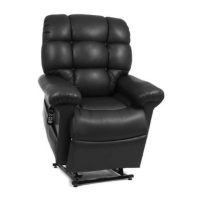
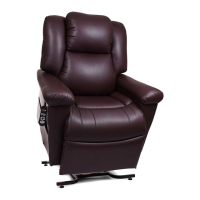
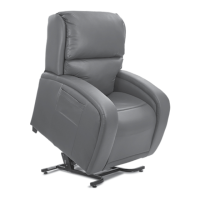
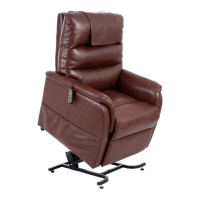
This document is an owner's manual and limited lifetime warranty for a Power Lift & Recline Chair manufactured by Golden Technologies. It provides comprehensive information on the chair's operation, safety guidelines, installation, maintenance, and warranty details.
Function Description
The Golden Technologies Power Lift & Recline Chair is a medical device designed to assist users in sitting down and standing up, as well as providing various recline positions for comfort and relaxation. It features a power lift mechanism that gently raises the chair to help the user stand and lowers it to assist in sitting. The recline function allows for multiple back and footrest positions, including a full recline. The chair is equipped with a hand control for easy operation of all its functions.
Usage Features
The chair offers a range of usage features designed for comfort, convenience, and safety:
- Hand Control Operation: The chair is operated via a backlit hand control (ZK3200-HC) with clearly labeled buttons for various functions.
- Getting In/Out: Buttons (S7) and (S5) are used to raise the chair to a suitable height for sitting or standing, and to return it to the seated position.
- Micro Adjustments: Buttons (S1) and (S2) control the recline and upright positions of the backrest, while (S3) and (S4) control the footrest and seat height.
- Memory Buttons (S5, S6, S8, S10): These preprogrammed buttons allow the chair to move to specific comfort positions. Users can reprogram these positions to suit their individual needs by holding the program button (SP) and then pressing the desired memory button.
- Headrest Adjustments: Buttons (S12) and (S11) control the movement of the headrest up/out and down/in, respectively, for personalized head and neck support.
- Lumbar Adjustments: Buttons (S14) and (S13) adjust the lumbar support in and out, providing customized lower back comfort.
- Safety Features:
- Hand Control Disable: A feature to disable all functions on the hand control, preventing unintended operation. This is activated by holding the program button (SP) for 4 seconds until the backlight flashes, then pressing (S7).
- Function Lock: This feature limits the hand control's button functions, disabling all except for (S7) and (S9), which are likely for basic lift/lower functions. This is activated by holding (SP) for 4 seconds, then pressing (S1), (S2), (S3), and (S6).
- Automatic Shut-off: The motors are designed to shut off automatically when they reach their fully extended or retracted positions.
- Power Indicator Lights (Smart Tek™): The hand control, transformer, and power cord connecting to the motor are equipped with green LED lights. These lights constantly illuminate to indicate power flow, helping users identify electrical disconnects and aiding providers in diagnosing electrical problems.
- Convenience Features (Model PR448):
- Wireless Charger: A fast-charge capable charging pad integrated into the chair, angled for visibility during recline, allowing users to charge their cell phones by simply laying the device on it.
- Storage Compartment: Provides convenient storage for items like TV remote controls.
- USB Port (Side of Arm): A USB port with a maximum output of 2A, allowing users to charge electronic devices such as tablets or laptops.
- Large Device Mount: A receiver designed to accommodate various accessories like tables, tablet holders, or wine glass holders, enhancing the chair's versatility.
- Cup Holder: Integrated for holding beverages.
- Lights Out Feature: This feature automatically turns off the backlight on the hand control after approximately 15 seconds of inactivity to conserve power. It can be activated or deactivated through a specific button sequence involving the (SP) button and keys (S1), (S2), and (S5).
Maintenance Features
The manual outlines routine maintenance checks to ensure the chair's long-term, trouble-free operation:
- Cleaning: Users are advised to consult their provider for appropriate cleaning methods and products before cleaning the lift chair.
- Electrical Components: It is crucial to keep all electrical components free from moisture and liquid spills. The chair is intended for indoor use only, and users should not immerse electrical components in liquid or open them, as there are no serviceable parts. Opening electrical components by unauthorized personnel will void the warranty.
- Wiring Inspection: Periodically inspect all wiring harnesses for cuts, damage, fraying, or disconnections. If any damage is found, the chair should be unplugged immediately, and the provider contacted for service.
- Fastener Check: Regularly check all fasteners for tightness, wear, and corrosion. If any issues are detected, the chair should be unplugged, and the provider contacted.
- Pinch Points: Users are warned to be careful of pinch points and sharp metal parts, recommending the use of gloves during any maintenance or inspection.
- Placement: Ensure the chair is placed at the specified distance from a wall or corner (21 inches) to prevent damage and avoid voiding the warranty.
- Power Connections: Regularly check all electrical connections to ensure they are properly plugged in and that there is power to the outlet. This is crucial for troubleshooting non-operational chairs.
- System Reset (Factory Reset): The hand control system may occasionally need to be reset due to power surges, outages, or disconnections. A factory reset procedure is provided to return all programmed memory buttons to their original settings. This involves holding the program button (SP) and then pressing (S1) and (S4) in sequence.
- Hand Control Setup: An initial setup procedure is required to ensure proper operation of the lift chair's control system, involving holding buttons (S1) and (S3) simultaneously until the chair stops moving, then holding for an additional three seconds. This helps resolve issues if the chair's movement feels incorrect.

 Need help?
 General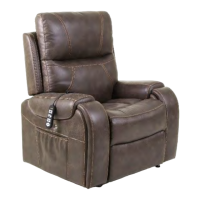

 To Next Page