EasyManua.ls Logo

Golden Technologies PR632 - User Manual

Golden Technologies PR632
24 pages
Print Icon
To Next Page IconTo Next Page
Loading...
Power Lift & Recline Chair
OWNER’S MANUAL
MAXICOMFORT
MODELS
401 Bridge Street
Old Forge, PA 18518
www.goldentech.com
PR512MLA
PR632
Question and Answer IconNeed help?

Do you have a question about the Golden Technologies PR632 and is the answer not in the manual?

Summary

Safety Guidelines

Safety Symbol Categories

Defines Warning, Mandatory, and Prohibited safety symbol categories.

Specific Hazard Identification

Lists symbols for pinch points, fire, and crush hazards.

Additional Safety Information

Device and Environmental Safety Symbols

Symbols for Class II, indoor use, no smoking, and electrical hazards.

Disposal and Battery Requirements

Notes on trash disposal and battery needs for the device.

Critical Safety Precautions

Unpacking and Child;Pet Safety

Rules for unpacking, child/pet proximity, and control placement.

Safe Chair Entry and Usage

Guidance on safe entry, avoiding flopping, and seating positions.

Important Operational Safety

Obstruction and Stability Warnings

Precautions against obstructions and improper chair positioning.

Electrical, Chemical, and Health Advice

Warnings about liquids, cords, intoxication, and medical conditions.

Installation and Setup

Transformer and Battery Installation

Steps for setting up the power transformer and batteries.

Chair Placement and Clearance

Guidelines for positioning the chair relative to walls.

Model-Specific Clearance Chart

Table showing required distances from walls for reclined models.

Leveling and Cable Management

Adjusting leg levelers and securing the hand control cord.

Power Connections and Controls

Connecting Power Supply

Steps for connecting the transformer to the chair and outlet.

Hand Control Overview

Explanation of the AutoDrive 3.0 hand control buttons and features.

Hand Control Operations

Entering and Exiting the Chair

Using the lift function for safe sitting and standing.

Micro-Adjustments Guide

Instructions for fine-tuning backrest and footrest positions.

Programming Memory Positions

How to save preferred seating positions using memory buttons.

Advanced Hand Control Features

Saving and Reprogramming Positions

Detailed steps for programming memory buttons.

Factory Reset and Control Disable

Procedures for resetting and disabling hand control functions.

Function Lock Operation

How to activate and deactivate the function lock feature.

Chair Operation Details (Model PR505-M26)

Adjusting Backrest and Footrest

Using buttons to control recline, upright, and footrest movements.

Lift and Lowering Chair Functions

Operating the chair's lift mechanism for various positions.

Safe Entry into Lift Chair

Guide for using lift functions to safely enter the chair.

Continued Chair Operation

Finalizing Seated and Standing Positions

Detailed steps for achieving desired seated and standing heights.

Post-Use Chair Positioning

Instructions for returning the chair to a safe seated position after use.

Head Rest Control

Moving the Head Rest

Instructions for adjusting the head rest up, down, in, and out.

Micro Adjustments for Comfort

Fine-tuning backrest and footrest using micro-adjustment buttons.

Head Rest Programming and Lock

Saving Head Rest Memory Positions

Steps to program and save specific head rest settings.

Factory Reset and Control Management

Procedures for factory reset and managing control lock features.

Power System and Indicators

Battery Backup System Functionality

Details on the battery backup and its replacement.

Power Indicator Lights Explained

Understanding Smart Tek™ lights for power and diagnostics.

Troubleshooting Power Issues

Steps for checking connections and diagnosing power problems.

MaxiComfort Positions

MaxiComfort System Overview

Explanation of the system's four primary motions for versatile positioning.

Illustrative Comfort Positions

Examples of 'TV Watching 1' and 'Zero Gravity Like' positions.

Care and Maintenance

Routine Maintenance Procedures

Recommended checks for chair upkeep and longevity.

Cleaning and Component Protection

Guidelines for cleaning the chair and protecting electrical parts.

Fastener Checks and Battery Care

Instructions for checking fasteners and yearly battery replacement.

Warranty and Legal Information

Limited Lifetime and Seven Year Warranty

Details on lift mechanism, frame, and electrical part warranties.

Warranty Terms and Exclusions

Conditions, limitations, and exclusions applicable to the warranty.

Model Weight Capacities

Specific weight limits for various chair models are listed.

Product Registration

Registering Your Lift Chair

Instructions for product registration to ensure warranty and updates.

Online Registration Benefits

Encouragement to register online for time savings and updates.

Additional Mobility Products

Portable Scooters

Information on the Buzzaround XL portable scooter.

Companion Scooters

Features of the Golden Companion scooter line.

Power Chair Overview

Details on the Golden Compass Sport power chair.

Owners Records

Record Keeping Section

Area to log purchase, model, serial number, and provider details.

Final Safety Reminders

Crucial safety warnings for operating the mechanized furniture.

Overview

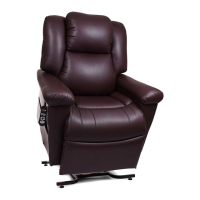
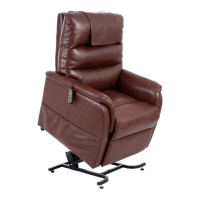
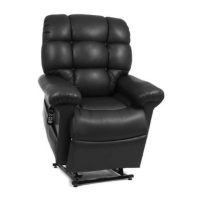
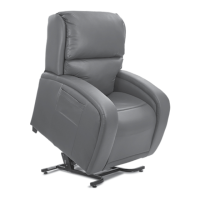
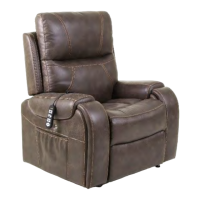
The Golden Technologies Power Lift & Recline Chair, specifically the MaxiComfort™ models (PR512MLA and PR632), is a medical device designed to assist individuals in sitting down and standing up with ease and comfort. These chairs are handcrafted and manufactured in Old Forge, PA, and are built with high-quality components to ensure maximum service and minimal maintenance.

Function Description:

The primary function of the Golden Power Lift & Recline Chair is to provide assistance with sitting and standing. It features a power lift and recline mechanism that allows users to adjust the chair to various positions, including a fully reclined position and a lifted position that aids in standing. The MaxiComfort™ System, which is integrated into these models, offers a wide range of body positioning options through four primary motions: three recline settings and one lift setting, along with combinations of these motions. This system enables users to find their ideal comfort position, whether for watching TV, resting in a "Zero Gravity Like" position, or simply sitting upright.

The chair is operated via a hand control, which is equipped with an indicator light (Smart Tek™ Power Indication) that illuminates green when any button is pressed, indicating power to the hand control. The hand control allows for both pre-programmed and micro-adjustments to the chair's position.

Usage Features:

  • Getting In and Out of the Chair: To get into the chair, users press a designated button (S7 on the AutoDrive Hand Control, or S4/S6 on the PR505-M26 model) to raise the chair to a comfortable height for sitting. It is crucial not to "flop down" into the chair, as this can cause damage and personal injury. Once seated, another button (S5 on the AutoDrive Hand Control, or S3/S5 on the PR505-M26 model) is pressed to lower the chair to a comfortable sitting position. To get out, the chair is raised again to a height that facilitates easy standing. After exiting, the chair should be returned to the seated position (firmly on the floor) to prevent children, pets, or obstructions from getting underneath.
  • Recline and Lift Operations:
    • Reclining the Back: Pressing and holding a specific button (S1) reclines the back of the chair to the desired position.
    • Bringing the Back Upright: Pressing and holding another button (S2) brings the back of the chair to an upright position.
    • Raising the Footrest and Seat: A dedicated button (S3) raises the footrest and seat.
    • Lowering the Footrest and Lifting the Chair: A button (S4) lowers the footrest and can also be held to lift the chair from a seated position.
    • Lowering the Chair from a Raised Position: A button (S5) lowers the chair back to the floor.
    • Lifting the Chair from a Seated Position: A button (S6) lifts the chair from a seated position (with the footrest closed).
    • Closing and Lifting from Reclined Position: A button (S6) can also be used to close the footrest and lift the chair from a reclined position.
  • Micro Adjustments: The hand control allows for precise micro-adjustments to the back, footrest, and seat positions, enabling users to fine-tune their comfort.
  • Memory Buttons (S5, S6, S8, S10): These buttons can be programmed to store preferred chair positions. Users can adjust the chair to a desired position using the micro-adjustment buttons (S1-S4) and then save it to one of the memory buttons by following a specific programming sequence involving the program button (SP).
  • Factory Reset: The hand control can be reset to factory settings, restoring the original pre-programmed positions for the memory buttons.
  • Hand Control Disable: This feature allows users to disable all functions on the hand control, which can be useful when the chair is not in use, especially to prevent unintended operation by children.
  • Function Lock: This feature limits the button functions on the hand control, disabling all except for the lift (S7) and seated (S9) positions.
  • Head Rest Operation (AutoDrive Head Rest Hand Control): For models with a headrest, dedicated buttons (S6 for up and out, S5 for down and in) allow for independent adjustment of the headrest position.
  • Battery Back-Up System: The chair includes a battery back-up system (requiring two 9-volt alkaline batteries, not included) that allows the chair to return to a seated position in the event of a household power failure. This system is intended for single-use emergency operation and not for prolonged use without standard household voltage.

Maintenance Features:

  • Routine Maintenance Checks: The lift chair requires routine maintenance checks, some of which can be performed by the user, while others may require assistance from a provider.
  • Cleaning: Before cleaning, users should consult their provider for appropriate cleaners and methods.
  • Electrical Components: All electrical components must be kept free from moisture and liquid spills. The chair is intended for indoor use only. Users should not open any electrical components, as there are no serviceable parts, and doing so will void the warranty.
  • Wiring Harnesses: Periodically inspect all wiring harnesses for cuts, damage, fraying, or disconnections. Any damage requires unplugging the chair and contacting the provider.
  • Fasteners: Periodically check all fasteners for tightness, wear, and corrosion. Any issues require unplugging the chair and contacting the provider.
  • Battery Replacement: The 9-volt alkaline batteries in the back-up system should be replaced after one use or yearly, even if unused.
  • Troubleshooting (Smart Tek™ Power Indication): The chair's transformer and power cord have indicator lights that illuminate green to show power flow. If the chair does not operate and the lights are out, users should check all electrical connections and ensure the outlet has power. If the lights are on but the chair has mechanical problems or one light is out, users should discontinue use and contact their provider, providing the model and serial number and details about the indicator lights.
  • Placement: The chair must be placed at a specified distance from walls or corners (26 inches for most models) to prevent damage and avoid voiding the warranty.
  • Leg Levelers: The leg levelers on the bottom of the chair can be adjusted to level the chair and prevent high-pile carpets from obstructing footrest operation.
  • Hand Control Cord Management: The hand control cord should be secured into the quick-release cable clamp located above the magazine pocket on the arm of the chair.

Safety Guidelines:

The manual emphasizes several safety guidelines, including warnings about pinch/crush points for children, pets, and adults, electrical hazards, fire hazards, and tip-over risks. It prohibits smoking while operating the chair, immersing electrical components in liquid, or using extension cords. Users are advised not to operate the chair while intoxicated or under the influence of medications that impair physical or mental abilities. Consulting a physician before use, especially regarding the Trendelenburg position or if medical conditions limit capacity, is recommended. The manual also stresses the importance of reading and following the owner's manual and not removing safety labels.

Golden Technologies PR632 Specifications

General IconGeneral
Weight Capacity375 lbs
Product TypeLift Chair
MaterialFabric
Reclining PositionsInfinite
Power FeaturesPower recline, power lift assist
Power Requirements110V
ColorVarious (depending on fabric choice)
WarrantyLimited lifetime warranty on frame and mechanism, 1 year on parts and labor

Related product manuals