EasyManua.ls Logo

Goldstar GBV441 - User Manual

Goldstar GBV441
40 pages
Print Icon
To Next Page IconTo Next Page
Loading...
DVD Player+
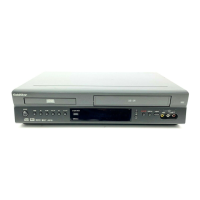
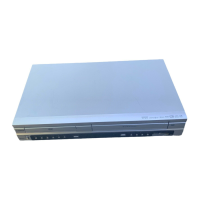
Video Cassette Recorder
OWNER’S MANUAL
MODEL : GBV441
Before connecting, operating or adjusting this product,
please read this instruction booklet carefully and completely.

Table of Contents

Questions and Answers

Summary

Safety Precautions

Regulatory Information

FCC compliance and radio frequency energy warnings.

Notes on Copyrights

Legal information regarding copyrighted material and copy protection.

Important Safety Instructions

Before Use

Playable Discs

Lists types of discs the unit can play and notes on compatibility.

Disc-Related Terms

Definitions for Title, Chapter, and Track related to discs.

Remote Control Battery Installation

Instructions for installing batteries in the remote control.

Front Panel Controls

Key Buttons and Functions

Explains the purpose of major buttons like PLAY, STOP, COPY, etc.

Indicators and Input;Output Locations

Describes the display window, disc tray, and cassette compartment.

Display Window

Remote Control

Basic Operation Buttons

Explains POWER, DVD/VCR, INPUT, and basic playback controls.

TV Control Buttons

Buttons to control the TV power, input, channel, and volume.

Advanced DVD Functions

Covers search, repeat, random, and other playback features.

Connections Panel

Audio;Video Inputs and Outputs

Ports for connecting video, audio, and antenna sources.

Digital and RF Connections

Ports for digital audio output and RF connection to TV.

Connections

Connecting Antenna;Cable TV

Guides antenna and cable connection to the unit.

Cable TV Connection Types

Instructions for connecting cable TV with or without a converter box.

Basic TV Connections

RF Coaxial Connection

Connects unit's RF output to TV's antenna input.

Audio;Video Connection

Connects unit's audio/video outputs to TV inputs.

Optional, Preferred TV Connections

S-Video Connection

Connects unit's S-Video output to TV's S-Video input.

Component Video; Progressive Scan

Connects for high-definition progressive scan video.

Optional, Preferred TV Connections

Connecting to Amplifiers

Connects unit's audio outputs to an amplifier or A/V receiver.

VCR Operation Setup

On-Screen Display (OSD)

Explains information displayed on screen during VCR operation.

On-Screen Menus Setup

Guides through setting up menus for various functions.

VCR Operation Setup

Channel Selection

Guides through selecting TV channels and tuning.

Add or Erase Channels

Manually add or remove channels from memory.

VCR Operation Setup

Setting the Clock

Allows manual and automatic setting of the clock and date.

Auto Clock Set

Automatically sets time and date using XDS signals.

Manual Clock Set

Allows manual setting of the clock and date.

DVD Operation Setup

General Explanation

Basic instructions for DVD operation and on-screen symbols.

On-Screen Display

How to display and change general playback status options.

DVD Operation Setup

Initial Settings

Setting preferences for disc audio, subtitle, menu, etc.

General Operation Settings

Setting preferences for disc audio, subtitle, menu, etc.

Picture Settings

Adjusts picture settings like TV Aspect Ratio.

Progressive Scan

Enables high-resolution progressive scan output.

DVD Operation Setup

Sound Settings

Configures digital audio output format (Dolby Digital, PCM).

Digital Audio Output

Configures digital audio output format (Dolby Digital, PCM).

Sample Frequency

Sets sample frequency for digital audio output.

Other DVD Settings

Controls dynamic range and vocal enhancement.

DRC and Vocal Settings

Controls dynamic range and vocal enhancement.

Auto Play DVD

Automatically starts playback when a DVD is inserted.

DVD Operation Setup

Parental Control

Sets playback restrictions based on ratings and country codes.

Rating and Country Code Settings

Sets playback restrictions based on ratings and country codes.

Password Management

Instructions to change or reset the parental control password.

VCR Operation

Normal Playback

Step-by-step guide to playing a video cassette.

Tracking Control

Manages tape tracking for optimal picture quality.

Auto Tracking

Automatically adjusts picture for clarity.

Manual Tracking

Manually adjusts tracking to reduce picture noise.

Special Effect Playbacks

Notes on special playback modes like search.

VCR Operation

Normal Recording

How to record a TV program or from an external source.

Timer Recording

Guides on setting up programmed recordings.

Preparation and Notes

Steps to prepare for and notes on timer recording setup.

VCR Operation

Timer Recording Programming

How to set up, check, or erase programmed timer recordings.

Program Priority

Explains how overlapping timer recordings are handled.

VCR Operation

Instant Timer Recording

Records for a preset length without programming.

Dubbing and Editing

Connects camcorder/VCR for dubbing to the unit.

Copying from DVD to VCR

How to copy DVD content onto a VHS tape.

VCR Operation

VHS Hi-Fi Stereo and MTS Broadcast

Information on VHS Hi-Fi sound and MTS broadcast signals.

Hi-Fi Stereo Playback

How to achieve stereo playback with Hi-Fi tapes.

MTS Broadcast Decoding

Decoding stereo and bilingual TV sound signals.

SAP Recording

Steps to record SAP broadcast signals.

VCR Operation

Tape Counter Features

Functions related to tape counter and remaining time.

Real-Time Counter

Displays tape run time in hours, minutes, and seconds.

Counter Memory Function

Useful for returning to specific tape sections.

Tape Remaining

Shows the remaining time on the tape.

Additional Information

Notes on auto play, S-VHS playback, and power off.

Auto Play System

Unit automatically plays tape when inserted.

S-VHS Quasi Playback (SQPB)

Plays S-VHS recorded tapes.

DVD Operation

Playing DVDs

Basic steps to insert and start playing a DVD.

DVD Playback Features

Options for navigating and controlling DVD playback.

Selecting Titles and Chapters

How to choose different titles or chapters on a DVD.

Screen Saver and Last Scene Memory

Features for idle mode and remembering playback position.

DVD Operation

Still Picture and Frame-by-Frame Playback

Pauses playback or advances frame-by-frame.

Search and Time Search

Searches for specific sections or times on a DVD.

Repeat Modes

Repeats tracks, titles, sequences, or turns repeat off.

Special Playback Effects

Features like Random, 3D Surround, and Zoom playback.

DVD Operation

Marker Search

Playback from memorized points on a disc.

Changing Video Mode

Adjusts picture quality for flickering or lines.

Special DVD Features

Accessing special menus and features on DVDs.

Checking Disc Menus

Accessing special features via disc menus.

Camera Angle Selection

Changing camera angles for multi-angle scenes.

Audio Language and Subtitle Selection

Changing spoken language and subtitle options.

Audio CD and MP3;WMA Disc Operation

Playing Audio CDs and MP3;WMA Discs

Steps to insert and play audio and MP3/WMA discs.

MP3;WMA Recording Notes

Information about MP3 and WMA file formats.

MP3;WMA Disc Compatibility

Technical requirements for MP3/WMA disc playback.

Audio CD and MP3;WMA Disc Operation

Playback Functions

Controls for pausing, selecting tracks, and searching.

Pause, Track Selection, and Search

Controls for pausing, selecting tracks, and searching.

Repeat Modes

Repeats tracks, all tracks, or cancels repeat.

Random and 3 D Surround

Random playback and simulated surround sound.

Changing Audio Channel

Selects different audio channels (STEREO, LEFT, RIGHT).

JPEG File Operation

Viewing JPEG Files

Steps to insert and view JPEG files and Kodak Picture CDs.

File Viewing Functions

Controls for selecting files, pausing, flipping, and rotating pictures.

JPEG File Notes

Important considerations for JPEG file compatibility and naming.

Programmed Playback

Programmed Playback Setup

Stores and plays favorite tracks from discs.

Erasing Programmed Tracks

How to erase individual tracks or the entire program list.

Controlling Your TV with the Supplied Remote

TV Control Buttons

Explains how remote buttons control TV power, input, and volume.

Controllable TVs and Codes

Lists compatible TVs and their respective remote control codes.

Troubleshooting

Power and Unit Malfunction

Solutions for power issues and unit malfunction.

Picture and Sound Issues

Troubleshooting for no picture, no sound, or poor quality.

Playback and Remote Control Problems

Solutions for playback errors and remote control issues.

Troubleshooting

Channel and Signal Issues

Solutions for skipped channels or weak/missing broadcast signals.

Camcorder and Timer Recording Issues

Troubleshooting for camcorder input and timer recording failures.

Moisture Condensation

Guidance on handling condensation issues.

Language Code List

Country Code List

Specifications

General, Inputs, and Outputs

Technical details on power, dimensions, and connectivity.

VCR and DVD Specifications

Technical details on head system, timer, laser, and audio specs.

Limited Warranty - USA

Warranty Period and Service Handling

Details on warranty duration and how to obtain service.

Warranty Exclusions and Limitations

Conditions not covered by the warranty and legal disclaimers.

Summary

Safety Precautions

Regulatory Information

FCC compliance and radio frequency energy warnings.

Notes on Copyrights

Legal information regarding copyrighted material and copy protection.

Important Safety Instructions

Before Use

Playable Discs

Lists types of discs the unit can play and notes on compatibility.

Disc-Related Terms

Definitions for Title, Chapter, and Track related to discs.

Remote Control Battery Installation

Instructions for installing batteries in the remote control.

Front Panel Controls

Key Buttons and Functions

Explains the purpose of major buttons like PLAY, STOP, COPY, etc.

Indicators and Input;Output Locations

Describes the display window, disc tray, and cassette compartment.

Display Window

Remote Control

Basic Operation Buttons

Explains POWER, DVD/VCR, INPUT, and basic playback controls.

TV Control Buttons

Buttons to control the TV power, input, channel, and volume.

Advanced DVD Functions

Covers search, repeat, random, and other playback features.

Connections Panel

Audio;Video Inputs and Outputs

Ports for connecting video, audio, and antenna sources.

Digital and RF Connections

Ports for digital audio output and RF connection to TV.

Connections

Connecting Antenna;Cable TV

Guides antenna and cable connection to the unit.

Cable TV Connection Types

Instructions for connecting cable TV with or without a converter box.

Basic TV Connections

RF Coaxial Connection

Connects unit's RF output to TV's antenna input.

Audio;Video Connection

Connects unit's audio/video outputs to TV inputs.

Optional, Preferred TV Connections

S-Video Connection

Connects unit's S-Video output to TV's S-Video input.

Component Video; Progressive Scan

Connects for high-definition progressive scan video.

Optional, Preferred TV Connections

Connecting to Amplifiers

Connects unit's audio outputs to an amplifier or A/V receiver.

VCR Operation Setup

On-Screen Display (OSD)

Explains information displayed on screen during VCR operation.

On-Screen Menus Setup

Guides through setting up menus for various functions.

VCR Operation Setup

Channel Selection

Guides through selecting TV channels and tuning.

Add or Erase Channels

Manually add or remove channels from memory.

VCR Operation Setup

Setting the Clock

Allows manual and automatic setting of the clock and date.

Auto Clock Set

Automatically sets time and date using XDS signals.

Manual Clock Set

Allows manual setting of the clock and date.

DVD Operation Setup

General Explanation

Basic instructions for DVD operation and on-screen symbols.

On-Screen Display

How to display and change general playback status options.

DVD Operation Setup

Initial Settings

Setting preferences for disc audio, subtitle, menu, etc.

General Operation Settings

Setting preferences for disc audio, subtitle, menu, etc.

Picture Settings

Adjusts picture settings like TV Aspect Ratio.

Progressive Scan

Enables high-resolution progressive scan output.

DVD Operation Setup

Sound Settings

Configures digital audio output format (Dolby Digital, PCM).

Digital Audio Output

Configures digital audio output format (Dolby Digital, PCM).

Sample Frequency

Sets sample frequency for digital audio output.

Other DVD Settings

Controls dynamic range and vocal enhancement.

DRC and Vocal Settings

Controls dynamic range and vocal enhancement.

Auto Play DVD

Automatically starts playback when a DVD is inserted.

DVD Operation Setup

Parental Control

Sets playback restrictions based on ratings and country codes.

Rating and Country Code Settings

Sets playback restrictions based on ratings and country codes.

Password Management

Instructions to change or reset the parental control password.

VCR Operation

Normal Playback

Step-by-step guide to playing a video cassette.

Tracking Control

Manages tape tracking for optimal picture quality.

Auto Tracking

Automatically adjusts picture for clarity.

Manual Tracking

Manually adjusts tracking to reduce picture noise.

Special Effect Playbacks

Notes on special playback modes like search.

VCR Operation

Normal Recording

How to record a TV program or from an external source.

Timer Recording

Guides on setting up programmed recordings.

Preparation and Notes

Steps to prepare for and notes on timer recording setup.

VCR Operation

Timer Recording Programming

How to set up, check, or erase programmed timer recordings.

Program Priority

Explains how overlapping timer recordings are handled.

VCR Operation

Instant Timer Recording

Records for a preset length without programming.

Dubbing and Editing

Connects camcorder/VCR for dubbing to the unit.

Copying from DVD to VCR

How to copy DVD content onto a VHS tape.

VCR Operation

VHS Hi-Fi Stereo and MTS Broadcast

Information on VHS Hi-Fi sound and MTS broadcast signals.

Hi-Fi Stereo Playback

How to achieve stereo playback with Hi-Fi tapes.

MTS Broadcast Decoding

Decoding stereo and bilingual TV sound signals.

SAP Recording

Steps to record SAP broadcast signals.

VCR Operation

Tape Counter Features

Functions related to tape counter and remaining time.

Real-Time Counter

Displays tape run time in hours, minutes, and seconds.

Counter Memory Function

Useful for returning to specific tape sections.

Tape Remaining

Shows the remaining time on the tape.

Additional Information

Notes on auto play, S-VHS playback, and power off.

Auto Play System

Unit automatically plays tape when inserted.

S-VHS Quasi Playback (SQPB)

Plays S-VHS recorded tapes.

DVD Operation

Playing DVDs

Basic steps to insert and start playing a DVD.

DVD Playback Features

Options for navigating and controlling DVD playback.

Selecting Titles and Chapters

How to choose different titles or chapters on a DVD.

Screen Saver and Last Scene Memory

Features for idle mode and remembering playback position.

DVD Operation

Still Picture and Frame-by-Frame Playback

Pauses playback or advances frame-by-frame.

Search and Time Search

Searches for specific sections or times on a DVD.

Repeat Modes

Repeats tracks, titles, sequences, or turns repeat off.

Special Playback Effects

Features like Random, 3D Surround, and Zoom playback.

DVD Operation

Marker Search

Playback from memorized points on a disc.

Changing Video Mode

Adjusts picture quality for flickering or lines.

Special DVD Features

Accessing special menus and features on DVDs.

Checking Disc Menus

Accessing special features via disc menus.

Camera Angle Selection

Changing camera angles for multi-angle scenes.

Audio Language and Subtitle Selection

Changing spoken language and subtitle options.

Audio CD and MP3;WMA Disc Operation

Playing Audio CDs and MP3;WMA Discs

Steps to insert and play audio and MP3/WMA discs.

MP3;WMA Recording Notes

Information about MP3 and WMA file formats.

MP3;WMA Disc Compatibility

Technical requirements for MP3/WMA disc playback.

Audio CD and MP3;WMA Disc Operation

Playback Functions

Controls for pausing, selecting tracks, and searching.

Pause, Track Selection, and Search

Controls for pausing, selecting tracks, and searching.

Repeat Modes

Repeats tracks, all tracks, or cancels repeat.

Random and 3 D Surround

Random playback and simulated surround sound.

Changing Audio Channel

Selects different audio channels (STEREO, LEFT, RIGHT).

JPEG File Operation

Viewing JPEG Files

Steps to insert and view JPEG files and Kodak Picture CDs.

File Viewing Functions

Controls for selecting files, pausing, flipping, and rotating pictures.

JPEG File Notes

Important considerations for JPEG file compatibility and naming.

Programmed Playback

Programmed Playback Setup

Stores and plays favorite tracks from discs.

Erasing Programmed Tracks

How to erase individual tracks or the entire program list.

Controlling Your TV with the Supplied Remote

TV Control Buttons

Explains how remote buttons control TV power, input, and volume.

Controllable TVs and Codes

Lists compatible TVs and their respective remote control codes.

Troubleshooting

Power and Unit Malfunction

Solutions for power issues and unit malfunction.

Picture and Sound Issues

Troubleshooting for no picture, no sound, or poor quality.

Playback and Remote Control Problems

Solutions for playback errors and remote control issues.

Troubleshooting

Channel and Signal Issues

Solutions for skipped channels or weak/missing broadcast signals.

Camcorder and Timer Recording Issues

Troubleshooting for camcorder input and timer recording failures.

Moisture Condensation

Guidance on handling condensation issues.

Language Code List

Country Code List

Specifications

General, Inputs, and Outputs

Technical details on power, dimensions, and connectivity.

VCR and DVD Specifications

Technical details on head system, timer, laser, and audio specs.

Limited Warranty - USA

Warranty Period and Service Handling

Details on warranty duration and how to obtain service.

Warranty Exclusions and Limitations

Conditions not covered by the warranty and legal disclaimers.

Goldstar GBV441 Specifications

General IconGeneral
BrandGoldstar
ModelGBV441
TypeDVD VCR Combo
DVD PlayerYes
VCR PlayerYes
Region Code1
Video Playback FormatsDVD, VHS
Output Resolution480i
Remote ControlYes
ConnectorsComposite video, RCA audio

Related product manuals