EasyManua.ls Logo

Goldstar MA-851MD - User Manual

Goldstar MA-851MD
24 pages
Print Icon
To Next Page IconTo Next Page
Loading...
k4
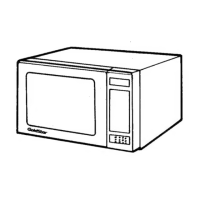
GoldStar
Owner’s
Manual
GoldStar
MICROWAVE
OVEN
MA-851MD
SS
nny
Le}
Please
read
this
Owner’s
Manual
carefully
before
operating
the
microwave
oven.
Question and Answer IconNeed help?

Do you have a question about the Goldstar MA-851MD and is the answer not in the manual?

Overview

This document is an Owner's Manual for a GoldStar Microwave Oven, model MA-851MD. It provides comprehensive instructions for the operation, installation, and maintenance of the appliance, along with safety precautions and troubleshooting tips.

Function Description

The GoldStar MA-851MD is a microwave oven designed for household use, capable of cooking, heating, and defrosting various food items using microwave energy. Its primary function is to provide a quick and efficient method for food preparation. The oven utilizes a glass turntable and a rotating ring to ensure even cooking by continuously rotating the food during operation.

Usage Features

The microwave oven offers a range of features to facilitate diverse cooking needs:

Control Panel and Display

The control panel features a display that shows the time of day, cooking time, and cooking power level. Number pads (0-9) are used for entering time and power settings. A "beep" sound confirms each setting entry.

Setting the Time of Day

The oven operates on a 12-hour clock. To set the time, the user plugs in the power cord, presses the CLOCK button, enters the desired time using the number pads, and presses CLOCK again. For example, to set 4:30, the user would press CLOCK, then 4, 3, 0, and then CLOCK again.

HI-Power/Multi-Power Cooking

This feature allows users to cook food at various power levels. HI-power is the highest setting, recommended for foods with high moisture content or those requiring fast cooking to preserve natural flavor and texture. The oven also offers nine multi-power settings for slower cooking, which are detailed in the accompanying cookbook. If no power level is selected, the oven defaults to HI-power. To set a specific power level, such as 80% for 5 minutes and 30 seconds, the user would first clear previous settings, press TIME, enter 530, press POWER, then press 8 (for P-80), and finally START.

Multi-Stage Cooking

The microwave supports multi-stage cooking, allowing different power levels and times for consecutive cooking stages. For instance, to cook at 80% power for 4 minutes in the first stage and 50% power for 10 minutes in the second stage, the user would clear settings, press TIME, enter 400, press POWER, press 8 (for P-80), then press PAUSE, press TIME, enter 1000, press POWER, press 5 (for P-50), and finally START. The display will show the current stage during operation. The START button can be pressed to restart the oven after a pause.

Delayed Start Cooking

This function enables the user to program the oven to start cooking automatically at a preset future time, up to 12 hours in advance. This feature is only available after the time of day has been set. To use delayed start, the user clears previous settings, presses DELAY START, enters the desired start time (e.g., 6:30), presses TIME, enters the cooking time, presses POWER, sets the power level, and presses START. The oven will then display the preset start time and begin cooking when that time arrives. If the delayed start time needs to be changed, the PAUSE and DELAY START buttons must be pressed again, followed by re-entering the settings. It is important to note that fresh food should not be left at room temperature for more than two hours prior to cooking.

Hold Warm

The "Hold Warm" feature keeps food warm after the cooking cycle is complete. This function can run for up to 60 minutes, after which "END" will appear on the display, accompanied by beep tones. This feature can also be used independently without a prior cooking program. To activate it after cooking, the user would clear settings, press TIME, enter the cooking duration (e.g., 600 for 6 minutes), press HOLD WARM, and then START. The oven will switch to power level 1 to keep the food warm.

Auto Weight Defrost

This feature simplifies defrosting by automatically calculating the defrosting time based on the weight and type of food. The manual provides specific defrost categories:

  • Meat (0.1 - 2.9 kg / 0.1 - 5.9 lbs): Includes minced beef, various steaks, roasts, chops, and cutlets.
  • Poultry (0.1 - 2.9 kg / 0.1 - 5.9 lbs): Covers whole poultry (under 2 kg / 4 lbs), parts, boneless breast, and whole or breast turkey (under 3 kg / 6 lbs).
  • Fish (0.1 - 2.9 kg / 0.1 - 5.9 lbs): Includes whole fish, fillets, crabmeat, lobster tails, shrimp, and scallops.

To use this feature, the user clears settings, presses the AUTO WEIGHT DEFROST button corresponding to the food type (e.g., 1 for meat), enters the weight using the number pads (e.g., 2.0 for 2.0 kg), and presses START. The display will show the estimated defrosting time (e.g., 1H:01) and count down. The oven will automatically switch off after defrosting, signaling with beep tones.

Maintenance Features

Proper maintenance is crucial for the longevity and safe operation of the microwave oven.

Cleaning

The oven should always be unplugged before cleaning.

  • Interior: Food remains and spilled liquids should be removed promptly from the oven walls, door seals, and surfaces to prevent them from absorbing microwave energy and prolonging cooking times. A damp cloth should be used to clean crumbs and food remains, especially around the door area to ensure proper closure. Grease splashes should be cleaned with a soapy cloth, rinsed, and dried. Abrasive cleaning cloths, pads, or compounds should not be used.
  • Exterior: The outer cabinet can be cleaned with mild soap and warm water, then rinsed and dried with a soft cloth. Care should be taken not to spill water into the vents.
  • Control Panel: The control panel should be cleaned with a damp cloth and wiped dry immediately, with the oven door open to prevent accidental activation.
  • Condensation: If steam condenses on the inner door or outer sides, it should be wiped with a damp cloth. This is normal in high humidity and does not indicate a malfunction.
  • Rotating Ring: The rotating ring should be removed and cleaned in hot soapy water at least once a week to prevent grease buildup from restricting the rotation of its wheels.

Safety Precautions

The manual emphasizes several safety precautions:

  • Do not tamper with, adjust, or repair the door, control panel, safety interface switchers, or any other part of the oven. Repairs should only be performed by a qualified service technician.
  • Do not operate the oven with the door open, as this can expose users to harmful microwave energy.
  • Avoid operating the oven when empty; it is recommended to leave a glass of water inside to absorb accidental microwave energy.
  • Do not dry clothes in the microwave, as they may carbonize or burn.
  • Do not obstruct the door or inner edges with items like kitchen towels or napkins, which can cause microwave energy leakage.
  • Do not use recycled paper products, as impurities can cause sparks or fires.
  • Do not operate a damaged oven, especially if the door, hinges, latches, seals, or sealing surfaces are compromised.
  • Do not cook eggs in their shell, as pressure buildup can cause them to burst.
  • Do not deep fat fry in the oven.
  • Be aware that liquids can overheat without visible bubbling; sudden movement of the container can cause explosive steam formation.
  • The front glass can become very hot during heater operation.
  • Ensure cooking times are set correctly to prevent overcooking, which can lead to fire and oven damage.
  • When heating baby food, remove container closures, stir or shake well after heating, and check the temperature before feeding.
  • Remove plastic wrapping from food before cooking or defrosting, unless specified otherwise in microwave cookbooks.
  • Do not use wooden or metallic containers, or crockery with metallic inlays, as they can heat up, char, or cause arcing.
  • Always remove metal twist ties.
  • Do not rinse the turntable immediately after cooking to prevent breakage or damage.
  • Small amounts of food require shorter cooking times to avoid overheating and burning.
  • Pierce the skin of potatoes, fruits, or vegetables before cooking.

Troubleshooting (Questions and Answers)

The manual includes a section for common questions and answers:

  • Oven light not glowing: Could be a burned-out bulb, an open door, or the START button not being pressed.
  • Steam from exhaust vent: Normal during cooking, designed to vent through the side.
  • Microwave energy through viewing screen: No, the metal screen reflects energy; holes allow light but not microwaves.
  • Beep sound: Confirms that a setting has been entered.
  • Oven damage from empty operation: Yes, never run it empty.
  • Eggs popping: Due to steam buildup in the yolk membrane; pierce the yolk with a toothpick before cooking.
  • Standing time: Important for even cooking, allowing internal heat to distribute and complete cooking without overcooking the outside.
  • Inconsistent cooking speed: Check cookbook directions, as variations in food size, shape, weight, and dimensions can affect cooking time. Cookbook times are suggestions; use judgment to ensure food is properly cooked.
  • Sparks/crackling (arcing): Can be caused by metal parts/trim on dishes, metal utensils left in the oven, large amounts of metal foil, or metal twist-ties.

Goldstar MA-851MD Specifications

General IconGeneral
CategoryMicrowave Oven
BrandGoldstar
ModelMA-851MD
Defrost SettingsYes
Pre-programmed Settings6
Weight26.5 lbs
ColorWhite
Capacity0.8 cu. ft.

Related product manuals