13
Caddy Lite User Guide - Version 1.0 2007
Installing CaddyConnect Software
The following installation instructions relate to Windows XP and Vista.
The CaddyConnect software requires that you have Service Pack 2
installed on your computer if you are running Windows XP.
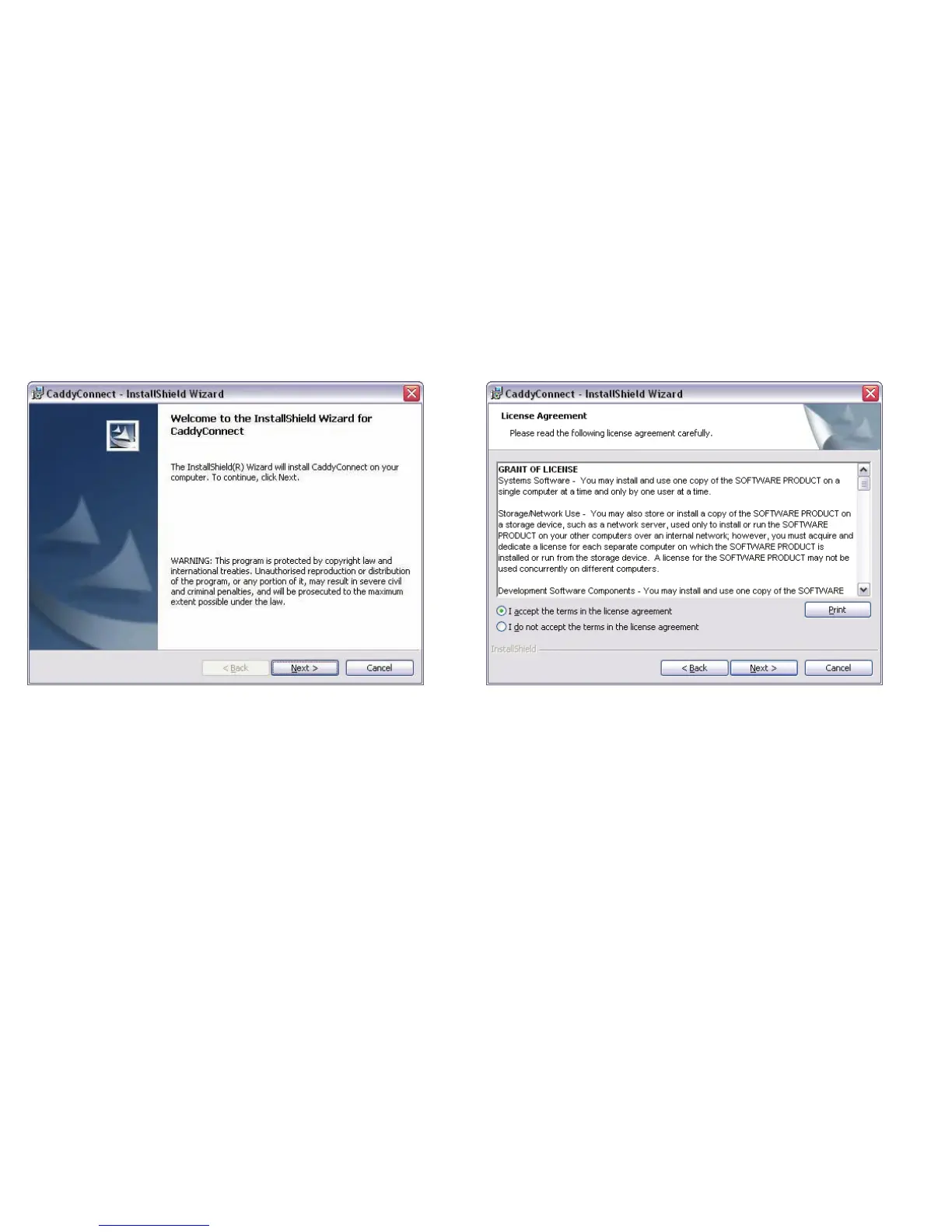
Insert the Caddy Lite CD ROM into your CD Drive.
The install wizard will start automatically.
Click on the next button.
When the Licence Agreement window appears, select I accept the
terms in the licence agreement. (If you want to print the licence for
future reference, click on the print button.)
Click on the next button.


 To Next Page