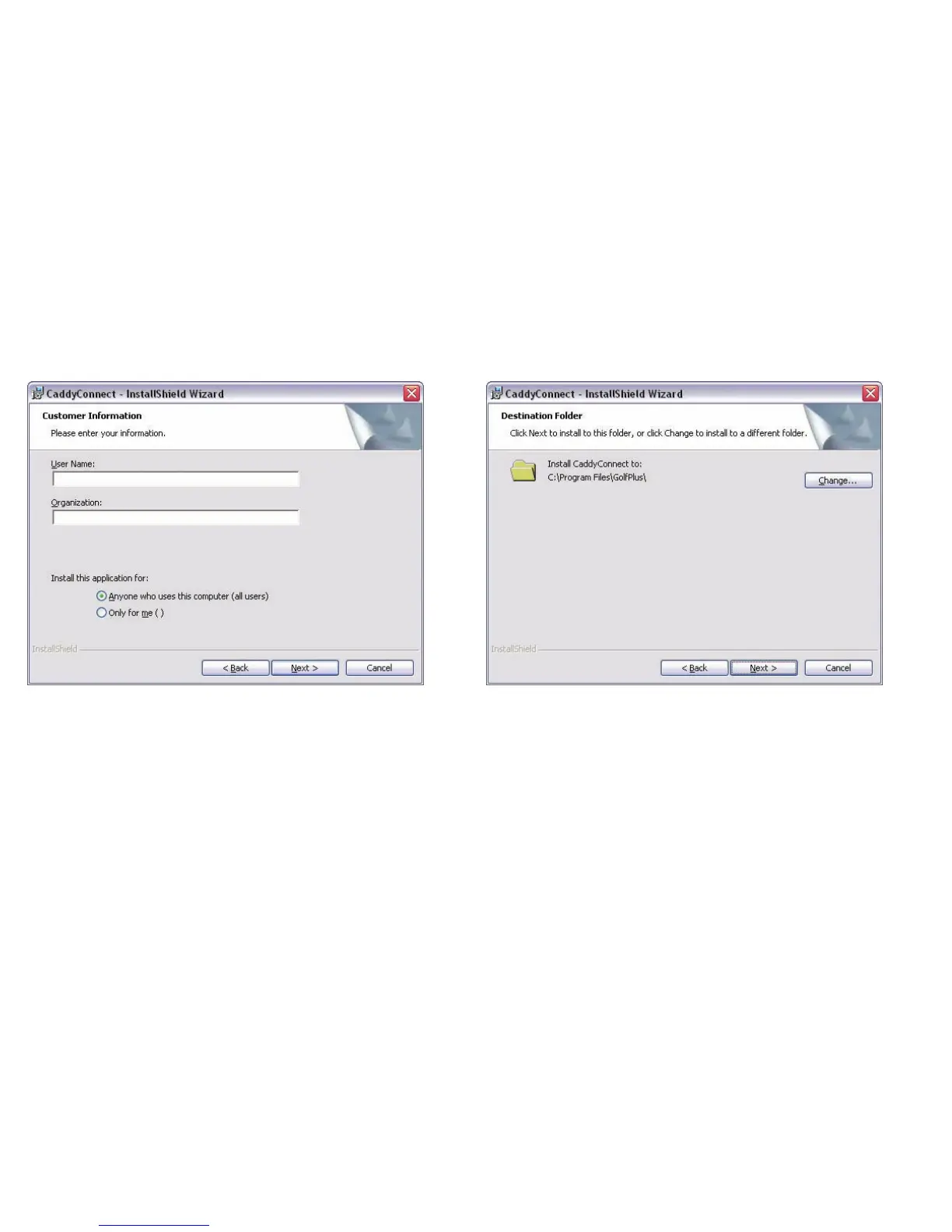
Installing CaddyConnect Software
When the Customer Information window appears, enter your user name
and an organisation name if applicable. You may find these boxes are
automatically completed by your computer.
Select Anyone who uses this computer (all users).
Click on the next button.
When the Destination Folder window appears, check the destination
(default) and if you want to change it click on the change button. It is
recommended that you use the default destination.
Click on the next button.
14
Caddy Lite User Guide - Version 1.0 2007


 To Next Page