Installing CaddyConnect Software
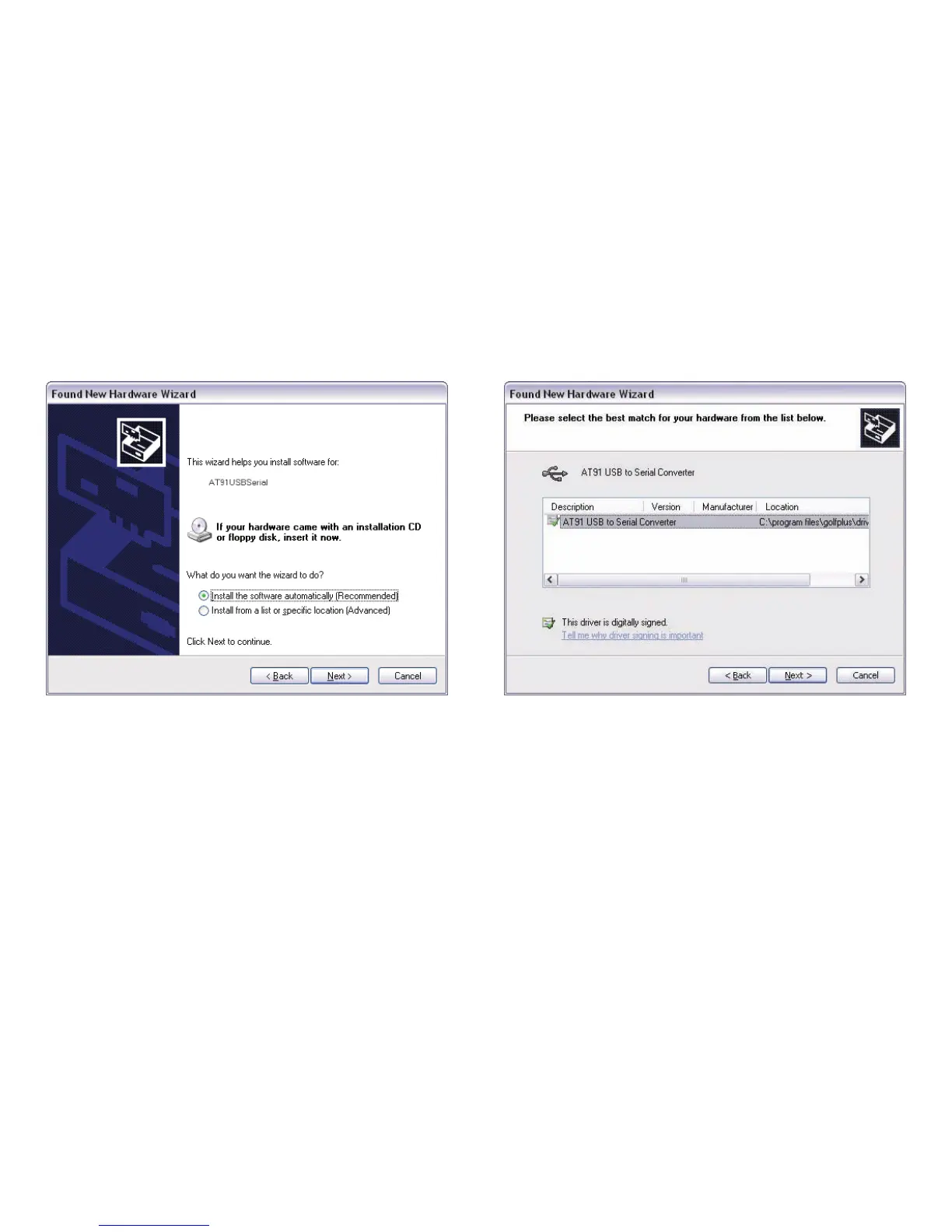
When the Welcome to the Found New Hardware Wizard window
appears, select Install the software automatically (Recommended).
Click on the next button.
When the PC has found the driver, you will see the following window or
a similar version. The default information is correct.
Click on the next button.
Next you may get a Driver Certification Warning window.
Click on the continue anyway button.
18
Caddy Lite User Guide - Version 1.0 2007


 To Next Page