Installing CaddyConnect Software
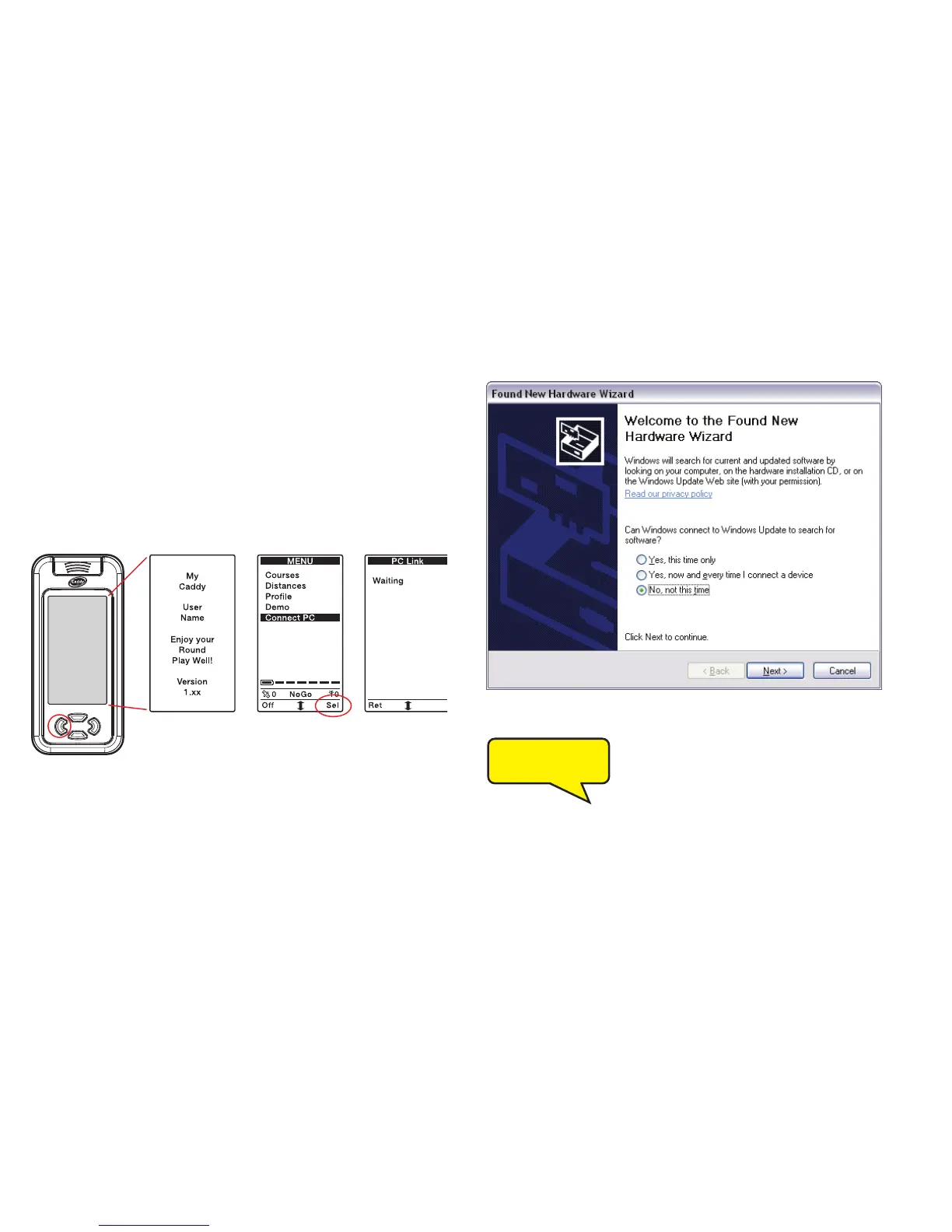
Once connected, the driver installation will begin. This process will
install the drivers required by the Caddy Lite software.
The following instructions are replicated on-screen.
When the menu screen appears use the scroll button to
move down to Connect PC.
Press the right button to select this option.
The Caddy Lite screen will now display Waiting.
You will see a message at the bottom of the PC screen that reads:
When the Welcome to the Found New Hardware
Wizard window appears, it may ask you if it can
search for software.
Select No, not this time.
Click on the next button.
If this window does not appear, go to next stage.
17
Caddy Lite User Guide - Version 1.0 2007
Scroll down
and select
Connect PC
Found new hardware
USB<->Serial


 To Next Page