EasyManua.ls Logo

GOODEE YG600 - Menu Guides; Image Menu Settings; Audio Menu Settings

GOODEE YG600
18 pages
Print Icon
To Next Page IconTo Next Page
To Previous Page IconTo Previous Page
Loading...
Menu
guides
6.1
Menu
setting
6.1.1
Image
menu
Remote
control
use
guide:
press
*
="
key,
then
the
main
menu
come
out.
Press
/B
key,
choose
to
come
into
the
image
submenu.
Press
*
W/A"
key,
choose
the
program
which
you
want
to
adjust.
Then
press
"OK”
key
come
into
setting
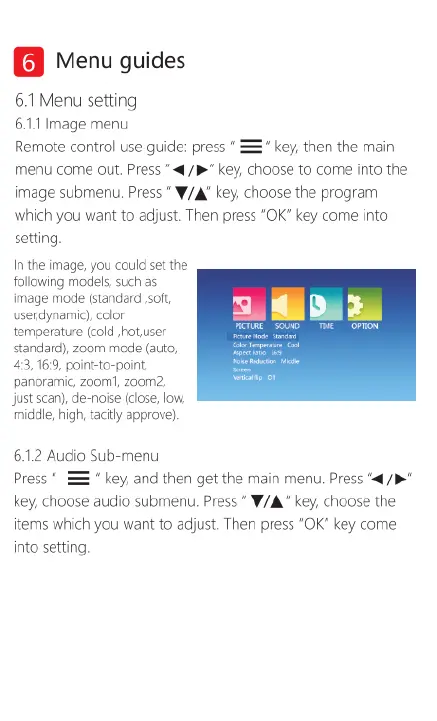
In
the
image,
you
couid
set
the
following
models,
such
as
image
mode
(standard
soft
usendynamic),
color
temperature
(cold
hot
user
standard),
zoom
mode
(auto,
43,716:9,
point-to-point,
panoraric,
zoom,
zoom2,
just
scan),
de-noise
(close,
low,
middle,
high,
tacitly
approve),
6.1.2
Audio
Sub-menu
Press
*
==
key,
and
then
get
the
main
menu.
Press
"4
/B
key,
choose
audio
submenu.
Press
*
W/A”
ke,
choose
the
items
which
you
want
to
adjust.
Then
press
“OK”
key
come
into
setting.

Related product manuals