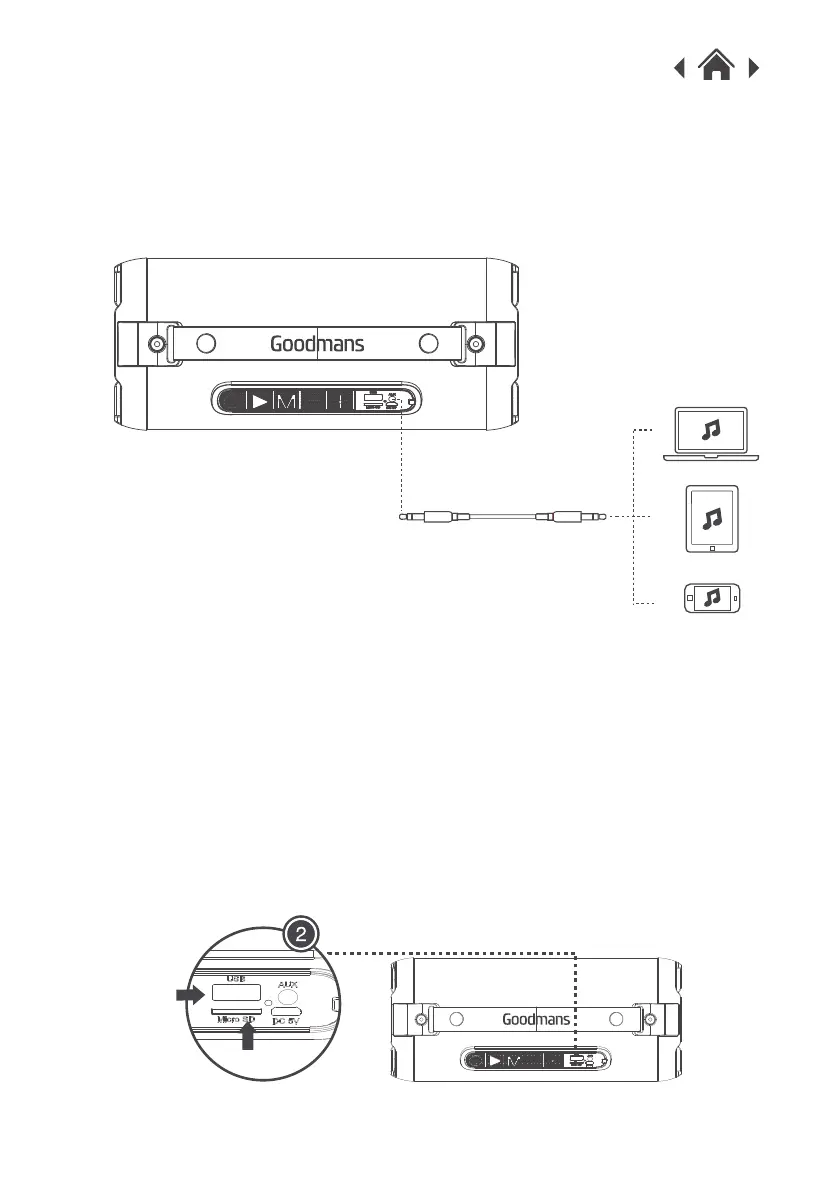
Note: When you insert a USB or TF card, your High Power Bass
Bluetooth Blaster will automatically disconnect from your
Bluetooth devices.
1.Hold the Power ON/OFF button to turn on the Bluetooth Blaster
and the LED lights will automatically turn on.
2.Insert a USB/TF card (not included) into the USB port or TF
card slot on the unit. It will automatically play the music.
3.5Using the USB / TF Card Function
Note: When an AUX in cable is connected, your High Power
Bass Bluetooth Blaster will disconnect from your Bluetooth
device.
3.Select you music on your device and play.


 To Next Page