2.2 Product View
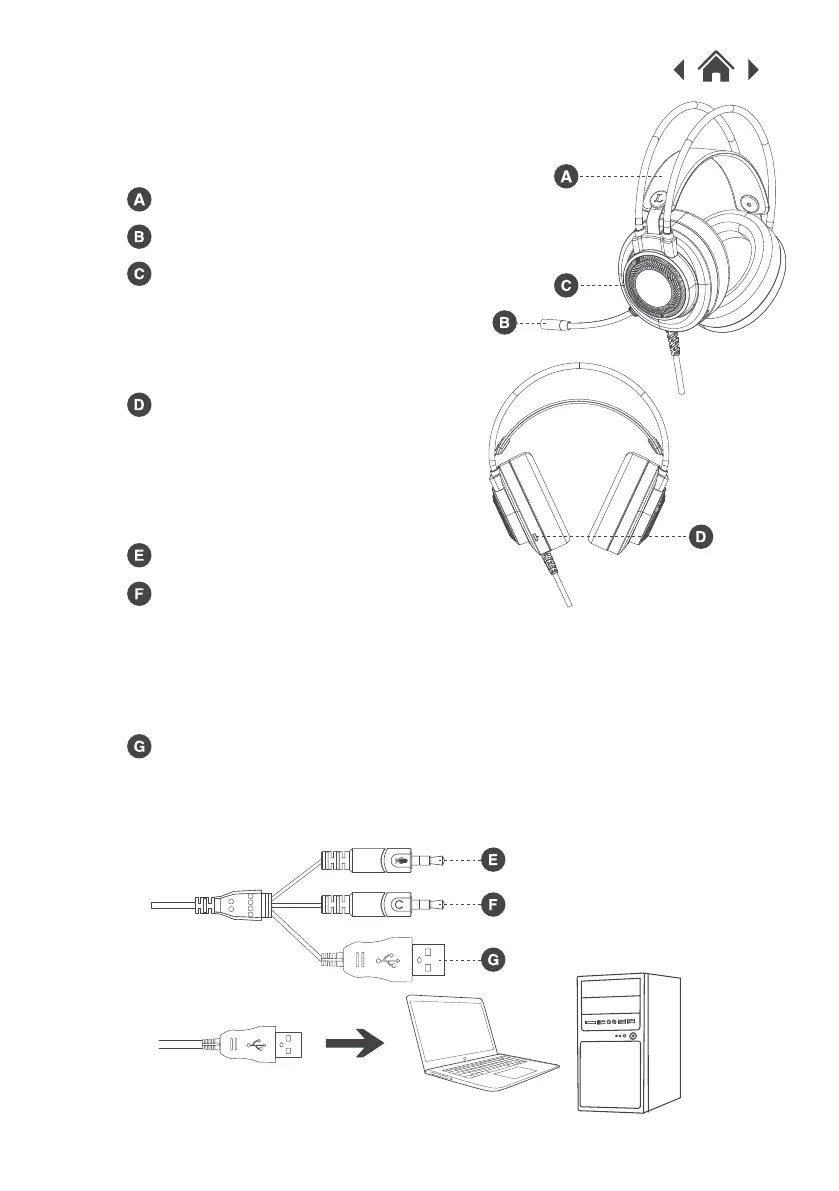
Headset
Headset
Microphone
LED Light
Connect the USB to your PC
or games console, the LED
light will turn on.
Plug the USB on the headset into a USB port on your PC or
games consoles to turn on the LED lights on the headset.
To use the headset with your games console, please use a Y
adapter (included). Connect the microphone and headset
connectors to the Y adapter and connect the adapter to your
console controller.
3.5mm Microphone Connector
Volume Control
3.5mm Headset Connector
USB Plug


 To Next Page