LED Backlight
Keyboard
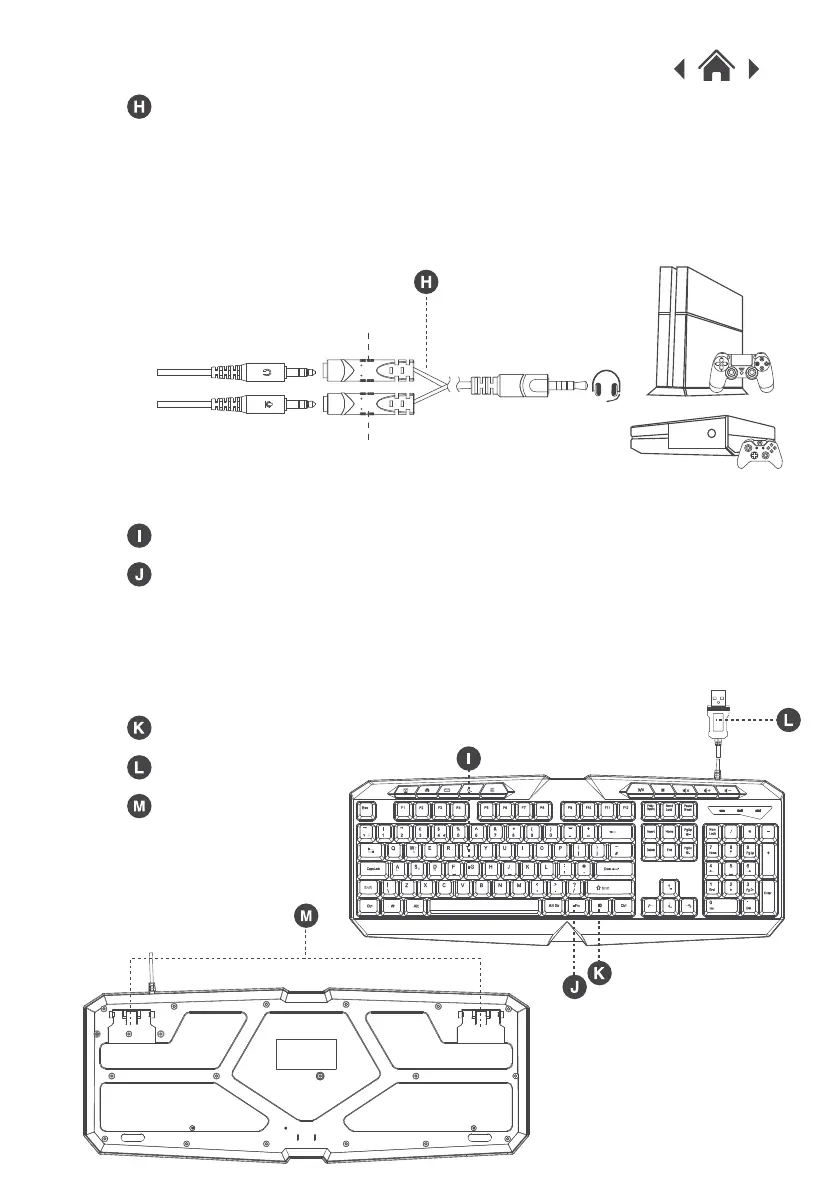
LED Light On/Off Button
USB Plug
Press and hold the FN button and the
LED Light button (K) to turn on the LED fading mode.
Press and hold the FN button and the W key to use the arrows
shown on the W, A, S, D keys.
FN Button
Support Frame
Connect the headphone connector to the black port and the
microphone connector to the red port on the adapter and
connect the other end to your console controller. For the
headset lights to work you will need to connect the USB cable
to your games console.
Y Adapter Cable
Black
Red


 To Next Page