Need help?
Do you have a question about the Goodmans ASPECT DUO and is the answer not in the manual?
Lists all components included in the product packaging for the user.
Guides connection of Module and Soundbar via optical cable, power supply, and setting the correct input mode.
Instructions to download the AllPlay Jukebox app via the App Store for Apple devices.
Instructions to download the AllPlay Jukebox app via Google Play for Android devices.
Provides the website address for accessing full user manuals and further support resources.
The Goodmans ASPECT DUO WITH MODULE is a comprehensive audio system designed to deliver a rich sound experience, featuring wireless streaming capabilities and flexible setup options. This system is engineered for ease of use and versatility, allowing users to enjoy their music and audio content through various sources and configurations.
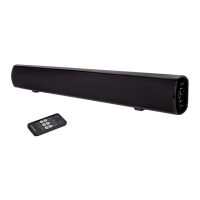
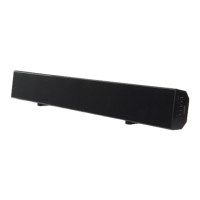
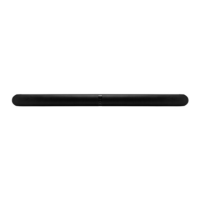
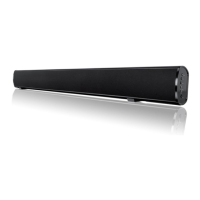
The Goodmans ASPECT DUO WITH MODULE serves as a complete home audio solution, primarily functioning as a soundbar system with integrated wireless streaming. The core components include two Aspect Duo speakers, a central module, and a remote control, all working in concert to provide high-quality audio output. The system is designed to enhance the audio experience for various media, including music, movies, and other digital content.
At its heart, the system leverages Qualcomm AllPlay technology, enabling multi-room audio streaming and control. This means users can stream music wirelessly from their devices to the Aspect Duo system, and potentially to other AllPlay-compatible devices throughout their home, creating a synchronized audio environment. The integration of Spotify further expands the streaming options, allowing direct access to a vast library of music.
The "Aspect Duo" refers to the two main speaker units, which are designed to provide stereo sound. These speakers are typically positioned to the left and right of a viewing area to create an immersive soundstage. The "Module" acts as the central hub for connectivity and processing, housing inputs and outputs necessary for integrating the system with other audio sources and power.
The system is capable of playing audio from various sources. One primary method of connection is via an optical cable, which is commonly used to connect soundbars to televisions, ensuring high-fidelity digital audio transmission. This setup is ideal for enhancing TV audio, providing clearer dialogue and more impactful sound effects for movies and shows. Beyond optical, the module also supports other wired connections, allowing for flexibility in connecting to different audio devices.
Wireless functionality is a key feature, allowing users to control and stream audio from their smartphones or tablets. This is facilitated through a dedicated mobile application, "AllPlay Jukebox," available for both Apple and Android devices. This app serves as the central control interface for managing music playback, selecting sources, and configuring multi-room audio settings. The app simplifies the process of accessing and playing music, making the system user-friendly for a wide range of users.
The Goodmans ASPECT DUO WITH MODULE is designed with user convenience and flexibility in mind, offering multiple ways to set up and operate the system.
The system offers straightforward setup procedures. For wired connections, particularly with a television, the optical cable is a primary option. Users connect one end of the optical cable to the Module and the other end to their soundbar. Powering the Module involves connecting a mains adaptor to its DC IN 5V 1A socket and then plugging it into a suitable mains socket. Similarly, the soundbar is powered by connecting its mains lead to the AC socket and then to a mains socket.
Once powered, the system can be activated using the 'STANDBY' button on the soundbar. To select the optical input, users press the 'SOURCE' button on the soundbar until the indicator light on the front shows a solid orange color, confirming the optical mode is active. This clear visual feedback helps users confirm their input selection.
A significant usage feature is its wireless capability, primarily driven by Qualcomm AllPlay. Users can download the "AllPlay Jukebox" app from the Apple App Store or Google Play Store. This app transforms a smartphone or tablet into a powerful remote control for the audio system. Through the app, users can browse music libraries, select tracks, control playback (play, pause, skip), adjust volume, and manage multi-room audio configurations. The app's intuitive interface makes it easy to navigate and control the system from anywhere within the Wi-Fi network.
The integration with Spotify allows for direct streaming of music from the Spotify service, providing access to millions of songs. This feature enhances the system's utility for music enthusiasts who rely on streaming services for their daily listening.
In addition to app control, the system includes a physical remote control. This remote provides essential functions such as power on/off, source selection, and volume control, offering an alternative control method for users who prefer a traditional remote or when a smart device is not readily available. The soundbar itself also features physical buttons for basic operations, ensuring that the system remains operable even without the remote or app.
The Aspect Duo speakers are designed for flexible placement. They can be positioned on stands (included) or mounted on walls using the provided wall brackets and rubber feet. This adaptability allows users to integrate the system seamlessly into various room layouts and aesthetic preferences, optimizing sound dispersion and minimizing clutter.
Beyond optical, the system supports other audio inputs, including 3.5mm to RCA and 3.5mm to 3.5mm cables. These options allow for connecting a wide range of devices, such as older audio players, computers, or portable music devices, further expanding the system's versatility. The inclusion of multiple cable types in the box ensures that users have the necessary accessories for various connection scenarios right from the start.
The Goodmans ASPECT DUO WITH MODULE is designed for straightforward maintenance, focusing on ease of use and durability.
When setting up the optical connection, the manual advises removing a protective cap from the OPTICAL socket on the soundbar. This detail highlights a design consideration to protect sensitive ports during shipping and before initial use, ensuring the longevity and proper functioning of the optical input.
As a connected device, the "AllPlay Jukebox" app, which is integral to the system's wireless functionality, is subject to updates. These updates, available through the App Store and Google Play, often include performance improvements, bug fixes, and sometimes new features, ensuring the system remains current and performs optimally over time. Users are encouraged to keep their app updated to benefit from the latest enhancements.
While not explicitly detailed in the provided snippets, general maintenance for electronic devices like the Aspect Duo system would typically involve keeping the units clean and free from dust. Regular dusting with a soft, dry cloth helps maintain the aesthetic appearance and prevents dust buildup from potentially affecting internal components or ventilation. Avoiding liquid spills and extreme temperatures is also crucial for preserving the device's lifespan.
The manual emphasizes the availability of full User Manuals online at www.goodmans.co.uk/support. This online resource serves as a comprehensive guide for troubleshooting, detailed setup instructions, and in-depth information about all features. Providing access to detailed documentation online is a key maintenance feature, empowering users to resolve common issues independently and understand their device thoroughly. This approach reduces the need for external support for many common queries.
In summary, the Goodmans ASPECT DUO WITH MODULE is a versatile and user-friendly audio system that combines high-quality sound with modern wireless streaming capabilities. Its design focuses on flexible setup, intuitive control through a dedicated app and remote, and robust connectivity options, making it a comprehensive solution for enhancing the audio experience in any home. The emphasis on online support and protective design elements contributes to its long-term usability and ease of maintenance.
 General
| Configuration | 2.1 |
|---|---|
| Connectivity | Wired |
| Type | 2.1 |
| Inputs | 3.5mm stereo jack |
| Controls | Volume |


 To Next Page