Need help?
Do you have a question about the Goodmans G-SHOT 3029TFT and is the answer not in the manual?
Lists all items included in the camera package, such as the camera, cables, and accessories.
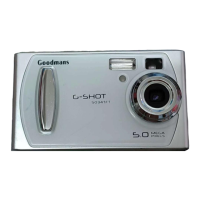
Identifies all external parts visible on the front of the digital camera.
Identifies all external parts visible on the rear of the digital camera.
Explains the functions of the Power, Mode, and Menu buttons for camera operation and navigation.
Details the usage of the OK button, directional keys, and shutter button for interaction and capture.
Step-by-step guide on how to insert AAA batteries into the camera's compartment.
Instructions for inserting and removing SD/MMC memory cards for expanded storage.
Explanation of the SD card's write-protect switch and its function to prevent accidental deletion.
Procedure for powering the camera on and off using the power button and checking battery status.
Explains the various indicators and icons displayed on the camera's monitor screen in Digital Camera Mode.
Explains the indicators and icons shown on the LCD monitor when the camera is in Digital Video Mode.
Guide on how to access and navigate through different camera menus and the Setup Mode.
Details various configurable settings available in the Setup Mode, such as Auto Off, Beep, and TV System.
Step-by-step instructions on how to operate the camera to capture a photo.
Explains the different photo resolution options (3M, 2M, VGA) and their suitability.
Details photo quality options and how to use different flash modes.
How to adjust the digital zoom level for framing photos.
Covers additional camera settings like Flash Option, White Balance, EV Adjust, and Self Timer.
How to use the Date Stamp feature and adjust basic settings via Setup Mode.
Step-by-step guide to start and stop recording video clips.
Explains VGA and QVGA resolution options for video recording and their impact.
How to adjust digital zoom for videos and other settings like White Balance and EV Adjust.
Guide on how to view still images in thumbnail and single display modes.
Instructions for viewing recorded video clips, including playback controls.
How to connect the camera to a TV for displaying photos and videos.
Covers playback settings like Resize, PictBridge direct printing, and DPOF.
Step-by-step process for deleting photos or movies from the camera.
Guide on how to install the camera's software driver on a computer.
Instructions on how to connect the camera to a PC using a USB cable.
Detailed steps for transferring image and video files from the camera to a computer.
Instructions on how to drag and drop files to a desired folder on the computer.
Steps for safely disconnecting the camera from a Windows Me PC.
Specific procedures for safely removing the camera from Windows 2000, XP, and 98SE.
Guide on configuring the camera and software for PC camera (webcam) functionality.
Instructions for recording video directly to the computer using AMCAP software.
Provides answers to frequently asked questions about camera operation and troubleshooting.
Addresses issues related to the camera not being recognized by the PC and software compatibility.
Information on playing movie clips on a PC and a reference to default camera settings.
 General
| Brand | Goodmans |
|---|---|
| Model | G-SHOT 3029TFT |
| Category | Digital Camera |
| Language | English |


 To Next Page