The Goodmans G-SHOT 5034TFT is a 5-megapixel multi-functional digital camera designed for capturing still images and video. It offers a range of features for both casual and more controlled photography and videography, along with options for playback, file management, and PC connectivity.
Function Description:
The camera serves as a portable device for capturing digital photos and videos. It allows users to store media internally or on an SD/MMC card, view captured content on its LCD monitor or an external TV, and transfer files to a computer. It can also function as a PC camera (webcam).
Important Technical Specifications:
- Image Sensor: 5-megapixel CMOS sensor (2592 x 1944 pixels).
- Still Image Resolution:
- 5 Mega Pixel: 2592 x 1944
- 4 Mega Pixel: 2432 x 1824
- 3 Mega Pixel: 2048 x 1536
- 2 Mega Pixel: 1600 x 1200
- VGA: 640 x 480 (0.3 Mega Pixel)
- Image Quality Options: Super Fine, Fine, Normal (for digital camera mode).
- External Storage: SD Card (MMC compatible) up to 1GB.
- Internal Storage: 32MB Internal Flash Memory (partially reserved for system buffer).
- Shutter: Mechanical, 1/4sec to 1/1000sec.
- Still Image File Format: JPEG.
- Movie File Format: AVI (Motion JPEG), with sound.
- Movie Mode Resolution:
- VGA: 640x480
- QVGA: 320x240
- White Balance: Auto / Manual (Sunny, Cloudy, Fluorescent, Tungsten).
- Flash Modes: Automatic, On, Anti-red eye, Off.
- Microphone: Built-in.
- Digital Zoom: 8X for photo-taking, 4X for movie-taking.
- Range of Focus: Macro (30cm to 40cm), Standard (1m to Infinity).
- Self-timer: 10-second delay.
- TV Output: NTSC or PAL, selectable.
- USB Connectivity: Version 2.0 (Compatible with USB1.1).
- Power: 3 AAA Alkaline Batteries.
- Dimensions: 97.5(W) x 58(H) x 19(T) mm.
- Weight: Approximately 90g (without batteries).
System Requirements for PC Connectivity:
- OS: Windows 98SE/Me/2000/XP.
- CPU: Pentium MMX, Celeron, or AMD Athlon® or higher.
- RAM: 128 MB.
- CD-ROM: 4X or above.
- HDD: 500MB free disk space.
- Display: 16-bit color.
- Port: USB.
- Note: Only the camera driver is compatible with Apple Mac; photo processing software is not.
Usage Features:
Preparation:
- Battery Loading: Requires 3 AAA batteries. Correct polarity is crucial. Removing batteries will reset date and time settings.
- SD Card Insertion/Removal: Supports SD/MMC cards up to 1GB. Cards should be inserted correctly to avoid jamming. The SD card icon appears on the LCD when a card is fitted. Formatting may be required for new cards. A write-protected card will show a red icon, and recording will be disabled.
Camera Modes:
- Digital Camera Mode (Photo Taking):
- Resolution Settings: 5M, 4M, 3M, 2M, VGA.
- Photo Quality: Super Fine, Fine, Normal.
- Flash Options: Red-Eye, Auto Flash, Flash (FORCED), No Flash.
- Macro Mode: For close-up shots (30cm focus). Activated via a physical switch.
- Digital Zoom: 1x to 8x, controlled by W/T buttons.
- White Balance: Auto, Sunny, Cloudy, Fluorescent, Light bulb.
- Exposure Compensation: -2.0EV to +2.0EV.
- Self-Timer: Off, 5 seconds, 10 seconds (resets after each photo or camera power-off).
- Date Stamp: Option to enable/disable date stamping on photos.
- Hand Shake Alert: Icon appears when light is insufficient, suggesting a steadier hold or angle adjustment.
- Digital Video Mode (Movie Taking):
- Resolution Settings: VGA (640x480) for TV viewing, QVGA (320x240) for longer recording time.
- Digital Zoom: 1x to 4x.
- Recording Status: Indicates recording in progress or standby, with elapsed/remaining time.
- White Balance: Auto, Sunny, Cloudy, Fluorescent, Light bulb.
- Exposure Compensation: -2.0EV to +2.0EV.
- Note: Exposure Value, White Balance, and Strobe Flash adjustments are not available during video recording.
Playback Mode:
- Viewing Photos/Movies: Press the Preview button to enter playback. Use OK twice for thumbnail display (6 images), then select a file with 4-way keys and press OK again for single display.
- Playing Movies: In single display, press Shutter to play/pause.
- TV Output: Connect via AV cable to view content on a TV. Supports NTSC/PAL.
- Resizing Photos: Allows reducing photo size (resizing from low to high resolution degrades quality).
- PictBridge: Direct printing to compatible printers without a PC.
- DPOF (Direct Print Out Format): Configures print settings for compatible printers/services. DPOF settings are stored in a "MISC" folder on the memory card.
Setup Mode (Default Settings):
- Auto Off: 1 min, 3 min, Never Sleep.
- Beep Sound: On/Off.
- LCD Brightness: Adjustable from -2.0 (darker) to +2.0EV (brighter).
- TV System: PAL/NTSC.
- Format: Formats the storage media (deletes all files).
- Date/Time Setting: Configures current date and time.
- Light Frequency: 50Hz/60Hz (to avoid flickering under fluorescent lights).
- Default Setup: Resets camera settings to default (except date/time).
- Version: Displays camera software version.
File Transfer:
- Connecting to PC: Turn on camera, enter Preview mode, connect via USB cable. The Red LED illuminates, and LCD turns off.
- Copying Files:
- Windows XP: Dialogue window appears; select "Open folder to view files using Windows Explorer."
- Windows 2000/ME/98SE: Double-click "My Computer," then the removable disk icon.
- Navigate to the DCIM/100COACH folder and drag files to the desired target folder on the PC.
- Warning: Do not copy files into the DCIM or 100COACH folders, as this may cause instability or crashes.
PC Camera (Webcam) Functionality:
- Set camera to DV mode, connect to PC via USB.
- Use software like Windows NetMeeting. Select "Coach Video Camera" as the video source.
- Video clips recorded as PC camera input are AVI format (320x240 pixels at 11-15fps).
Maintenance Features:
Troubleshooting (FAQs):
- Poor Quality/Dark Images:
- Insufficient Light: Increase illumination or use flash.
- Outdoor Darkness: Objects in shade or pointing at bright sections (sky) can cause dark images. Adjust angle to balance light. The "Hand Shake alarm" indicates insufficient light.
- Fuzzy/Unclear Images: Caused by camera movement. Hold steadily with both hands, press shutter gently, and stand on solid ground.
- Blurry Areas: Lens might be partially covered or have grease. Clean with a dry, soft cloth.
- Horizontal Black Stripes (Abroad): Due to mismatched light frequency (e.g., 50Hz camera in 60Hz country). Set camera's light frequency to match the local mains frequency. No issue under sunlight.
- No Camera Response: May be due to electrostatic charge or impact. Remove and re-insert batteries.
Software/Driver Management:
- Driver Installation: Install drivers from the provided CD-ROM before connecting to PC for the first time.
- Camera Not Recognized by PC: Reinstall drivers, ensure direct connection to PC (avoid incompatible USB hubs).
- Win98 Support: Win98SE is supported; Win98 users may need to download "Direct_X" updates from Microsoft.
- Viewing Movie Clips on PC: Requires video player software (e.g., QuickTime for Mac, Windows Media Player for Windows).
The Goodmans G-SHOT 5034TFT is a versatile digital camera suitable for users looking for a straightforward device to capture and manage their photos and videos, with additional features like PC camera functionality and direct printing.

 Need help?
 General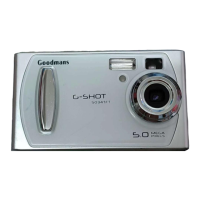

 To Next Page
