EasyManua.ls Logo

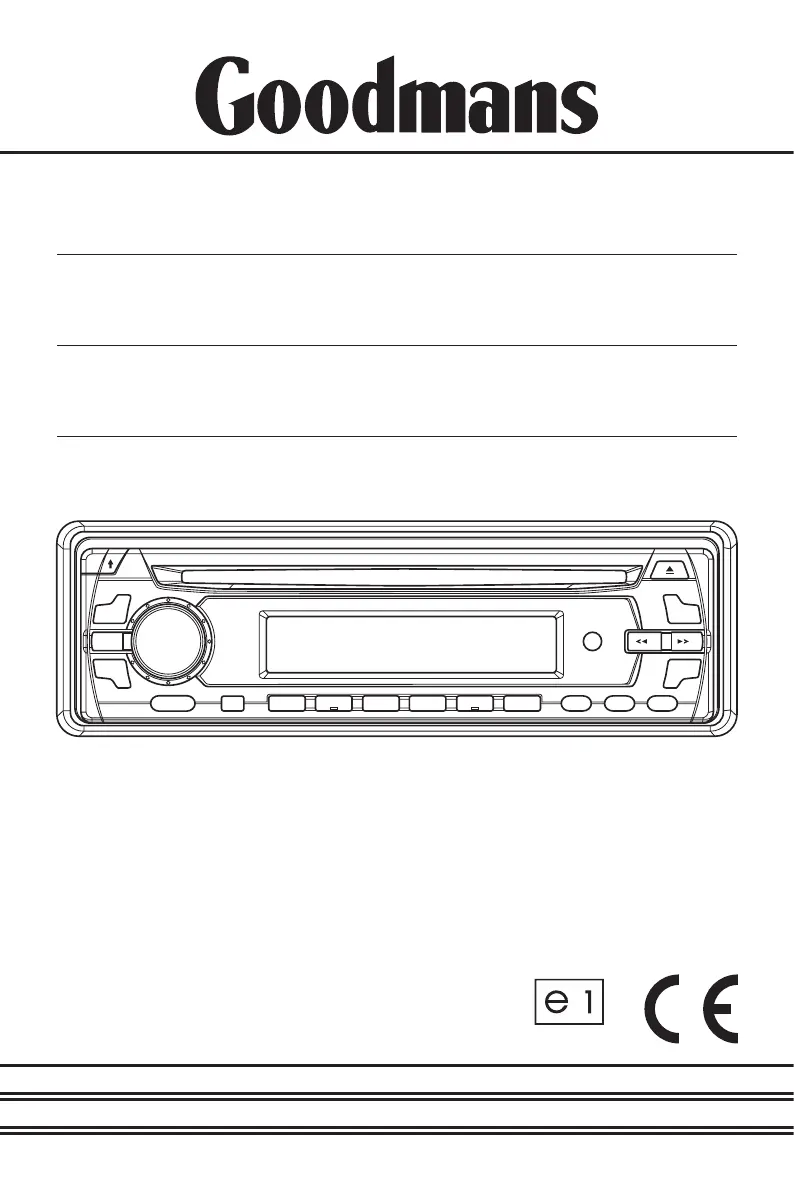
Goodmans GCE 7355 MP3 - User Manual

Goodmans GCE 7355 MP3
32 pages
Print Icon
To Next Page IconTo Next Page
Loading...
INSTRUCTION
MANUAL
Model GCE 7355 MP3
In Car Radio
Compact Disc Player
022475

Questions and Answers

  • R
    Robert MendezJul 31, 2025
    What to do if my Goodmans GCE 7355 MP3 has no power?
    • T
      Thomas JohnsonJul 31, 2025
      If your Goodmans Car Receiver has no power, there are a couple of things to check. First, if the power supply is connected to the car’s accessory circuits, make sure the ignition key is switched to “ACC”. Also, check the fuse and replace it with another 15A or 0.5A fuse if it's blown.
  • K
    kwatsonAug 4, 2025
    Why is there no sound coming from my Goodmans GCE 7355 MP3?
    • P
      petersoneddieAug 4, 2025
      If you're not getting any sound from your Goodmans Car Receiver, start by adjusting the volume control to your desired level. Also, double-check all the connections to ensure the unit is properly connected, including the speaker cords and other connection cords.
  • J
    Jordan HaneyAug 9, 2025
    What to do if my Goodmans Car Receiver disc will not play?
    • T
      travispattersonAug 10, 2025
      If your Goodmans Car Receiver disc will not play, make sure you're inserting the compact disc with the label side facing up. If it still doesn't play, the disc might be extremely dirty or defective, so try cleaning it or using a new one. If the car's temperature is too high, cool it off inside and try again. Condensation can also be a factor; leave the disc player off for about an hour, then try again.
  • K
    Kristopher RodriguezAug 14, 2025
    Why does my Goodmans GCE 7355 MP3 Car Receiver sound skip?
    • D
      ddanielsAug 14, 2025
      If the sound skips on your Goodmans Car Receiver, it could be due to a few reasons. Check that the installation angle is less than 30°. Also, make sure the disc player is securely fastened. Alternatively, the compact disc might be extremely dirty or defective, so clean it or try a different disc. Condensation can also cause skipping; in that case, leave the disc player off for an hour or so, then try again.
  • B
    Brandon ConleyAug 19, 2025
    What to do if the operation keys on my Goodmans GCE 7355 MP3 do not work?
    • H
      Hannah JacksonAug 19, 2025
      If the operation keys on your Goodmans Car Receiver aren't working, the built-in microcomputer might be operating incorrectly. Try removing the compact disc and then inserting it again. You can also press the reset button.
  • E
    Eric BrooksAug 25, 2025
    Why doesn't the radio work on my Goodmans GCE 7355 MP3?
    • T
      Timothy PetersonAug 25, 2025
      If the radio isn't working on your Goodmans Car Receiver, ensure the aerial cable is securely inserted. If the signals are too weak, try selecting a station manually.

Summary

Accessories

Important Installation Notes

Earthing Procedures

Ensuring proper grounding connection for the car stereo system to prevent electrical issues.

Polarity Warning

Critical warning regarding vehicle electrical system polarity and unit compatibility.

Connecting Speaker and Power Cables

Guidelines for safely connecting speaker and power cables to the unit.

Precautions and Maintenance

Installation and Mounting

Dashboard Installation Guide

Step-by-step illustration for installing the unit into a vehicle dashboard.

Player Removal from Dashboard

Front Panel Operation

Detaching the Front Panel

Step-by-step guide to detach the front panel for security purposes.

Attaching the Front Panel

Step-by-step guide to re-attach the front panel securely to the main unit.

Wiring Identification and Connections

Wiring Identification Diagram

Diagram illustrating rear view connections and wire identification for the unit.

ISO Plug Connectivity

ISO-Plug A: Power and Memory

Details for ISO Plug A, used for power supply and memory connections to the unit.

ISO-Plug B: Speaker Outputs

Details for ISO Plug B, used for connecting loudspeakers to the unit.

Controls and Functions Overview

Function Key Identification

Identification and listing of all function keys on the car radio unit.

Basic Operation Controls

Radio Tuning Operations

Radio Memory and Presets

Traffic Information Reception

CD Playback Operations

MP3 and WMA Media Playback

Aerials and Reception Quality

Radio Interference Solutions

Troubleshooting Common Issues

Handling Error Indicators

What to do when error indicators like E1, E2, E3 appear on the display.

Resolving No Power Issues

Steps to diagnose and resolve issues when the unit has no power.

Troubleshooting Disc Playback

Solutions for problems encountered when the disc will not play.

Advanced Troubleshooting Guide

No Sound or Poor Audio Quality

Troubleshooting steps for when there is no sound or sound quality is poor.

Operation Key Malfunctions

Solutions for when the unit's operation keys are unresponsive.

Sound Skipping Issues

Troubleshooting tips for issues where the sound skips or jumps.

Radio Reception Problems

Solutions for when the radio does not work or automatic station selection fails.

Technical Specifications

Goodmans GCE 7355 MP3 Specifications

Power IconPower
power supply requirementsDC 12 Volts, Negative Ground
maximum output power4 x 20 Watts RMS (4 x 40 Watts Music)
current drain15 Ampere (max.)
Audio IconAudio
tone controls bass± 10 dB at 100 Hz
tone controls treble± 10 dB at 10 KHz
signal to noise ratioMore than 60 dB
Radio Specifications IconRadio Specifications
fm frequency coverage87.5 to 108 MHz
mw frequency coverage522 to 1620 KHz
lw frequency coverage144 to 288 KHz
Weight and Dimensions IconWeight and Dimensions
chassis dimensions178 (W) x 160 (D) x 50 (H)

Related product manuals