EasyManua.ls Logo

Goodmans GCE 751PLL - User Manual

Goodmans GCE 751PLL
21 pages
Print Icon
To Next Page IconTo Next Page
Loading...
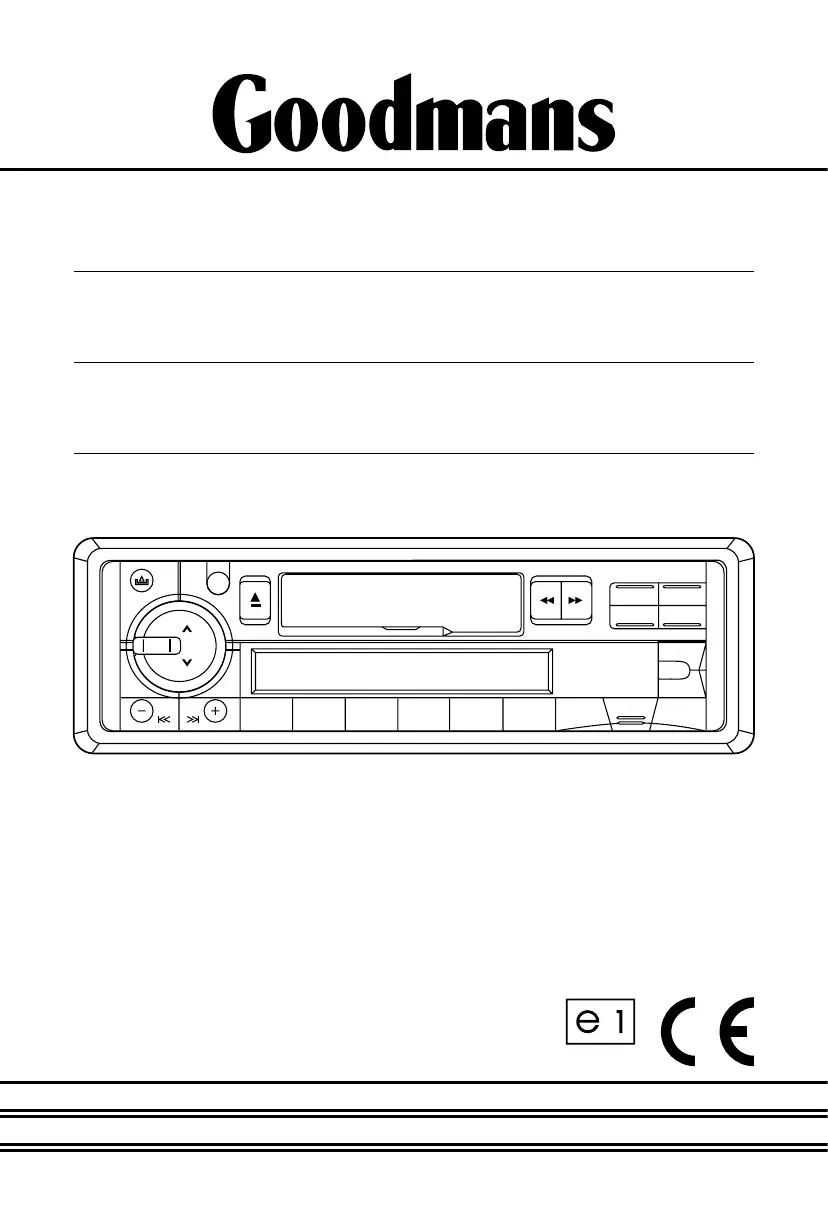
INSTRUCTION
MANUAL
Model GCE 751PLL
In Car Radio with
Tape Cassette Player
022442

Questions and Answers

  • C
    Corey DuffyJul 31, 2025
    What to do if my Goodmans Car Receiver audio is distorted?
    • M
      Mary PhillipsJul 31, 2025
      If you are experiencing distorted audio with your Goodmans Car Receiver, check the loudspeaker wiring. Ensure you are not using the vehicle's fader control, as it is incompatible with this player. A faulty loudspeaker could also be the cause. Use cables of 15 Amp or more. Additionally, try reducing the bass effect or switching off the loudness mode.
  • N
    Nicole HendersonAug 10, 2025
    Why is there interference on my Goodmans Car Receiver radio?
    • T
      Tracy TaylorAug 10, 2025
      Radio interference on your Goodmans Car Receiver can be due to poor atmospheric conditions; try again later in the day. Also, ensure that the AF mode is switched off.
  • M
    mcphersonangieAug 19, 2025
    How to improve poor sound quality from tape on Goodmans Car Receiver?
    • S
      Susan SmithAug 19, 2025
      To address poor sound quality from tape on your Goodmans Car Receiver, try another tape. You can also run a good quality tape cleaner through the player. If the problem persists, refer to a dealer for service.

Summary

ACCESSORIES

PLEASE READ THIS BEFORE CONNECTING THE PLAYER TO THE VEHICLE

IMPORTANT NOTES

Key operational checks before final installation.

WARNING: POLARITY.....

Crucial polarity warning for vehicle compatibility.

Connecting The Speakers And Power Cables

Detailed instructions for audio and power connections.

PRECAUTIONS AND MAINTENANCE

Caution Vauxhall owners

Specific wiring adjustment for Vauxhall vehicles.

REMOVING AND ATTACHING THE TRIM RING

REMOVING THE PLAYER FROM THE DASHBOARD;FIXING BRACKET

Steps for detaching the unit from its mounting.

DETACHING AND ATTACHING THE FRONT PANEL

DETACHING THE FRONT PANEL

Procedure for removing the detachable front panel.

ATTACHING THE FRONT PANEL

Procedure for reattaching the detachable front panel.

INSTALLATION;PRECAUTIONS

Mounting angle adjustment

Recommended angle for unit installation.

MOUNTING EXAMPLE

Visual guide for dashboard installation steps.

WIRING IDENTIFICATION

REAR VIEW OF PLAYER

Identification of player's rear connections.

RECOMMENDED MINIMUM LOUDSPEAKER POWER RATINGS

Specifications for compatible loudspeakers.

TWO SPEAKER WIRING

Guidance for connecting two speakers.

INSTALLATION NOTES

Important considerations for all installations.

ISO PLUG CONNECTIONS

ISO-PLUG A

Power and memory connection details.

ISO-PLUG B

Loudspeaker connection details.

IDENTIFICATION OF CONTROLS AND FUNCTIONS

CONTROLS

Radio reception

AUTOMATIC TUNING (SEEK)

How to automatically find radio stations.

MANUAL TUNING

How to manually select radio stations.

MEMORY PRESET TUNING

AMS Function (Auto Memory Store)

Automatically stores strongest stations.

Manual Preset Memory

Manually storing favourite stations.

USING THE TAPE DECK

AERIALS AND AERIAL FITTING

RADIO RECEPTION

Explanation of FM and AM band reception.

RADIO INTERFERENCE

TROUBLE SHOOTING GUIDE

SPECIFICATIONS

Goodmans GCE 751PLL Specifications

LW Section IconLW Section
LW Frequency Range144 - 288 KHz
LW Intermediate Frequency450 KHz
LW Usable Sensitivity (20 dB S/N)38 dB
MW Section IconMW Section
MW Frequency Range522 - 1620 KHz
MW Intermediate Frequency450 KHz
MW Usable Sensitivity (20 dB S/N)32 dB
FM Section IconFM Section
FM Frequency Range87.5 - 108 MHz
FM Intermediate Frequency10.7 MHz
FM Usable Sensitivity (30 dB S/N)5 µV
FM Image Rejection> 45 dB
FM Stereo Separation> 25 dB
Tape Section IconTape Section
Tape Speed4.76 cm/sec
Fast Forward Time180 seconds (C-60 type)
Wow & Flutter< 0.35 % WRMS
Cross Talk> 40 dB
Channel Separation> 35 dB
Frequency Response50 to 10, 000 Hz
Tone Controls IconTone Controls
Bass (at 100 Hz)± 10 dB
Treble (at 10 KHz)± 10 dB
General IconGeneral
Power Supply Voltage12 volts DC
PolarityNegative ground only
Maximum Output Power4 x 20 Watts RMS (4 x 40 Watts Music)
Load Impedance15 ampere (max.)
Dimensions Chassis178 (W) x 50 (H) x 165 (D) mm / 7 (W) x 2 (H) x 6.5 (D) inch

Related product manuals