P. 17
USING THE TAPE DECK
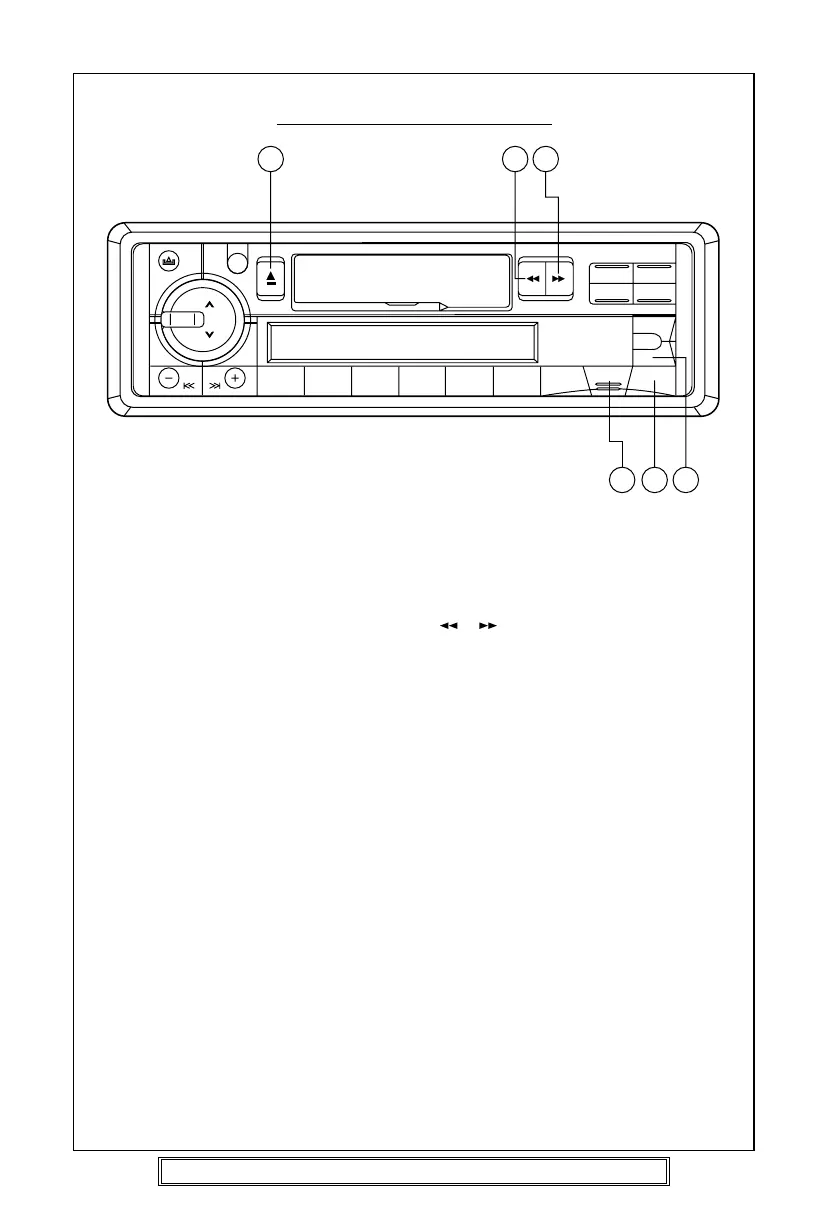
1. Press the PWR button (12) to turn on the unit.
2. Insert a prerecorded cassette tape into the tape aperture with the exposed tape
facing to the right. Tape playback will start automatically.
3. To advance or rewind the tape push either ( ) ( ) TAPE FUNCTION keys (6) (7)
until they lock, to release gently press the opposite key. To change the tape play
direction press both TAPE FUNCTION keys simultaneously. The display will show
the direction of play.
Note: When the tape reaches the end during playback it automatically switches
direction and continues to play the other side of the cassette.
4. Adjust the volume, bass, treble to the desired levels.
5. To end tape play press the MOD button (8) radio operation will now commence.
Press the EJECT button (4) to remove the tape.
Goodmans Product Information Helpline (0870) 873 0080
4 6 7
8 1112



 To Next Page