P. 16
MEMORY PRESET TUNING
AMS Function (Auto Memory Store)
The AMS function is used to automatically store the 6 strongest available station to the
band chosen. To use this please use the following instructions:
1 Select FM1, FM2, FM3.
2
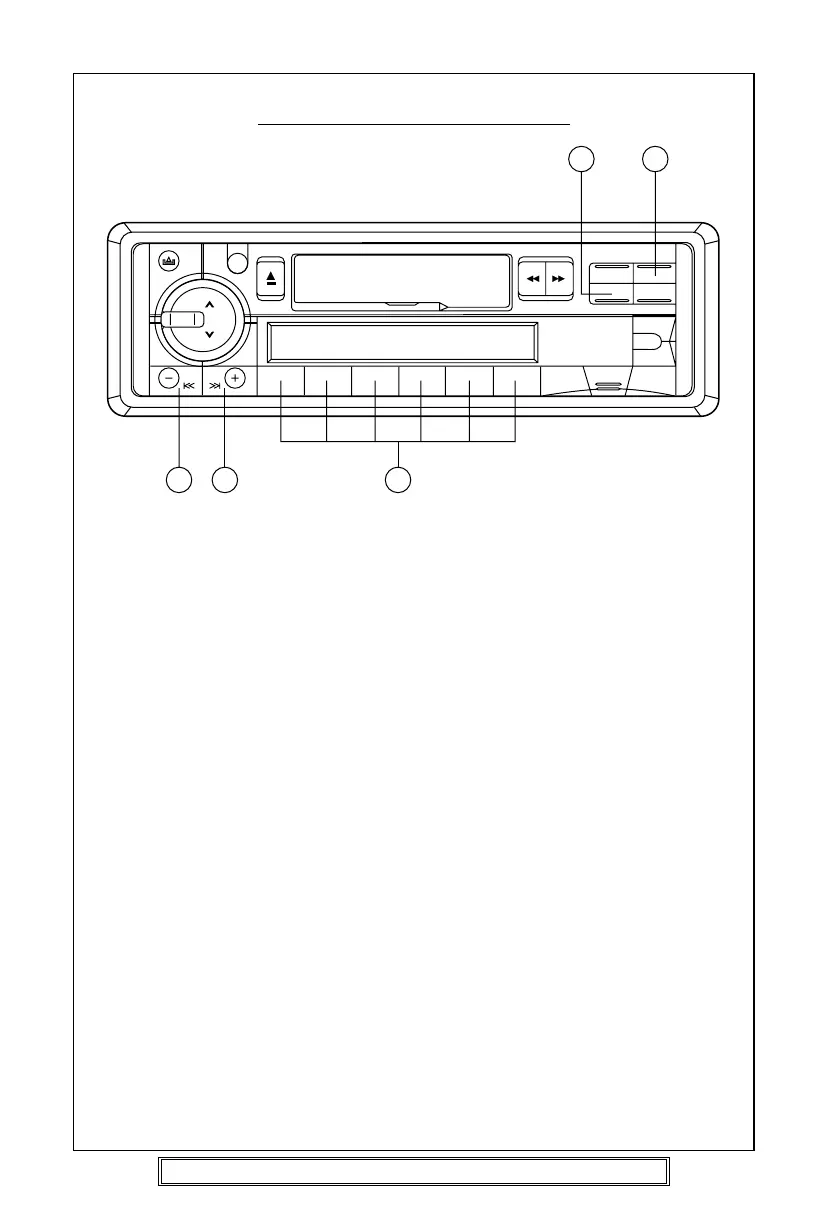
Press and hold the AMS button (21) for more than 2 seconds.
3 The 6 strongest available stations will be stored automatically. These can then be
accessed using the memory preset buttons 1-6 (17).
Notes:
a. The complete band will be scanned and as each strongest station is received it will
automatically be placed in the preset 1-6 memory locations.
b. Any stations that were entered into the memory before the AMS operation commenced
will be erased or repositioned after AMS operation has been completed.
c. If there is less than 6 different stations in your area then the AMS will not memorize
any stations into the remaining preset memory locations.
d. The AMS function will not operate on the MW or LW bands.
Manual Preset Memory
1. Press BND/LOU button (16) to select band required FM1, FM2, FM3, MW or LW.
2. Tune to the desired radio station, using the tuning instructions given on page 15.
3. Press and hold the desired preset memory button 1-6 (17) until the number is displayed
next to the station name or frequency display.
To Hear a Preset Station
Select desired band and press the appropriate preset button 1-6 (17) into which the
station has previously been stored.
Goodmans Product Information Helpline (0870) 873 0080
2019
21 2
17



 To Next Page