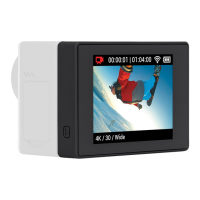
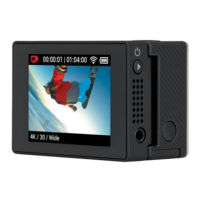
Using Your Display Mod
Press the Power button on your Display Mod to turn it on and see the live view
from your camera.
Heads Up: Your Display Mod will turn itself o if it doesn’t receive a signal from your
camera for more than 5 minutes.
SWITCHING SCREENS
Press the Power button when your Display Mod is on to switch back and forth
between your camera’s screen and Display Mod screen.
Heads Up: Only one screen can be active at a time. Camera controls can only be
accessed with your camera’s touch screen.
POWERING OFF
Press and hold the Power button for 4 seconds.
RESETTING YOUR DISPLAY MOD
Press and hold the Power button for 8 seconds.
WARNING: Display Mod
is not waterproof.
Module d’achage
MANUEL DE L’UTILISATEUR


 To Next Page