GoPro HERO 5 Kit
How to Use
A
B C
D
E
F
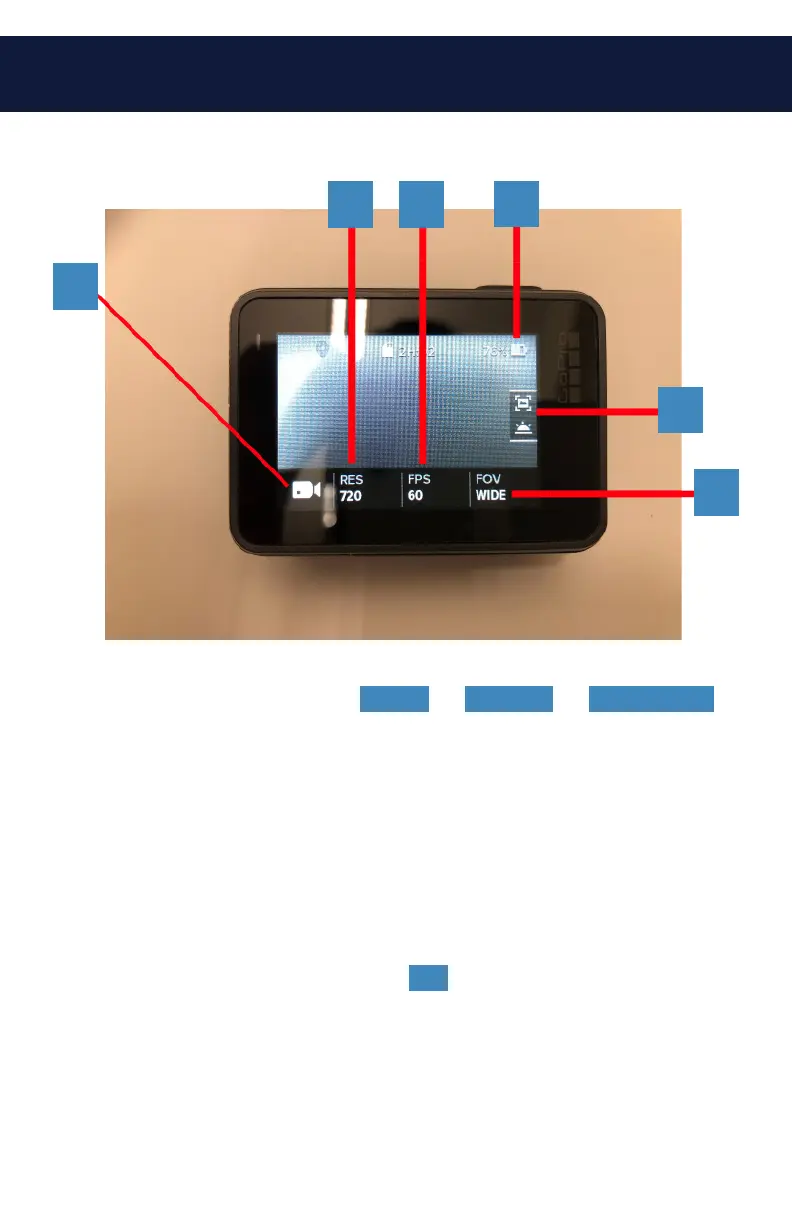
A. Camera Mode: Choose Video or Camera or Time-lapse .
B. Resolution: Choose your resolution for video recording.
C. Frame Rate (FPS): Select your frame rate. Higher is
better for lots of motion. Lower is better for slower
videos.
D. Battery Meter: How much battery is left.
E. Image Stabilizer: Default is On , press to turn off if
necessary.
F. Shooting Mode: Select between a variety of different
shooting styles (wide, narrow, etc.)



 To Next Page