GoPro HERO 5 Kit
Instructions continued from inside
6. To transfer photos and video les to your computer,
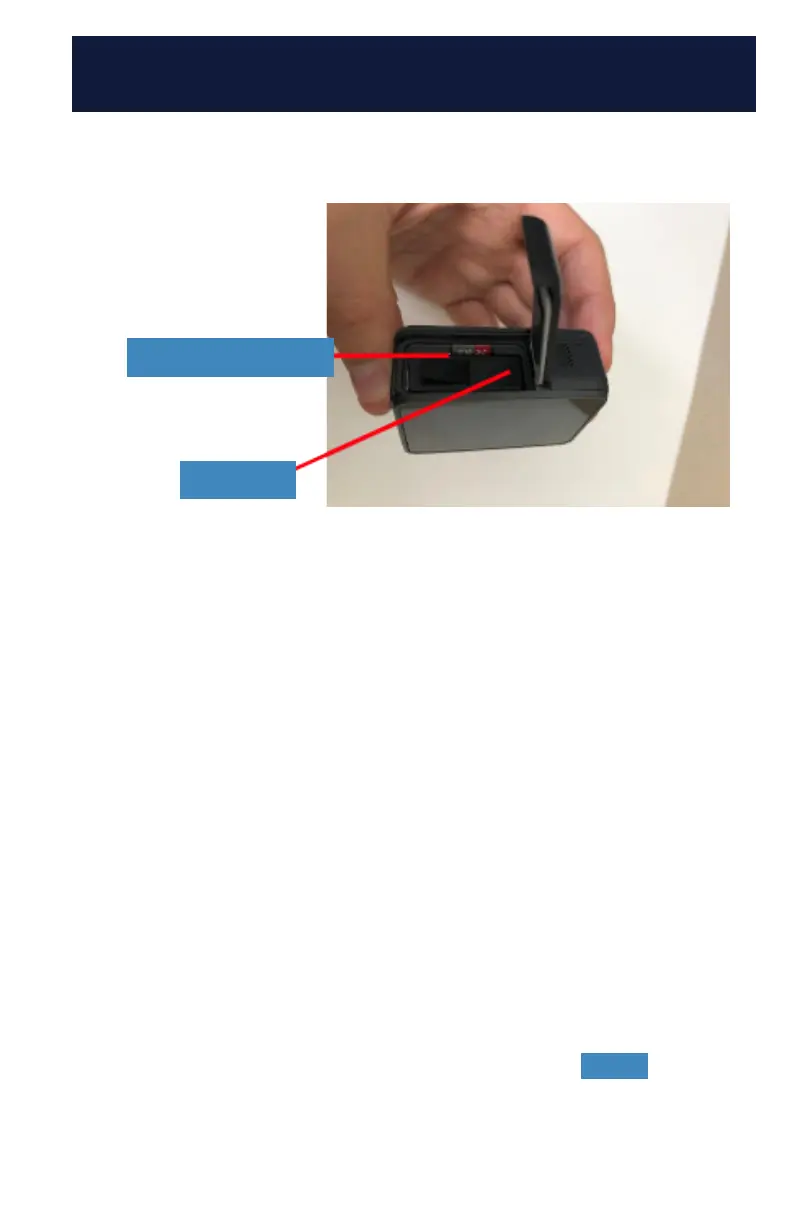
locate the Micro SD card in the battery compartment
on the bottom of the GoPro. To open the door, press
the button and slide the door to the side. It may stick
a little due to the rubber gasket that makes the GoPro
waterproof. Once you have the battery compartment
door open you will notice the Micro SD card to the
side of the battery. Press down on the card to get it to
pop up for removal. You may want to use a paperclip
or pen tip to press down on the card.
7. Once the Micro SD card pops up, you can pull the
card out and insert it into the included Micro SD card
reader. The Micro SD card reader can be plugged
directly into your computer’s USB port. Your computer
should recognize the card and give you options for
transferring your les.
8. To turn off the GoPro, press and hold the Mode button
for 3 seconds.
Micro SD card
Battery



 To Next Page