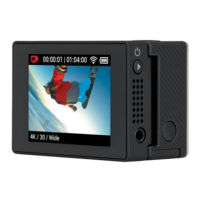
ADJUST LCD SCREEN BRIGHTNESS
1. Press and hold LCD button for 2 seconds to enter
LCD menu.
2. Press power/mode button twice to highlight
‘BRIGHTNESS’ menu button.
3. Press shutter button repeatedly to adjust brightness.
PLAYBACK PHOTOS
1. Press and hold LCD button for 2 seconds to enter
LCD menu.
2. Press power/mode button once to highlight
‘PHOTO’ menu option.
3. Press shutter button and the rst recorded photo
will automatically be displayed.
4. Press power/mode button to advance to the next
photo. Hold down power/mode button to fast
forward through photos.
5. Press shutter button to go back to the previous
photo. Hold down shutter button to fast reverse
through photos.
7


 To Next Page