G6S/G3S User Manual
4. Installation
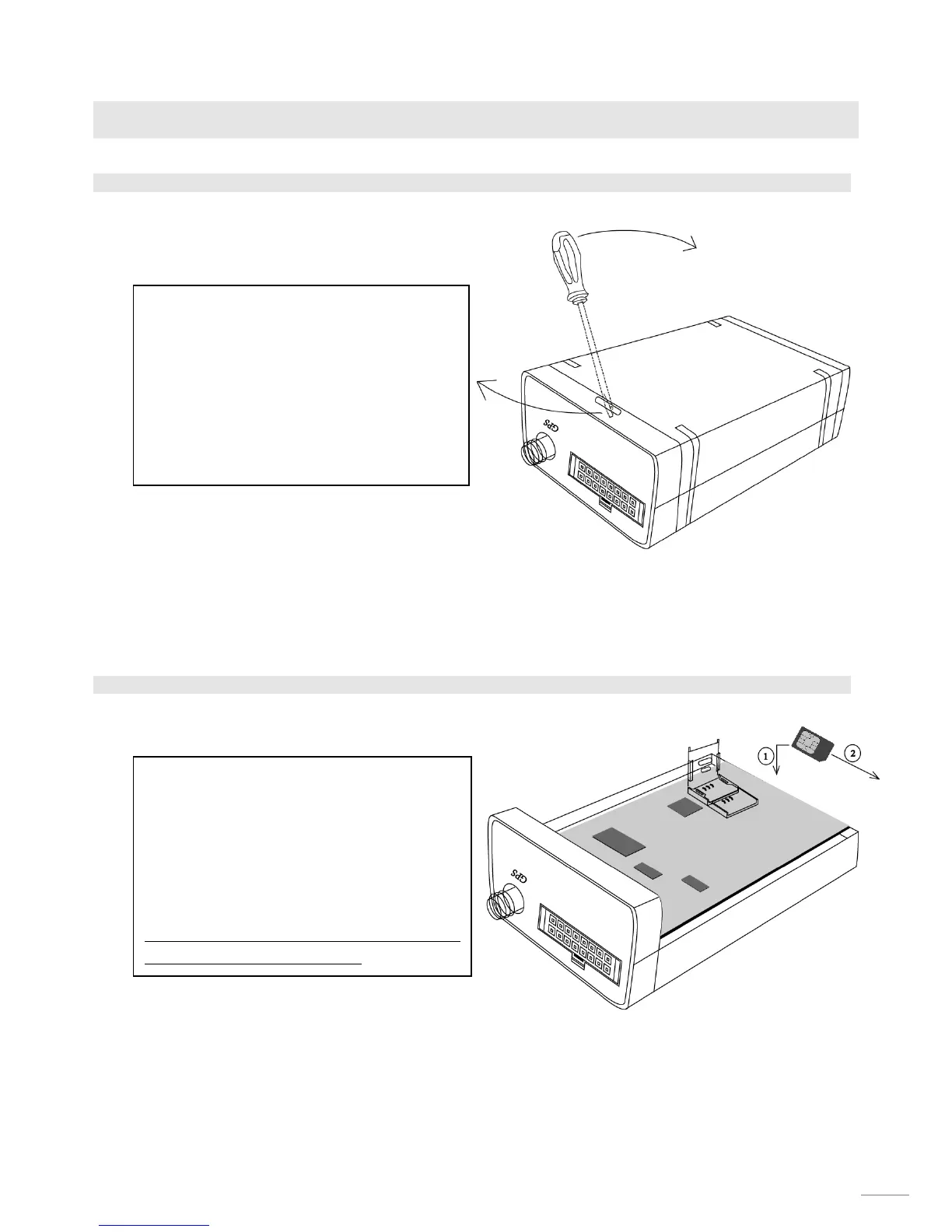
4.1. Remove the cover
4.2. Insert the SIM card
1, On the back panel of the device, there is
a small slot at the top of it.
2, Utilize a screw driver or sticker, insert it
to the slot a little bit.
3, Swing the screw driver at the direction
as illustrated and the cover will slide out.
1, Flip up cover of SIM holder, facing metal
side of SIM card to the PCB board as step1.
2, Insert SIM card to cover then flip it
down, pull the cover at the direction as
step2 to lock up SIM card firmly.
Note: Please disconnect any kind of power
source for device in advance.
9


 To Next Page