Need help?
Do you have a question about the gosund SW3 and is the answer not in the manual?
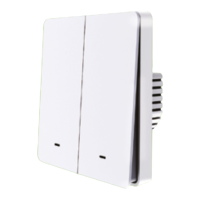
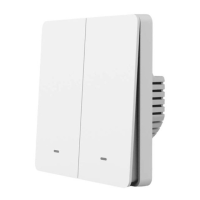
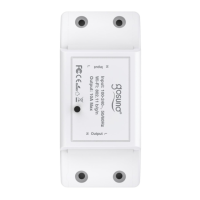
Lists the main product included in the package.
Indicates the presence of the user manual.
Specifies the voltage and frequency requirements for the device.
Details the maximum current output capacity of the device.
States the Wi-Fi standard supported by the smart switch.
Explains how to restore factory settings by pressing the ON/OFF button.
Visual representation of how to wire the smart switch.
Explains the meaning of a fast blinking blue light for connection.
Explains the meaning of a slow blinking blue light for AP mode.
Indicates the status of red light (ON) and no light (OFF).
Instructions on finding and downloading the Gosund application from app stores.
Steps for creating a new user account within the Gosund app.
Specifies the requirement for a 2.4GHz Wi-Fi network for connection.
Guides on connecting when the router broadcasts both 2.4GHz and 5GHz signals.
Instructions on selecting the correct 2.4GHz Wi-Fi signal from available networks.
Details the steps for connecting using the Easy Mode, indicated by a rapidly blinking blue light.
Ensures the smart switch is correctly installed before proceeding with app connection.
Guides the user to open the app and select the 'Socket' option.
Advises to check the indicator light and follow the app's instructions for setup.
Instructs on assigning a custom name and room for the smart switch in the app.
Outlines the procedure for connecting the device using AP Mode when Easy Mode fails.
Instructions on how to switch the device to AP Mode by holding the power button.
Guides the user to select AP Mode from the 'Add Device' interface.
Instructs to press the button for slow flash and connect to the 'SmartLife-xxx' hotspot.
Advises to wait for successful configuration and confirm completion in the app.
Describes how to schedule device operations at specific times.
Explains how to assign custom names to devices for easier identification.
Details the function to set timers for device operation.
Allows creating scenes and groups for controlling multiple devices simultaneously.
Explains how to allow other users to control your smart switch.
Provides steps within the Gosund app to initiate device sharing.
Guides on connecting the smart switch with Amazon Alexa for voice control.
Lists necessary items like Alexa device, app, and Gosund account.
Guides on enabling the Gosund skill within the Alexa app.
Explains authorizing the skill and syncing connected devices with Alexa.
Instructions on using voice commands with Alexa to control the smart plug.
Emphasizes setting a clear name in the Gosund app for Alexa recognition.
Provides examples of voice commands to control the smart plug via Alexa.
Guides on linking the smart switch with the Google Home app.
Details the process of connecting the Gosund app with the Google Home app.
Guides on using the 'Works with Google' feature for linking services.
Instructs on assigning device names and rooms within the Google Home app.
Explains the authorization step for Google to manage devices.
Guides on managing linked devices, setting names, and rooms.
Addresses common issues and solutions for phone connection failures.
Explains reasons for voice control issues with smart assistants.
Discusses random on/off behavior or offline status and their causes.
Explains when a re-setup is necessary after changing the Wi-Fi router.
General safety precautions for device usage and handling.
Specifies indoor use, dry locations, and avoidance of extreme environments.
Warns against self-disassembly and highlights potential damage and safety risks.
States that the device meets the UL94 V-0 flammability standard.
Details the terms and conditions of the product warranty.
Details the product's 2-year warranty period from Alza.cz.
Lists situations or actions that may invalidate the warranty.
Formal declaration of the product's compliance with EU standards.
Provides contact and registered office details for the importer, Alza.cz a.s.
Identifies the declared product as Gosund WiFi Smart Switch, Model: SW3.
Confirms product testing against specified EU directives for compliance.
Information regarding the proper disposal of electronic waste.
Instructions on disposing of the product as per EU WEEE directive.

 To Next Page
 General