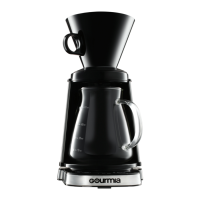
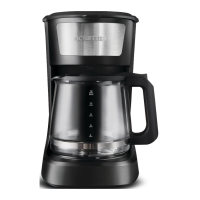
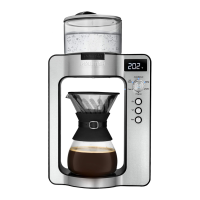
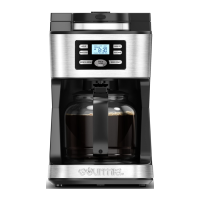
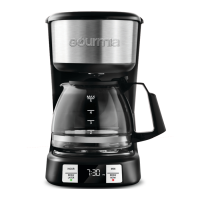
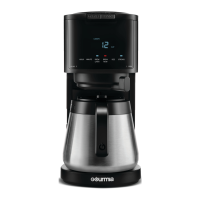
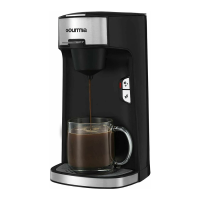
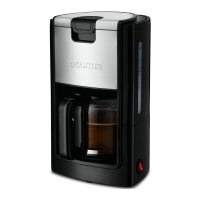
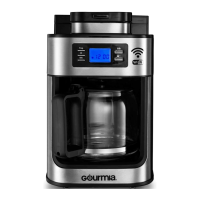
This document is a user manual for the Gourmia GCM3260 Programmable Hot and Iced Coffee Maker. It provides instructions for assembly, operation, cleaning, and maintenance of the appliance, along with important safety safeguards.
Function Description
The Gourmia GCM3260 is a versatile coffee maker designed to brew both hot and iced coffee. It features a programmable "Brew Later" function, allowing users to set a delayed start time for coffee brewing up to 24 hours in advance. The appliance also includes a "Keep Warm" function for hot coffee, which can be adjusted from 30 minutes to 4 hours, with a default setting of 2 hours. A "Freshness Indicator" displays the time elapsed since the coffee was brewed when in keep warm mode. For iced coffee, the machine is designed to brew directly over ice placed in the carafe, utilizing a specific iced coffee trivet to ensure proper brewing. The coffee maker also has a "Strong/Iced" button to select between a stronger brew for hot coffee or to initiate the iced coffee brewing cycle. A "Self-Clean Cycle" and "Descale" function are integrated to help maintain the appliance and prevent limescale buildup, with a "Time-to-Clean" light indicating when a cleaning cycle is needed.
Usage Features
General Operation:
- Setting the Clock: The time can be set by pressing the HOUR and MINUTE buttons. Holding these buttons allows for rapid adjustment.
- Pause & Serve: During brewing, the carafe can be temporarily removed for serving, and the machine will pause dispensing. However, it should not be removed for more than one minute to prevent overflow.
- Water Reservoir: The water reservoir has clear markings for both hot and iced coffee, indicating maximum and minimum fill levels. It's crucial not to overfill or underfill the reservoir.
- Filter: The coffee maker uses a 12-cup basket-style filter (not included) which is placed into the funnel.
- Pre-ground Coffee: The manual provides recommended amounts of pre-ground coffee per cup for both hot and iced brewing, with the option to add more for a stronger brew.
Brewing Hot Coffee:
- Ensure the iced coffee trivet is not on the warming plate.
- Open the water reservoir lid and fill it to the desired cup marking (up to "12 MAX HOT").
- Add pre-ground coffee to the filter (suggested 1 tbs. per cup).
- Close the lid and place the carafe on the warming plate.
- For stronger coffee, press the "STRONG / ICED" button once.
- Press the "BREW NOW" button to start brewing. The brew light will blink during brewing and remain on during the keep warm cycle.
- The default keep warm setting is 2 hours, after which the coffee maker automatically turns off. This can be adjusted.
- The "FRESHNESS INDICATOR" counts up the time since brewing began while in keep warm mode.
- To turn off keep warm mode, press the "BREW NOW" button until the brew light is off.
Programming Brew Later (Hot Coffee Only):
- Follow steps 1-5 for brewing hot coffee.
- Press the "BREW LATER" button; "SET BREW LATER" will blink on the display.
- Use the HOUR and MINUTE buttons to set the desired brew start time.
- Press the "BREW LATER" button again or wait 5 seconds to confirm. "BREW LATER" will appear on the display.
- To cancel, press the "BREW LATER" button again.
Adjusting Keep Warm Function (Hot Coffee Only):
- Press and hold both HOUR and MINUTE buttons simultaneously for 3-5 seconds until the keep warm time blinks.
- Use the HOUR or MINUTE button to select from turning the function off (display shows "OFF") or setting it for 30 minutes to 4 hours.
- Confirm settings by pressing and holding both HOUR and MINUTE buttons for 5 seconds or by waiting 5 seconds. These new settings will become the default.
Brewing Iced Coffee:
- Ensure the iced coffee trivet is on the warming plate.
- Open the water reservoir lid and fill it to the desired serving mark (up to "6 MAX ICED").
- Add pre-ground coffee to the filter according to the recommended amounts for iced coffee.
- Close the lid.
- Gently add ice to the carafe up to the desired line (refer to markings on the carafe for "MAX ICE"). Never place ice into the water reservoir.
- Place the ice-filled carafe on the iced coffee trivet.
- Press the "STRONG / ICED" button twice; "ICED" will appear on the display.
- Press the "BREW NOW" button to start brewing.
- After brewing, remove the carafe and iced coffee trivet from the warming plate.
Maintenance Features
Cleaning & Maintenance (General):
- Always turn off and unplug the coffee maker, allowing it to cool before cleaning.
- Do not immerse the cord, plugs, or coffee maker in water or other liquids.
- All removable parts (funnel, carafe, scoop) are dishwasher safe.
Funnel and Carafe:
- Clean with warm soapy water and a non-abrasive sponge.
Interior:
- Use a sponge or non-metal brush to clean the inside of the coffee maker. Wipe dry with a soft cloth.
Warming Plate and Exterior:
- Use a damp cloth to clean. Wipe dry with a soft cloth.
- Do not use harsh cleaning agents or metal brushes to avoid scratching the stainless-steel surface.
- Ensure the funnel is completely dry before use.
Self-Clean Cycle / Descale:
- Limescale buildup is normal over time. It is recommended to run the self-clean cycle after every 100 brews.
- The "Time-to-Clean" light will blink to indicate when a clean cycle is needed.
- To Descale:
- Plug in the coffee maker.
- Mix equal parts vinegar and water, then pour into the water reservoir.
- Close the lid and place the carafe on the warming plate.
- Press the "CLEAN" button to start the cleaning process.
- After the cleaning process, fill the coffee maker with water and brew again to rinse out any remaining vinegar.
- If a vinegar odor persists, run another cycle with water.
- For stubborn stains in the carafe, use a soft sponge and baking soda. For tougher stains, mix 1 cup water, 1 cup vinegar, and 1/4 cup baking soda, and let it sit in the carafe overnight.
Storage:
- Unplug the appliance and allow it to cool.
- Ensure all parts are clean and dry.
- Store the appliance in a clean and dry place.

 Need help?
 General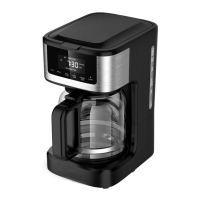

 To Next Page