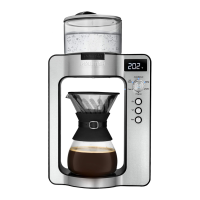
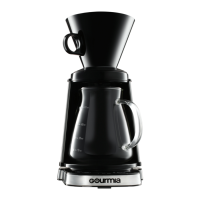
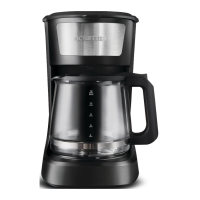
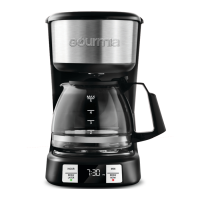
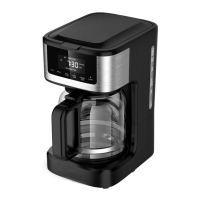
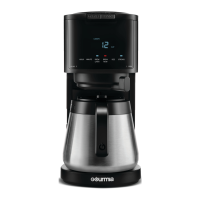
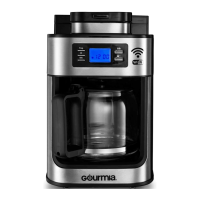
The Gourmia Grind & Brew Coffee Maker (Model GCM3180) is an appliance designed to simplify the coffee brewing process by integrating both grinding and brewing functions. This unit allows users to enjoy fresh coffee from whole beans or pre-ground coffee with ease.
Function Description:
The primary function of this coffee maker is to grind whole coffee beans and then brew coffee, or to brew coffee using pre-ground coffee. It features a water reservoir, a filter, a funnel, and a carafe, all working together to produce brewed coffee. The control panel and display provide an intuitive interface for setting up and operating the device.
Usage Features:
- Grind & Brew Functionality: The coffee maker offers the convenience of grinding whole coffee beans immediately before brewing. Users can select their desired grind size (COARSE or FINE) via the GRIND & BREW button on the control panel. Once the grind size is selected and the water reservoir is filled with the desired amount of water (minimum 2 cups, maximum 12 cups, not exceeding the 12-cup indicator), and coffee beans are added to the filter (1 scoop per cup, with additional scoops for stronger coffee, not exceeding the Max indicator), pressing the BREW NOW button initiates the automatic grind and brew process. The brew light will blink during grinding and illuminate during brewing.
- Brew Pre-Ground Coffee: For those who prefer to use pre-ground coffee, the appliance also supports this option. After filling the water reservoir (following the same guidelines as for grind and brew) and adding pre-ground coffee to the filter (1 scoop per cup, with additional grounds for stronger coffee, not exceeding the Max indicator), users press the BREW ONLY button, which will display "BREW ONLY" on the screen. Pressing BREW NOW then starts the brewing process, with the brew light illuminating.
- Set The Clock: The device includes a clock function, allowing users to set the current time using the HOUR and MINUTE buttons. Pressing and holding these buttons enables rapid adjustment of the time.
- Program Brew Later (Delay Start): A key convenience feature is the "Brew Later" function, which allows users to program the coffee maker to start brewing up to 24 hours in advance. To use this, the clock must first be set. Users follow the initial steps for either grind and brew or brew pre-ground coffee, then press the BREW LATER button. "BREW LATER PROGRAM" will blink on the display, and users can then set their desired brew start time using the HOUR and MINUTE buttons. Confirming the time by pressing BREW LATER again or waiting 5 seconds will display "BREW LATER PROGRAM." This function can be canceled by pressing the BREW LATER button once more.
- Keep Warm Function: After brewing is complete, the coffee maker automatically enters a "keep warm" mode, maintaining the coffee's temperature for a default duration of 2 hours. The display counts up, indicating the time elapsed since brewing. Users can adjust the keep warm settings using the KEEP WARM button, choosing to turn the function off or set it for durations ranging from 30 minutes to 4 hours. "KEEP WARM" will blink on the display during adjustment.
- Freshness Indicator: While in keep warm mode, the display provides a freshness indicator by counting up the time since the coffee was brewed, allowing users to monitor how long the coffee has been kept warm.
- Temporary Pause for Serving: During the brewing process, the carafe can be temporarily removed for serving. The machine will pause dispensing, but it is crucial not to remove the carafe for more than one minute to prevent overflow.
- Safety Precautions during Use: Users are advised not to open the water reservoir's lid while brewing is in progress and to avoid touching the warming plate after brewing, as it becomes very hot. The carafe should only be held by its handle.
Maintenance Features:
- Initial Cleaning: Before first use, all packaging materials should be removed. The funnel, filter, and carafe should be cleaned with non-abrasive soap and thoroughly dried. The exterior can be wiped with a damp cloth. It is also recommended to run a brew cycle with only water (filled to the 12-cup indicator) to clean the system, then discard the water.
- Regular Cleaning: After each use, the funnel and filter should be cleaned. All removable parts, including the funnel, filter, carafe, and scoop, are dishwasher safe.
- Funnel and Carafe Cleaning: These parts can be cleaned with warm soapy water and a non-abrasive sponge.
- Filter Cleaning: The filter should be cleaned with warm soapy water and dried with a soft cloth.
- Interior Cleaning: The interior of the coffee maker can be cleaned using a sponge or non-metal brush, followed by wiping dry with a soft cloth.
- Warming Plate and Exterior Cleaning: The warming plate and exterior should be cleaned with a damp cloth and then wiped dry with a soft cloth. Harsh cleaning agents or metal brushes should not be used to avoid scratching the stainless steel surface.
- Descaling: To prevent limescale buildup, which occurs over time, the coffee maker should be descaled every 2-3 months, or monthly if used daily. The descaling process involves mixing equal parts vinegar and water, pouring it into the water reservoir, closing the lid, and placing the carafe on the warming plate. Then, press the BREW ONLY button, followed by BREW NOW to start the brewing process. After this cycle, the coffee maker should be filled with water and brewed again to rinse out any remaining vinegar. If a vinegar odor persists, another water-only cycle can be run.
- Stain Removal from Carafe: For stubborn stains in the carafe, a mixture of 1 cup water, 1 cup vinegar, and ½ cup of baking soda can be allowed to sit in the carafe overnight.
- Storage: When not in use, the appliance should be unplugged and allowed to cool down. All parts should be clean and dry before storing the appliance in a clean and dry place.

 Need help?
 General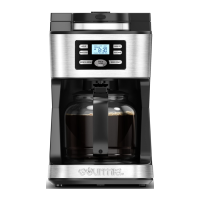

 To Next Page