EasyManua.ls Logo

Gourmia GCM3518 - User Manual

Gourmia GCM3518
16 pages
Print Icon
To Next Page IconTo Next Page
Loading...
USER MANUAL 5-CUP PROGRAMMABLE COFFEE MAKER GCM3518
1
GCM3518
USER MANUAL
5CUP PROGRAMMABLE
COFFEE MAKER
Gourmia - User Manual GCM3518.indd 1Gourmia - User Manual GCM3518.indd 1 6/29/2023 11:21:57 PM6/29/2023 11:21:57 PM
Question and Answer IconNeed help?

Do you have a question about the Gourmia GCM3518 and is the answer not in the manual?

Summary

Important Safeguards

Cord and Plug Safety

Provides instructions on safe use and handling of the power cord and plug to prevent hazards.

Electrical Polarized Plug

Explains the function and proper insertion of the polarized plug for user safety against electric shock.

Know Your Coffee Maker

Coffee Maker Components

Identifies key external parts of the coffee maker, including the funnel, carafe, and warming plate.

Control Panel and Display

Details the components of the control panel and display, including lid, water reservoir, and water level window.

Using Your Coffee Maker

Before First Use

Instructions for initial cleaning and preparation before brewing coffee for the first time.

Setting Up

Guidance on placing the coffee maker on a suitable surface and plugging it in.

Setting the Clock

Steps to accurately set the current time on the coffee maker's display using HOUR and MINUTE buttons.

Brewing Coffee

Detailed steps on how to brew coffee, including water and coffee grounds placement and using BREW NOW.

Pause & Serve Feature

Explanation of how to temporarily stop dispensing to serve coffee during brewing.

Programming Brew Later

Instructions to schedule coffee brewing for a future time up to 24 hours in advance.

Adjusting Keep Warm

Guide to customize the duration the coffee maker keeps coffee warm after brewing.

Freshness Timer

Information on how the freshness timer counts up while the coffee is kept warm.

Cleaning and Maintenance

After Each Use

General instructions for cleaning removable parts and the interior of the coffee maker.

Warming Plate and Exterior Cleaning

Guidance on cleaning the warming plate and exterior using a damp cloth and avoiding abrasives.

Descaling Process

Procedure for removing limescale buildup using a water and vinegar solution.

Warranty and Service

Limited Warranty Details

Information on the one-year limited warranty, coverage, and exclusions for the coffee maker.

Customer Service Information

Contact details for customer service, including website, email, and phone number.

Summary

Important Safeguards

Cord and Plug Safety

Provides instructions on safe use and handling of the power cord and plug to prevent hazards.

Electrical Polarized Plug

Explains the function and proper insertion of the polarized plug for user safety against electric shock.

Know Your Coffee Maker

Coffee Maker Components

Identifies key external parts of the coffee maker, including the funnel, carafe, and warming plate.

Control Panel and Display

Details the components of the control panel and display, including lid, water reservoir, and water level window.

Using Your Coffee Maker

Before First Use

Instructions for initial cleaning and preparation before brewing coffee for the first time.

Setting Up

Guidance on placing the coffee maker on a suitable surface and plugging it in.

Setting the Clock

Steps to accurately set the current time on the coffee maker's display using HOUR and MINUTE buttons.

Brewing Coffee

Detailed steps on how to brew coffee, including water and coffee grounds placement and using BREW NOW.

Pause & Serve Feature

Explanation of how to temporarily stop dispensing to serve coffee during brewing.

Programming Brew Later

Instructions to schedule coffee brewing for a future time up to 24 hours in advance.

Adjusting Keep Warm

Guide to customize the duration the coffee maker keeps coffee warm after brewing.

Freshness Timer

Information on how the freshness timer counts up while the coffee is kept warm.

Cleaning and Maintenance

After Each Use

General instructions for cleaning removable parts and the interior of the coffee maker.

Warming Plate and Exterior Cleaning

Guidance on cleaning the warming plate and exterior using a damp cloth and avoiding abrasives.

Descaling Process

Procedure for removing limescale buildup using a water and vinegar solution.

Warranty and Service

Limited Warranty Details

Information on the one-year limited warranty, coverage, and exclusions for the coffee maker.

Customer Service Information

Contact details for customer service, including website, email, and phone number.

Overview

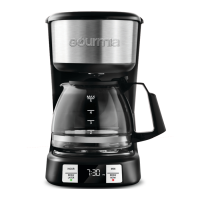
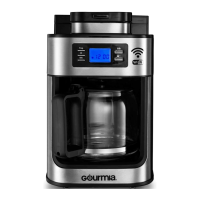
The Gourmia GCM3518 is a 5-cup programmable coffee maker designed for household use, offering convenience and ease of operation for brewing coffee.

Function Description:

This coffee maker is designed to brew up to 5 cups of coffee. It features a programmable "Brew Later" function, allowing users to set a desired start time for brewing up to 24 hours in advance. The device also includes a "Keep Warm" mode that maintains coffee temperature for a default of 2 hours, with adjustable settings up to 4 hours. A "Freshness Timer" on the display counts up to show how long the coffee has been kept warm since brewing. The "Pause & Serve" feature allows users to temporarily remove the carafe during brewing to pour a cup of coffee without interruption to the brewing cycle, though it's advised not to remove the carafe for more than a minute to prevent overflow.

Important Technical Specifications:

  • Model: GCM3518
  • Capacity: 5 cups
  • Power: 120V~ 60Hz 700W
  • Programmability: 24-hour "Brew Later" function
  • Keep Warm Time: Default 2 hours, adjustable up to 4 hours in 30-minute increments.
  • Plug Type: Polarized plug (one blade wider than the other) for safety.
  • Filter Type: Requires a 5-cup basket filter (not included).
  • Water Reservoir: Features MIN and MAX markings, with a water level window.
  • Carafe: Glass carafe with a handle.

Usage Features:

  • Before First Use: It is recommended to remove all packaging materials, clean the funnel and carafe with non-abrasive soap, and wipe the exterior with a damp cloth. Before brewing coffee for the first time, a cleaning cycle with water only (without coffee) should be run to clean the system. The funnel must be completely dry before use.
  • Setting the Clock: The clock can be set using the "HOUR" and "MINUTE" buttons. Pressing and holding these buttons allows for rapid adjustment. A dot on the display indicates PM.
  • Brewing Coffee:
    1. Open the lid.
    2. Fill the water reservoir with cold, fresh water between the MIN (2-cup) and MAX (5-cup) markings.
    3. Place a 5-cup basket filter (not included) into the funnel.
    4. Add medium to coarse ground coffee to the filter. Avoid finely ground coffee.
    5. Close the lid.
    6. Place the carafe on the warming plate.
    7. Press "BREW NOW." The brew light will blink during brewing and remain lit when brewing is complete, indicating entry into "Keep Warm" mode.
    8. To turn off "Keep Warm" mode at any time, press "BREW NOW" again.
  • Programming Brew Later:
    1. Ensure the clock is set.
    2. Follow steps 1-4 for brewing coffee.
    3. Press "BREW LATER." The brew later light will blink.
    4. Adjust the desired brew start time using the "HOUR" and "MINUTE" buttons.
    5. Confirm the time by pressing "BREW LATER" again or waiting 5 seconds. The brew later light will remain on.
    6. To cancel, press "BREW LATER" again, and the brew later light will turn off.
  • Adjusting Keep Warm:
    1. Press and hold "HOUR" and "MINUTE" simultaneously for 3-5 seconds until the keep warm time appears on the display.
    2. Adjust the keep warm time in 30-minute increments between OFF and 4 hours using "HOUR" or "MINUTE."
    3. Confirm settings by pressing and holding "HOUR" and "MINUTE" for 5 seconds or waiting 5 seconds. This new setting becomes the default.
  • Safety Precautions:
    • Never operate without water in the reservoir.
    • Do not open the lid during brewing.
    • Avoid touching hot surfaces, especially the warming plate; always use the carafe handle.
    • Do not stand over the appliance during use due to hot steam.
    • Allow the coffee maker to cool before opening the lid after brewing.
    • Handle the glass carafe with care; do not leave an empty carafe on the warming plate.
    • Do not use if the carafe is cracked.
    • Do not immerse the unit, power cord, or plug in water or any other liquid.
    • Always unplug when not in use or before cleaning.

Maintenance Features:

  • After Each Use: Clean all removable parts.
  • Funnel and Carafe: Wash with warm, soapy water and a non-abrasive sponge.
  • Interior: Clean with a sponge or non-metal brush, then wipe dry with a soft cloth.
  • Warming Plate and Exterior: Wipe with a damp cloth, then dry with a soft cloth. Do not use harsh cleaning agents or metal brushes to avoid scratching the stainless steel surface. Ensure the funnel is completely dry before use.
  • Descaling: Limescale buildup requires descaling every 2-3 months, or monthly if used daily.
    1. Fill the water reservoir with water and vinegar between the MIN and MAX marks.
    2. Place an empty paper filter in the funnel and close the lid.
    3. Place the empty carafe on the warming plate.
    4. Press "BREW NOW."
    5. Once brewing is complete, discard the solution from the carafe and reservoir.
    6. Remove and discard the paper filter.
    7. Fill the reservoir to the MAX mark with cool water.
    8. Return the empty carafe to the warming plate.
    9. Press "BREW NOW" to run a rinse cycle.
    10. After brewing, discard the water and rinse the carafe thoroughly. Run another water cycle if a vinegar odor persists.

Gourmia GCM3518 Specifications

General IconGeneral
BrandGourmia
ModelGCM3518
CategoryCoffee Maker
LanguageEnglish

Related product manuals