a
b
c
Line Thermal Printers
4
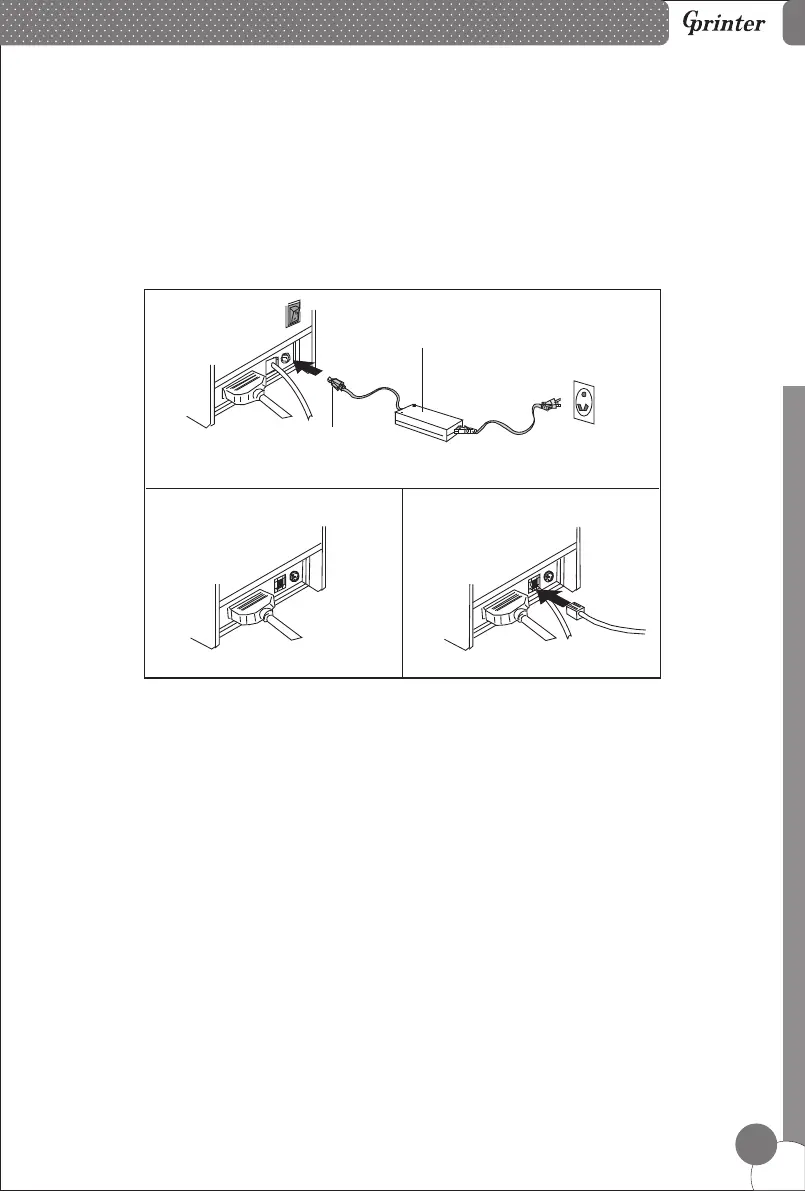
a. Plug the DC cord connector into the printer's power connector.
b. Plug the data cable connector into the printer's interface connector.
c. Plug the drawer cable into the drawer kick-out connector on the back of the printer
next to the interface connector.
6. Printer Connection
Power Adapter
Power Cord
7. Installing the roll paper
a. Open the printer cover.
b. Install the roller in the roll paper, and put them into the printer.
c. Pull out some paper outside the printer.
d. Close the top cover. Press the printer cover to avoid error position of roll paper.
e. Tear-off the paper correctly.



 To Next Page