International Point of Sale: CornerStore POS
1-866-468-5767 or 201-928-0222 International Point of Sale
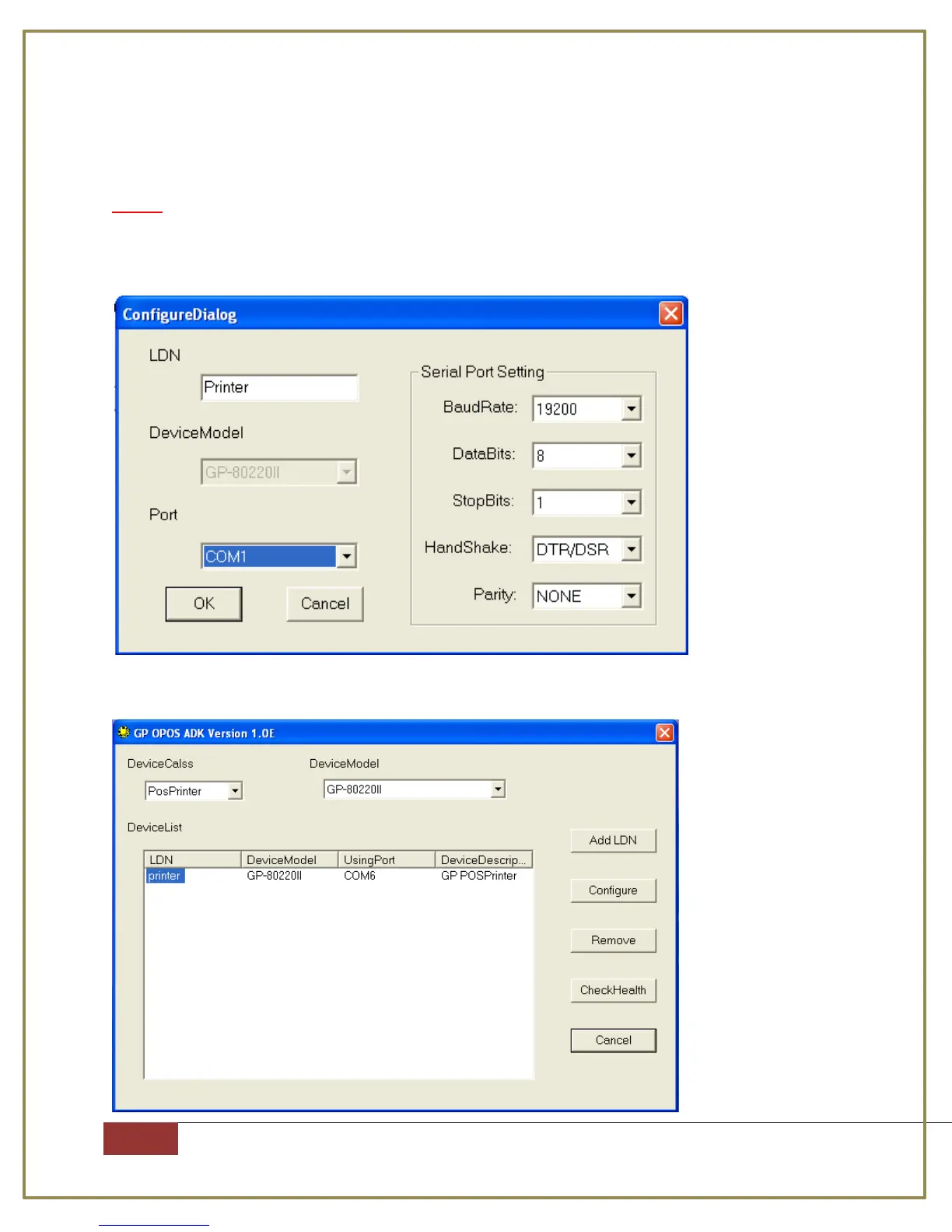
Step 8: Select the proper COM Port. Then put in the proper information into the
window.
Note: To find this information, turn off the printer, press and hold the feed
button, then turn the printer on and not letting go of the feed button till the
paper light turns off. Press OK when you are done.
Step 9: You should see your printer now.



 To Next Page