International Point of Sale: CornerStore POS
1-866-468-5767 or 201-928-0222 International Point of Sale
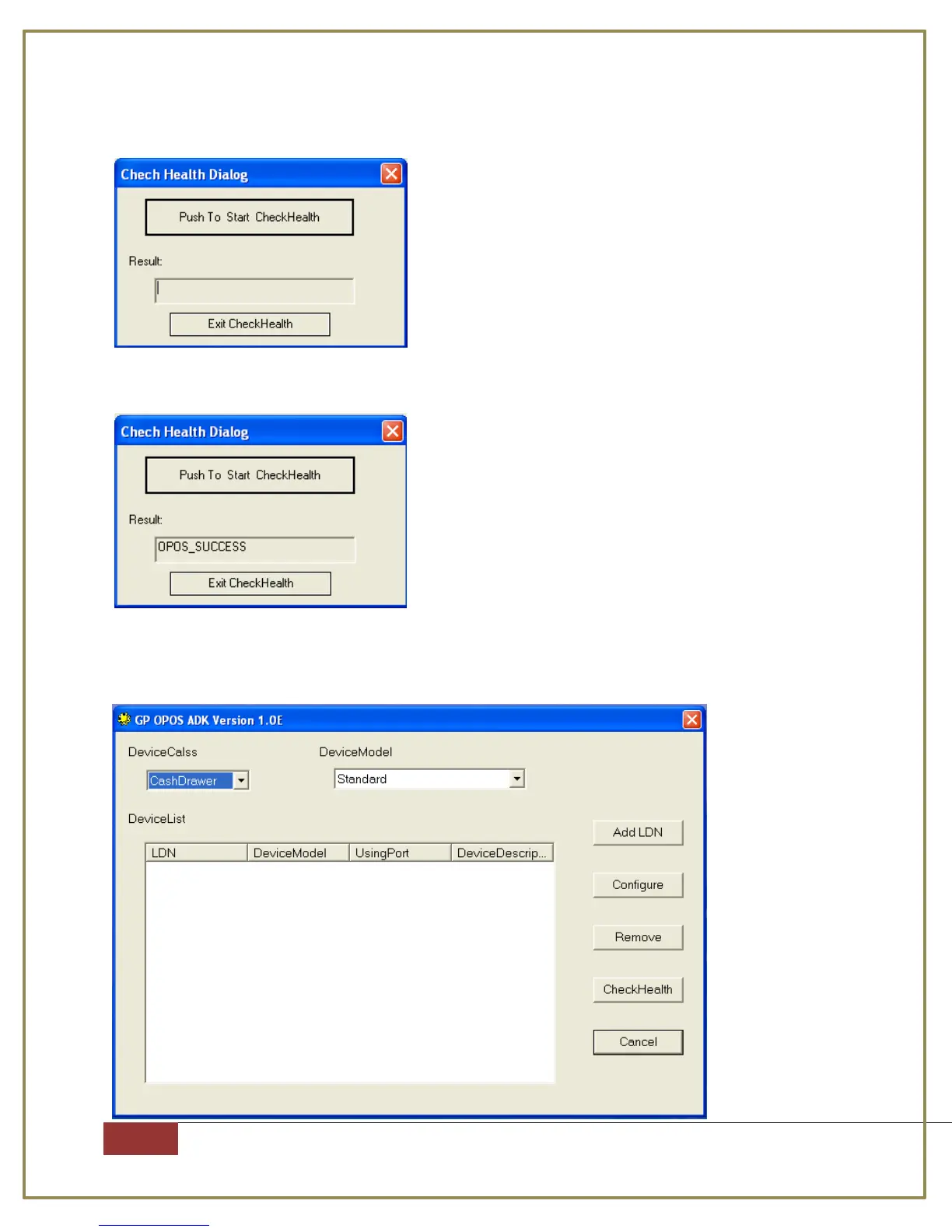
Step 10: Select the name you set up, then press CheckHealth
Step 11: Press “Push To Start CheckHealth”, you should get OPOS_SUCESS
Step 12: For Device Class, select Cash Drawer, and Device model should be
Standard. Press Add LDN



 To Next Page