IMPACT DOT-MATRIX PRINTER
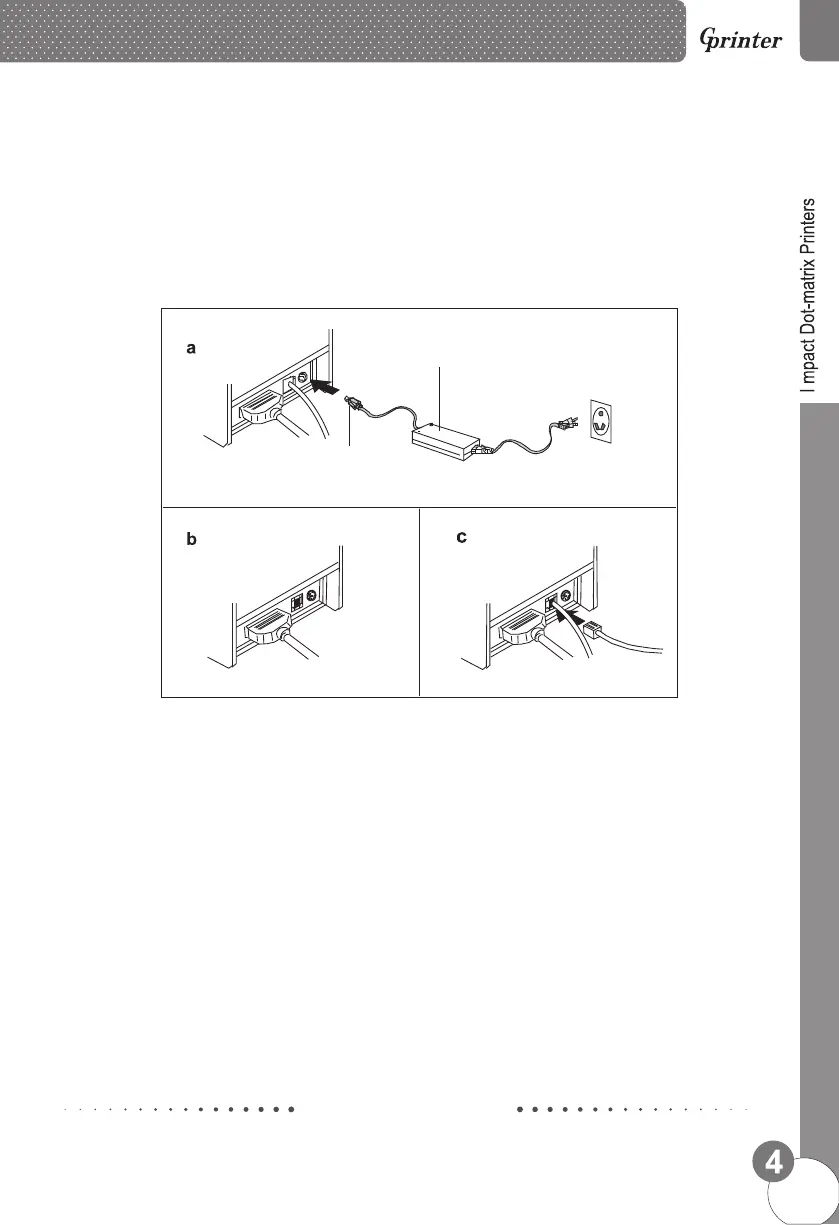
Power adapter
Power line
Printer Connection
a. Plug the DC cord connector into the printer's power connector.
b. Plug the data cable connector into the printer's interface connector.
c. Plug the drawer cable into the drawer kick-out connector on the back of the printer
next to the interface connector.
Paper Roll Installation
a. Turn on the printer and open the top cover.
b. Install the paper roll according to the chart below.
c. Place the paper into the paper path, and printer will automatically feed the paper.
d. Open the cutter, separate plies of paper. Insert the upper copies through the upper cutter slot, and
the lower copies under the cutter.
e. Insert the lower copies into the paper receiver gap, and rotate the receiver pole a round to lock the
paper. Then close the cutter and place the ribbon cartridge followed by the arrow.



 To Next Page