CUSTOMERHELPLINE|1-314-621-2881 GPX 7
BASIC OPERATIONS
Playing a CD
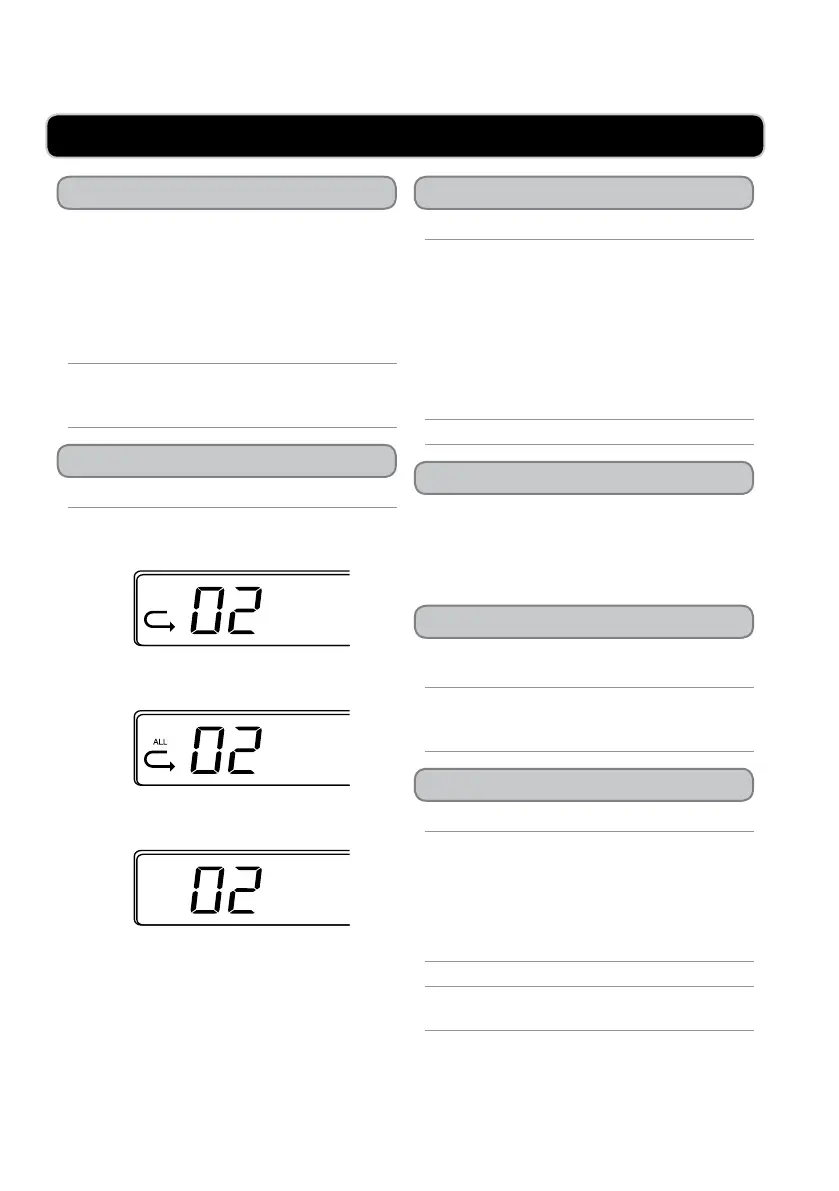
Using the Repeat
Tuning the AM or FM Radio
Improving AM or FM Radio Reception
Using the Line Input
Programming a CD
1. Open the CD door.
2. Load a CD into the boombox.
3. Adjust the CD/OFF-AUX/AM/FM to CD
mode.
4. Press the Play/Pause button to begin playing
the loaded CD.
If the loaded CD doesn’t begin playing and the CD
is spinning, try adjusting the volume using the dial
on the side of the boombox.
Load a CD into the boombox, and begin playing.
1. Press the Repeat button once to repeat the
current CD track.
2. Press the Repeatbutton twice to repeat the
entire CD.
3. Press the Repeat button three times to turn the
repeat function off.
1. Adjust the CD/OFF-AUX/AM/FM to AM or
FM mode.
2. Turn the Tuning dial to adjust the AM or FM
radio frequency.
Extend and adjust the FMAntenna to improve
FM radio reception.
An AMAntenna is built into the boombox. Adjust
the position of the boombox to improve AM radio
reception.
Requires a 3.5mm line input cable (included).
1. Connect an MP3 player or other audio source
to the boombox using a 3.5mm line input cable
(included).
2. Adjust the CD/OFF-AUX/AM/FM to OFF-
AUX mode.
Use the connected devices controls for playback.
Use the connected device and boombox for
volume control.
Load a CD into the boombox, and begin playing.
1. Press the Program button.
2. Press the Skip/Search buttons to select a track
from the loaded CD.
3. Press the Programbutton to add the selected
track to the program.
4. Repeat steps 2 and 3 until the desired tracks
have been programmed.
Up to 20 tracks can be programmed at one time.
REPEAT
ONE
REPEAT
ALL
REPEAT
NONE


 To Next Page