8
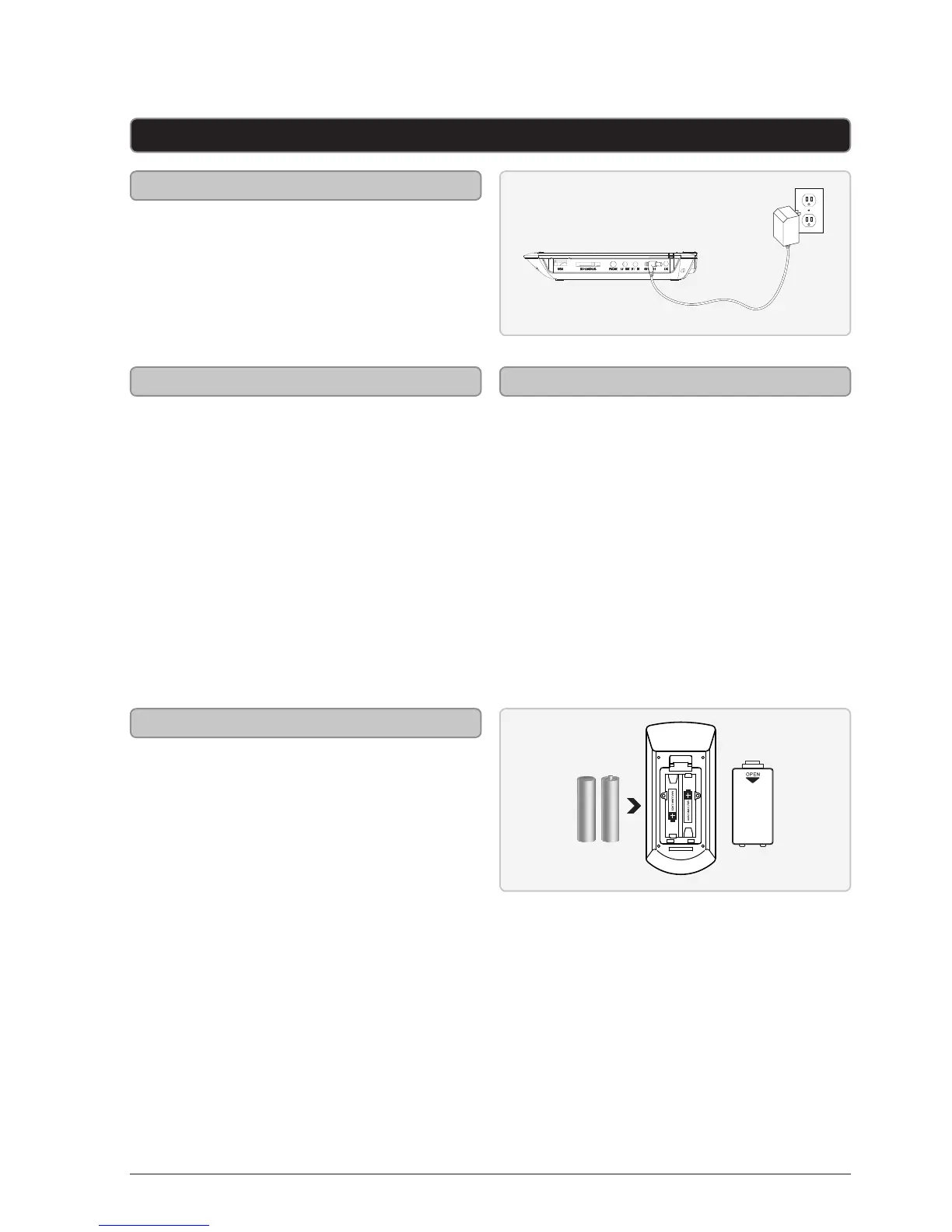
Requires 2 AAA batteries (included)
Remote
Setup
DC power input: requires an AC/DC adapter
(included)
The power indicator will turn green
whenever the portable DVD player is powered
on.
DC battery power: built-in rechargeable
battery
The Charge indicator will turn red whenever
the built-in rechargeable battery is charging.
The Power indicator will turn green
whenever the portable DVD player is powered
on.
When the battery is fully charged, the Charge
Indicator will turn o.
1. Plug the included AC/DC power
adapter into the DC Power Input on
the portable DVD player and an AC
power outlet.
2. Adjust the Power switch to the o
position.
The Charge Indicator will turn red
whenever the built-in rechargeable
battery is charging.
When the battery is fully charged, the
Charge Indicator will turn o.
Power
Battery Power
Charging the Built-in Battery


 To Next Page