14
Connecting to Other Devices
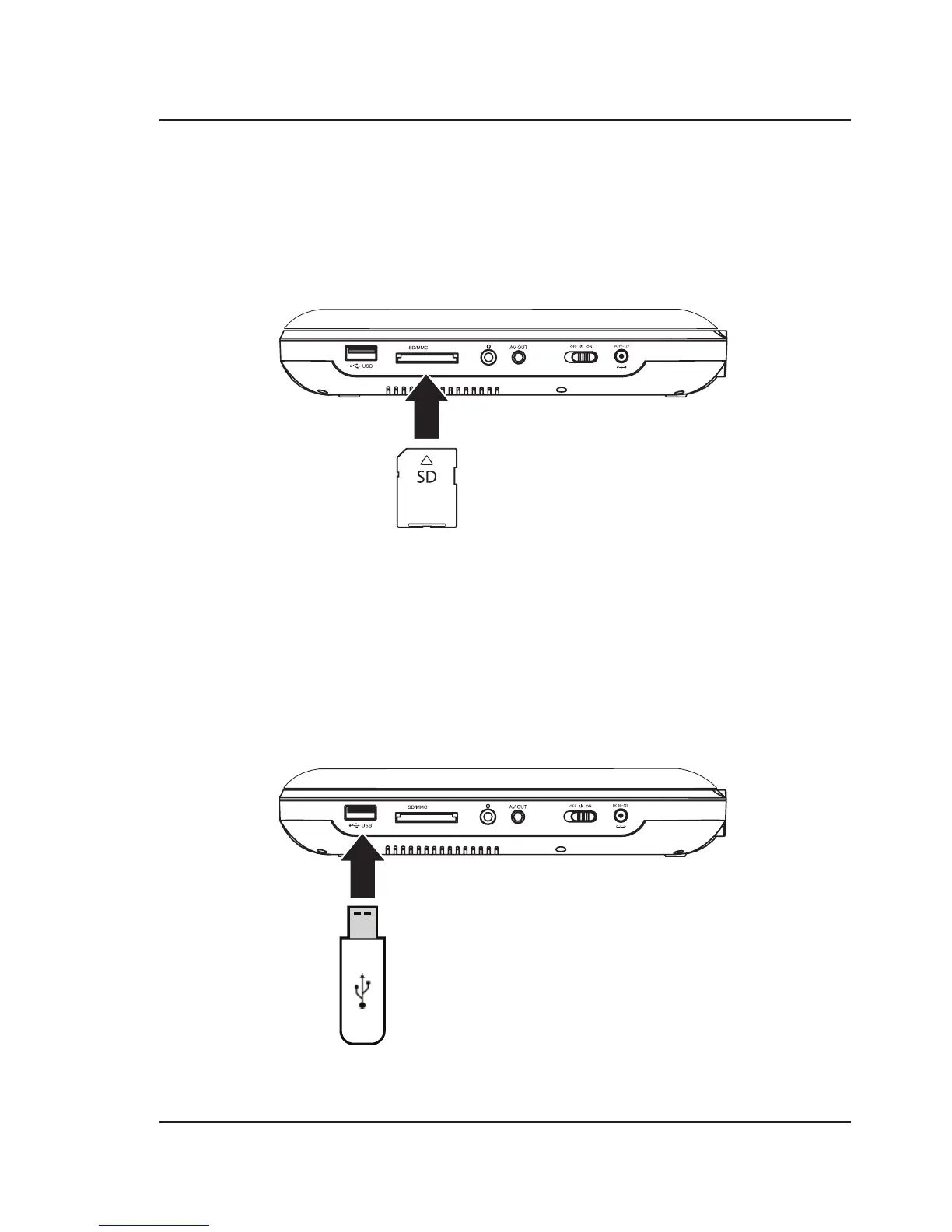
CARD
CARD
USB Storage Device
Supports USB drives up to 32GB.
Supports JPEG, AVI, VOB, MPEG 1, MPEG 2 and MPEG 4 file formats.
1. Load a USB drive into the USB Port.
2. Set the Source to USB.
3. Use the Arrow/OK buttons to select and play content from the connected USB thumb drive.
SD Memory Card
Supports SD cards up to 32GB.
Supports JPEG, AVI, VOB, MPEG 1, MPEG 2 and MPEG 4 file formats.
1. Load an SD card into the SD card slot.
2. Set the Source to CARD.
3. Use the Arrow/OK buttons to select and play content from the connected SD card.


 To Next Page